N
or
OFF
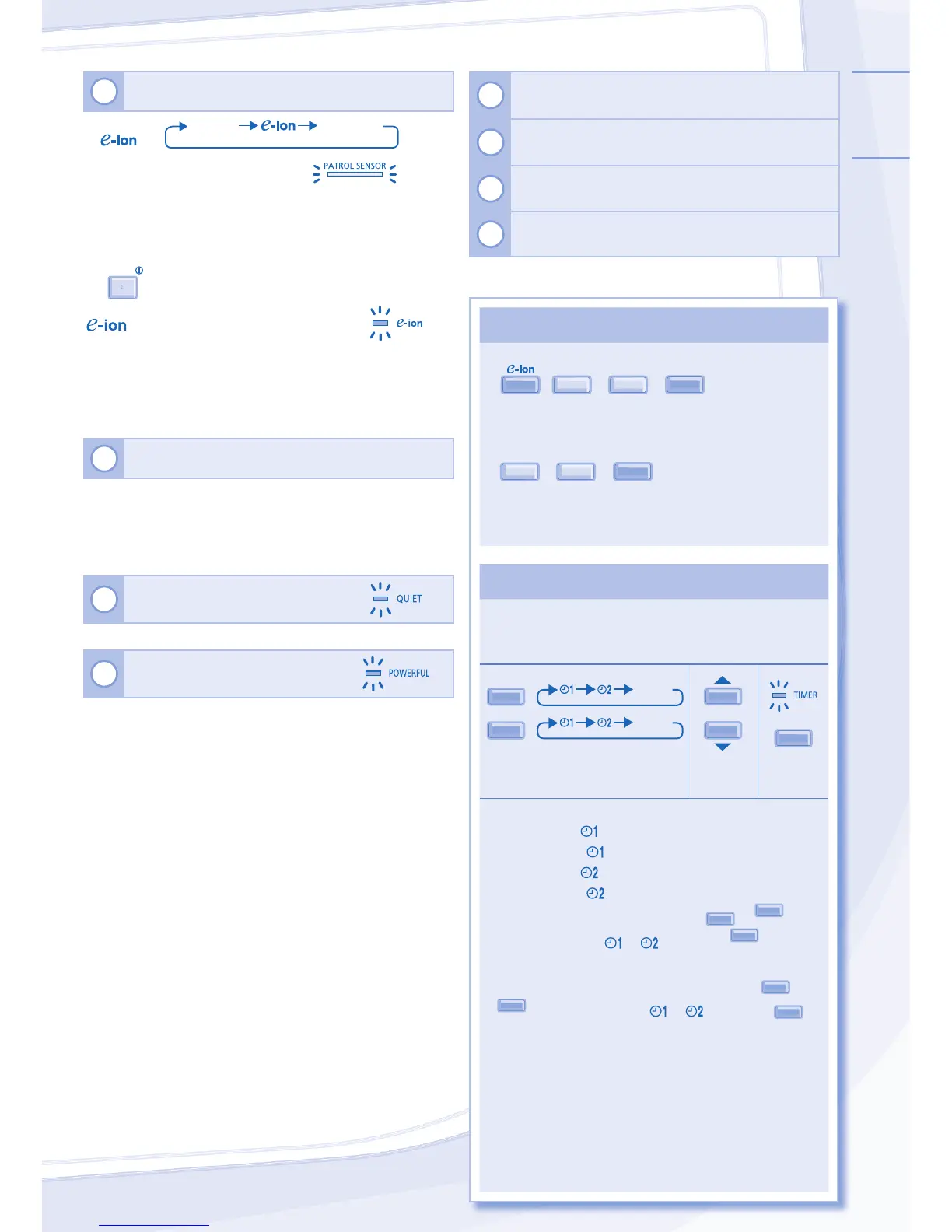
to select respective or then press
SET
.
• Upcoming timer will be displayed and will be activated
in sequence.
• When ON Timer is set, the unit may start earlier (up
to 30 minutes) before the actual set time in order to
achieve the desired temperature on time.
• Timer operation is based on the clock set in the
remote control and repeats daily once set. For clock
setting, please refer to Remote Control Preparation at
back cover.
7
TO ENJOY CLEAN & FRESH AIR
PATROL/
PATROL
NORMAL
PATROL - To monitor air quality
• Detects air quality; e-ion operation activates when air
quality is at dirty level.
• Can be activated even when the unit is turned off.
• Patrol starts automatically with the unit switched on with
OFF/ON
.
- To freshen and purify the air
• Generates negative ions to produce fresh air effect and
attract dust which will then be captured at the positively
charged e-ion fi lters.
• Can be activated even when the unit is turned off. In this
condition, fan speed and air swing can not be adjusted.
8
TO IMPROVE HUMIDITY AND MOISTURE LEVEL
• This operation reduces air dryness and provides you with
a comfortable living environment during COOL mode only.
• When vertical airfl ow direction is set to AUTO, it stops at
lower position to avoid cold air contact. However, you can
adjust the louver direction manually.
9
TO ENJOY QUIET
ENVIRONMENT
• This operation reduces airfl ow noise.
10
TO ACHIEVE TEMPERATURE
QUICKLY
• This operation will stop automatically after 20 minutes.
11
Press and hold for 5 seconds to dim or restore the
unit’s indicator brightness.
12
Press and hold for approximately 10 seconds to
show temperature setting in °C or °F.
13
Press to restore the remote control’s default setting.
14
Not used in normal operations.



 To Next Page