EasyManua.ls Logo

Panasonic CS-S24JKQ - User Manual

Panasonic CS-S24JKQ
16 pages
Print Icon
To Next Page IconTo Next Page
Loading...
F566313
Operating Instructions
Air Conditioner
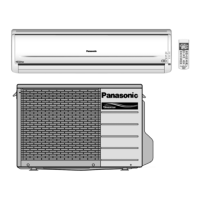
Indoor Unit Outdoor Unit
CS-S18JKQ CU-S18JKQ
CS-S24JKQ CU-S24JKQ
© Panasonic HA Air-Conditioning (M) Sdn. Bhd. 2008.
Unauthorized copying and distribution is a violation
of law.
ENGLISH
ENGLISH
2 ~ 7
2 ~ 7
Before operating the unit, read these
operating instructions thoroughly and
keep them for future reference.
ESPAÑOL 8 ~ 13
ESPAÑOL 8 ~ 13
Antes de utilizar la unidad, sírvase leer
atentamente estas instrucciones de
funcionamiento y conservarlas como
futuro elemento de consulta.

QUICK GUIDE
QUICK GUIDE
GUÍA PIDA
GUÍA RÁPIDA

Other manuals for Panasonic CS-S24JKQ

Questions and Answers

  • B
    Brian KempAug 6, 2025
    What to do if my Panasonic CS-S24JKQ Air Conditioner remote control does not work?
    • V
      vanessadavisAug 6, 2025
      If your Panasonic Air Conditioner remote control isn't working, ensure the batteries are correctly inserted or replace them with new ones if they are weak, especially if the display is dim or the transmission signal is weak.
  • T
    Theresa BrockAug 11, 2025
    Why my Panasonic CS-S24JKQ unit does not work?
    • M
      Michelle AndersonAug 11, 2025
      If your Panasonic Air Conditioner unit isn't working, you should check whether the circuit breaker has tripped or if any timers have been set.
  • A
    Amy HuynhAug 16, 2025
    What to do if my Panasonic CS-S24JKQ Air Conditioner unit does not receive the signal from the remote control?
    • J
      Jennifer WardAug 16, 2025
      If your Panasonic Air Conditioner unit isn't receiving the signal from the remote control, ensure that the receiver is not obstructed. Note that certain fluorescent lights may interfere with the signal transmitter; consult an authorized dealer for further assistance.
  • M
    melissahornAug 21, 2025
    What to do if the Patrol sensor or e-ion indicator on the Panasonic Air Conditioner indoor unit is blinking?
    • W
      wendywilliamsAug 21, 2025
      If the patrol sensor or e-ion indicator on your Panasonic Air Conditioner indoor unit is blinking, press the button once or twice. If the blinking continues, please consult an authorized dealer.
  • J
    James SkinnerAug 26, 2025
    Why is my Panasonic Air Conditioner so noisy?
    • A
      Alicia KennedyAug 26, 2025
      If your Panasonic Air Conditioner is noisy during operation, check to see if the unit has been installed at an incline or if the front panel is not closed properly.
  • B
    bruizAug 31, 2025
    How to make PATROL operation work on Panasonic CS-S24JKQ Air Conditioner?
    • A
      andreasimmonsAug 31, 2025
      To activate the PATROL operation on your Panasonic Air Conditioner, press and hold the button for 15 seconds until a beep sound is heard, then press it again.

Summary

Safety Precautions

Definition of Safety Symbols

Explains symbols used for safety instructions and warnings in the manual.

Remote Control Safety Guidelines

Precautions for safe remote control operation, including battery handling and prevention of swallowing.

Power Supply Safety Guidelines

Guidelines for safe electrical connections, power cord usage, and earthing requirements.

Indoor Unit Safety Measures

Safety measures for installing, operating, and preventing hazards with the indoor unit.

Outdoor Unit Safety Precautions

Safety precautions for the outdoor unit, covering physical handling and potential hazards.

Regulatory Information

Operation Conditions

Specifies the recommended indoor and outdoor temperature ranges for optimal and safe air conditioner operation.

Disposal of Old Equipment and Batteries

Information on environmentally sound disposal of electronic waste and used batteries, especially within the EU.

Product Overview and Operations

e-ion System and Air Quality Monitoring

Details the e-ion air purifying system, its components, and the PATROL sensor for air quality detection.

Basic Operation Controls

Instructions for turning the unit on/off, setting desired temperature, and selecting operational modes.

Advanced Operation Settings

Guidance on adjusting fan speed, airflow direction, and using special modes like Quiet and Powerful.

Humidity Control and Timer Functions

Using MILD DRY COOLING for humidity control and setting the timer for automated operation.

Optional Remote Settings

Explanation of additional settings available on the remote control, such as indicator brightness.

Care and Cleaning

General Washing Instructions

Guidelines for safe and effective cleaning of unit components using appropriate detergents.

Cleaning Specific Components

Instructions for cleaning the aluminium fin, charging wire, front panel, and active e-ion generator.

Cleaning e-ion Filters

Steps for regularly cleaning the e-ion air filters to maintain performance.

Unit Body Cleaning

Instructions for wiping down the main body of the indoor unit with a soft, dry cloth.

Extended Use Procedures

Guidance for seasonal inspection and preparing the unit for extended periods of non-use.

Service Criteria

Conditions that indicate the need for professional service or dealer consultation.

Troubleshooting

Normal Operating Phenomena

Descriptions of symptoms that are normal and do not indicate a malfunction.

Pre-Service Checks

Essential checks to perform before contacting a service technician for potential issues.

Error Code Retrieval

Procedure for using the remote control to retrieve and report error codes for diagnosis.

Quick Guide

Remote Control Setup

Steps for preparing the remote control, including battery installation and clock setting for operation.

Panasonic CS-S24JKQ Specifications

General IconGeneral
BrandPanasonic
ModelCS-S24JKQ
CategoryAir Conditioner
LanguageEnglish

Related product manuals