EasyManua.ls Logo

Panasonic CS-S9VKV-2 - User Manual

Panasonic CS-S9VKV-2
32 pages
Go to English
Print Icon
To Next Page IconTo Next Page
Loading...
English Español (LE)
Instrucciones de Operación
Aire Acondicionado
2-13
Antes de utilizar la unidad, lea atentamente estas
instrucciones de funcionamiento y consérvelas como
futuro elemento de consulta.
El instalador debe guardar y leer las Instrucciones de
instalación incluidas antes de la instalación.
El control remoto viene embalado en la unidad interior y
debe ser retirado por el instalador antes de la instalación.
Operating Instructions
Air Conditioner
14-25
Before operating the unit, please read these operating
instructions thoroughly and keep them for future reference.
The included Installation Instructions should be kept and
read by the installer before installation.
Remote control is packaged in the indoor unit and
removed by the installer before installation.
Instrucciones de Operación
Aire Acondicionado
Inverter Technology
Tecnología Inverter
Modelo
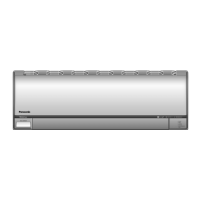
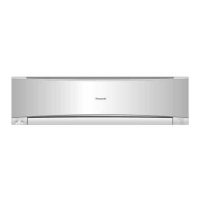
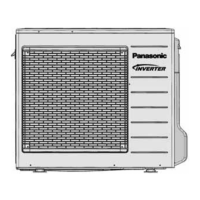
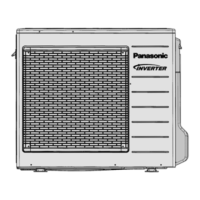
Unidad Interior Unidad Exterior
CS-S9VKV-2
CS-S12VKV-2
CS-S18VKV-2
CS-S24VKV-2
CS-S28VKV-2
CU-S9VKV-2
CU-S12VKV-2
CU-S18VKV-2
CU-S24VKV-2
CU-S28VKV-2
ACXF55-21790
ACXF55-21790_FC1806-00_S ��.indb 1 2019/4/24 10:11:38

Questions and Answers

  • S
    Shannon PowellAug 15, 2025
    Why Panasonic CS-S9VKV-2 Air Conditioner remote control does not work?
    • L
      Lindsay PorterAug 15, 2025
      If your Panasonic Air Conditioner's remote control isn't working, make sure the batteries are correctly inserted or replace them with new ones if they are weak. The display might be dim, or the transmission signal could be weak due to depleted batteries.
  • T
    theresa72Aug 18, 2025
    What to do if my Panasonic CS-S9VKV-2 is not working?
    • C
      Colleen ThorntonAug 18, 2025
      If your Panasonic Air Conditioner isn't working, check if the circuit breaker has tripped or if any timers have been set.
  • A
    Aaron RobinsonAug 21, 2025
    How to dim the indicators on a Panasonic Air Conditioner?
    • S
      Steven SuttonAug 21, 2025
      To dim the power indicator and the timer indicator on your Panasonic Air Conditioner (while extinguishing other indicators), press the button for 5 seconds. To restore the brightness of all indicators, repeat this procedure.
  • R
    roger74Aug 25, 2025
    What to do if my Panasonic CS-S9VKV-2 operation in COOL mode is not working efficiently?
    • L
      Lisa HornAug 26, 2025
      If the COOL mode on your Panasonic Air Conditioner isn't working efficiently: * Ensure the temperature is set correctly. * Close all doors and windows. * Clean or replace the filters. * Clear any obstructions from the air inlet and outlet vents.
  • M
    Mr. Joshua Harris DDSAug 28, 2025
    What to do if my Panasonic CS-S9VKV-2 does not receive the signal from the remote control?
    • R
      Regina BradleyAug 29, 2025
      If your Panasonic Air Conditioner isn't receiving the signal from the remote control, first ensure that the receiver is not obstructed. Note that certain fluorescent lights may interfere with the signal transmitter; consult an authorized dealer for further assistance.
  • L
    lamkelliSep 1, 2025
    Why Panasonic Air Conditioner is noisy during operation?
    • O
      ojonesSep 1, 2025
      If your Panasonic Air Conditioner is noisy during operation, check if the unit has been installed at an incline or ensure the front panel is closed properly.
  • J
    Jordan ShawSep 4, 2025
    Why POWER indicator blinks before the Panasonic CS-S9VKV-2 is switched on?
    • D
      daniel19Sep 4, 2025
      If the POWER indicator blinks before your Panasonic Air Conditioner is switched on, this is a preliminary step in preparation for operation when the ON timer has been set. When the ON Timer is set, the unit may start earlier than the set time to achieve the desired temperature on time.
  • M
    Megan RussellSep 7, 2025
    What to do with Panasonic Air Conditioner if the units are not going to be used for a long period of time?
    • L
      Lynn ThompsonSep 7, 2025
      If your Panasonic Air Conditioner units are not going to be used for a long period of time: * Separately activate NANOE operation for 2~3 hours to remove moisture left in the internal parts thoroughly to prevent mould growth. * Turn off the power supply and unplug the unit. * Remove the remote control batteries.
  • S
    Stacy SchroederSep 12, 2025
    Why TIMER indicator is always on in Panasonic CS-S9VKV-2?
    • J
      Javier LaneSep 12, 2025
      The timer setting repeats daily once set on your Panasonic Air Conditioner.

Summary

Quick Guide to Remote Operation

Inserting Remote Control Batteries

Steps to insert AAA or R03 batteries into the remote control.

Setting the Remote Control Clock

Instructions on how to set the clock on the remote control.

Basic Air Conditioner Operation

Starting and Stopping the Unit

How to turn the air conditioner on and off using the remote.

Selecting Operating Modes

How to choose between COOL, DRY, and i AUTO-X modes.

Adjusting the Temperature Setting

How to adjust the desired temperature using the remote.

Safety Precautions for Use

General Warnings and Symbols

Explains warning symbols and general safety advice for operation.

Indoor;Outdoor Unit Safety Guidelines

Safety guidelines for handling indoor and outdoor units.

Remote Control Safety Precautions

Precautions related to the remote control.

Power Supply Safety Measures

Electrical Safety and Fire Prevention

Measures to prevent overheating, fire, and electric shock from power supply.

Handling Unit Abnormalities

Actions for unit abnormalities and grounding requirements.

How to Use Your Air Conditioner

Achieving Quick Temperature Control

How to accelerate room cooling using i AUTO-X mode.

Enhancing Air Quality and Comfort

Using nanoe technology for air quality and comfort.

Advanced Operation Modes

Sleep Mode for Comfortable Sleeping

Provides comfortable sleep environment with automatic temperature adjustment.

Quiet Operation for Reduced Noise

Reduces airflow noise for a quieter environment.

Fan Speed and Airflow Direction Control

Adjusting fan speed and airflow direction.

Timer Operation Setup

How to set ON and OFF timers for automatic operation.

Understanding Air Conditioner Features

Explanation of Operation Modes

Details on COOL, DRY, and i AUTO-X operating modes.

Energy Saving Temperature Settings

Recommended temperature range for energy saving.

Auto Restart Control Function

Unit's behavior after a power failure.

Econavi Intelligent Eco Sensors

Sensor-Based Energy Saving Features

Details human activity and sunlight sensors for energy saving.

Adjusting Sunlight Sensor Sensitivity

How to adjust the sensitivity of the sunlight sensor.

Air Conditioner Cleaning Guide

Cleaning Indoor, Outdoor Units & Filters

How to clean indoor unit, outdoor unit, and air filters.

Front Panel Removal and Cleaning

Instructions for removing and cleaning the front panel.

Troubleshooting: Initial Checks

Identifying Non-Malfunction Symptoms

Symptoms that do not indicate a malfunction.

Pre-Servicing Troubleshooting Checks

Checks to perform before calling for service.

Troubleshooting Specific Issues

Remote Control & Indicator Problems

Troubleshooting remote control and indicator brightness problems.

Seasonal Inspection and Long-Term Storage

Checks for non-use and long-term storage.

Troubleshooting: Error Code Retrieval

How to Retrieve Error Codes

How to retrieve error codes using the remote control.

Information on Product Disposal

Disposal of Old Equipment and Batteries

Guidance on collecting and disposing of old equipment and batteries.

Panasonic CS-S9VKV-2 Specifications

General IconGeneral
RefrigerantR32
Dimensions (Outdoor Unit)542 x 780 x 289 mm
Weight (Indoor Unit)8 kg
Weight (Outdoor Unit)25 kg
TypeWall Mounted
InverterYes
Cooling Capacity2.5 kW
Heating Capacity3.2 kW
Power Supply220-240V, 50Hz
Indoor Unit Noise Level19 dB(A)

Related product manuals