EasyManua.ls Logo

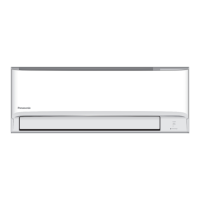
Panasonic CS-TZ20ZKEW - User Manual

Panasonic CS-TZ20ZKEW
24 pages
Print Icon
To Next Page IconTo Next Page
Loading...
WEB-ACXF55-35140-EN
Operating Instructions
Air Conditioner
Model No.
Indoor Unit Outdoor Unit
CS-TZ20ZKEW
CS-TZ25ZKEW
CS-TZ35ZKEW
CS-TZ42ZKEW
CS-TZ50ZKEW
CS-RZ25ZKEW
CS-RZ35ZKEW
CS-RZ50ZKEW
CS-MTZ16ZKE
Single Split
CU-TZ20ZKE
CU-TZ25ZKE
CU-TZ35ZKE
CU-TZ42ZKE
CU-TZ50ZKE
CU-RZ25ZKE
CU-RZ35ZKE
CU-RZ50ZKE
Multi Split
CU-2Z35TBE
CU-2Z41TBE
CU-2Z50TBE
CU-3Z52TBE
CU-3Z68TBE
CU-4Z68TBE
CU-4Z80TBE
CU-5Z90TBE
CU-2TZ41TBE
CU-2TZ50TBE
CU-3TZ52TBE
nanoeX
ENGLISH
Before operating the unit, please read these operating
instructions thoroughly and keep them for future reference.
Before installation, the installer should:
Read the Installation Instructions, then request the customer
keep them for future reference.
Remove the remote control packed with the indoor unit.

Other manuals for Panasonic CS-TZ20ZKEW

Questions and Answers

Summary

Quick Guide to Setup

Inserting Remote Control Batteries

Instructions for inserting AAA or R03 batteries into the remote control.

Setting the Clock Time

Steps to set the current time on the remote control.

Basic Air Conditioner Operation

Starting and Stopping the Unit

Instructions on how to turn the unit on or off using the power button.

Selecting an Operation Mode

Guide to selecting modes like AUTO, HEAT, DRY, or COOL.

Adjusting the Temperature Setting

How to set the desired temperature using UP and DOWN buttons.

Important Safety Precautions

Indoor and Outdoor Unit Safety

Important warnings and cautions for operating the indoor and outdoor units.

Remote Control Safety Guidelines

Safety instructions regarding the use of the remote control.

Power Supply and Unit Handling Safety

Power Supply Safety Measures

Precautions related to the power supply cord, plug, and earthing.

Indoor;Outdoor Unit Handling Cautions

Cautions for handling the indoor and outdoor units, including cleaning and installation.

Refrigerant and Remote Safety

Remote Control Usage Precautions

Safety guidelines for remote control use.

R32 Refrigerant Handling Safety

Specific safety measures when working with R32 refrigerant.

Refrigerating System Installation Safety

Refrigerating Equipment Checks

Checks and procedures for refrigerating equipment.

Installation Space Safety

Guidelines for installing the unit in appropriate spaces, considering refrigerant safety.

Servicing and Work Safety Guidelines

Service Personnel Qualifications

Qualifications and responsibilities of service personnel handling refrigerants.

Safe Work Practices

Safety checks and procedures to minimize ignition risks during work.

Maintenance Safety Checks

Refrigerating Equipment Maintenance

Ensuring correct specifications and condition of refrigerating equipment.

Electrical Device Maintenance Safety

Safety checks for electrical components during repair and maintenance.

Repair, Cabling, and Leak Detection Safety

Safety During Repairs

Safety measures during repairs to sealed components.

Flammable Refrigerant Leak Detection

Acceptable methods for detecting flammable refrigerant leaks.

Refrigerant Handling Procedures

Refrigerant Removal and Evacuation

Steps for safely removing and evacuating refrigerant from the system.

Refrigerant Charging Process

Guidelines for safely charging the system with refrigerant.

Decommissioning and Refrigerant Recovery

Safe Decommissioning Steps

Steps and precautions for safely decommissioning the air conditioner.

Refrigerant Recovery Best Practices

Best practices for recovering refrigerant into cylinders.

Refrigerant Recovery Precautions

Avoiding Refrigerant Mixing

Avoiding mixing refrigerants in recovery units and cylinders.

How to Use Your Air Conditioner

Adjusting Airflow Direction

How to adjust the horizontal and lateral airflow direction of the unit.

Setting Fan Speed and Quiet Mode

Settings for fan speed, AUTO fan, and QUIET operation.

Using nanoe X for Air Quality

Using the nanoe X feature for air purification and moisturization.

Powerful Mode for Quick Cooling;Heating

Activating the POWERFUL mode for rapid temperature adjustment.

Mild Dry Mode for Humidity Control

Using the MILD DRY mode to reduce air dryness.

Comfort and Timer Settings

Sleep Operation for Comfort

Details on the SLEEP operation for a comfortable sleeping environment.

Setting the ON;OFF Timer

Instructions for setting the ON/OFF timer for the unit.

Wireless LAN Connection Setup

Information on setting up the Wireless LAN Module for remote control.

Understanding Operation Modes

Operation Mode Explanations

Explanation of different operating modes like AUTO, HEAT, COOL, and DRY.

Energy Saving Temperature Settings

Recommended temperature ranges for energy saving in HEAT and COOL modes.

Airflow Direction by Mode

How the horizontal flap adjusts for different modes.

Auto Restart Functionality

How the unit restarts automatically after a power failure.

Operating Conditions and Temperature Ranges

Recommended Operating Temperatures

Table indicating recommended operating temperature ranges for indoor and outdoor units.

Cleaning and Maintenance Guide

Cleaning the Indoor Unit

Instructions for cleaning the indoor unit surface and front panel.

Cleaning the Outdoor Unit

How to clean the outdoor unit and clear drain pipe blockages.

Air Filter Care and Replacement

Guidance on cleaning and replacing air filters.

Troubleshooting Common Symptoms

Indicator Light Behavior

Causes for the POWER indicator blinking before or during operation.

Timer Indicator Status

Explanation for the TIMER indicator remaining illuminated.

Performance Issues

Reasons for delayed restarts and reduced cooling/heating capacity.

Fan and Operation Anomalies

Causes for indoor fan stopping or behavior during different modes.

Unusual Noises, Smells, and Water

Common noises, odors, and water/steam emissions during operation.

Troubleshooting Checks Before Servicing

Addressing Operation Inefficiencies

Checks for inefficient HEAT/COOL mode operation and noisy unit.

Remote Control Malfunctions

Troubleshooting steps for a non-functional remote control.

Unit Power and Signal Issues

Checks for when the unit does not operate or receive signals.

Troubleshooting Scenarios and Preparations

Operating Without Remote Control

Steps to operate the unit when the remote control is missing or faulty.

Adjusting Unit Indicator Brightness

How to adjust the brightness of the unit's indicators.

Post-Non-Use Inspection

Checks to perform after a period of non-use.

Preparing for Extended Storage

Steps to take when the unit will not be used for an extended period.

Error Code Retrieval and Meanings

How to Retrieve Error Codes

Procedure to access and display error codes using the remote control.

Diagnostic Codes and Controls List

List of diagnostic codes and their corresponding abnormality/protection controls.

User Information and Symbol Guide

Equipment Disposal Guidelines

Guidelines for responsible disposal of old equipment and batteries.

Understanding Manual Symbols

Explanation of symbols used in the manual, including warnings and information indicators.

Summary

Quick Guide to Setup

Inserting Remote Control Batteries

Instructions for inserting AAA or R03 batteries into the remote control.

Setting the Clock Time

Steps to set the current time on the remote control.

Basic Air Conditioner Operation

Starting and Stopping the Unit

Instructions on how to turn the unit on or off using the power button.

Selecting an Operation Mode

Guide to selecting modes like AUTO, HEAT, DRY, or COOL.

Adjusting the Temperature Setting

How to set the desired temperature using UP and DOWN buttons.

Important Safety Precautions

Indoor and Outdoor Unit Safety

Important warnings and cautions for operating the indoor and outdoor units.

Remote Control Safety Guidelines

Safety instructions regarding the use of the remote control.

Power Supply and Unit Handling Safety

Power Supply Safety Measures

Precautions related to the power supply cord, plug, and earthing.

Indoor;Outdoor Unit Handling Cautions

Cautions for handling the indoor and outdoor units, including cleaning and installation.

Refrigerant and Remote Safety

Remote Control Usage Precautions

Safety guidelines for remote control use.

R32 Refrigerant Handling Safety

Specific safety measures when working with R32 refrigerant.

Refrigerating System Installation Safety

Refrigerating Equipment Checks

Checks and procedures for refrigerating equipment.

Installation Space Safety

Guidelines for installing the unit in appropriate spaces, considering refrigerant safety.

Servicing and Work Safety Guidelines

Service Personnel Qualifications

Qualifications and responsibilities of service personnel handling refrigerants.

Safe Work Practices

Safety checks and procedures to minimize ignition risks during work.

Maintenance Safety Checks

Refrigerating Equipment Maintenance

Ensuring correct specifications and condition of refrigerating equipment.

Electrical Device Maintenance Safety

Safety checks for electrical components during repair and maintenance.

Repair, Cabling, and Leak Detection Safety

Safety During Repairs

Safety measures during repairs to sealed components.

Flammable Refrigerant Leak Detection

Acceptable methods for detecting flammable refrigerant leaks.

Refrigerant Handling Procedures

Refrigerant Removal and Evacuation

Steps for safely removing and evacuating refrigerant from the system.

Refrigerant Charging Process

Guidelines for safely charging the system with refrigerant.

Decommissioning and Refrigerant Recovery

Safe Decommissioning Steps

Steps and precautions for safely decommissioning the air conditioner.

Refrigerant Recovery Best Practices

Best practices for recovering refrigerant into cylinders.

Refrigerant Recovery Precautions

Avoiding Refrigerant Mixing

Avoiding mixing refrigerants in recovery units and cylinders.

How to Use Your Air Conditioner

Adjusting Airflow Direction

How to adjust the horizontal and lateral airflow direction of the unit.

Setting Fan Speed and Quiet Mode

Settings for fan speed, AUTO fan, and QUIET operation.

Using nanoe X for Air Quality

Using the nanoe X feature for air purification and moisturization.

Powerful Mode for Quick Cooling;Heating

Activating the POWERFUL mode for rapid temperature adjustment.

Mild Dry Mode for Humidity Control

Using the MILD DRY mode to reduce air dryness.

Comfort and Timer Settings

Sleep Operation for Comfort

Details on the SLEEP operation for a comfortable sleeping environment.

Setting the ON;OFF Timer

Instructions for setting the ON/OFF timer for the unit.

Wireless LAN Connection Setup

Information on setting up the Wireless LAN Module for remote control.

Understanding Operation Modes

Operation Mode Explanations

Explanation of different operating modes like AUTO, HEAT, COOL, and DRY.

Energy Saving Temperature Settings

Recommended temperature ranges for energy saving in HEAT and COOL modes.

Airflow Direction by Mode

How the horizontal flap adjusts for different modes.

Auto Restart Functionality

How the unit restarts automatically after a power failure.

Operating Conditions and Temperature Ranges

Recommended Operating Temperatures

Table indicating recommended operating temperature ranges for indoor and outdoor units.

Cleaning and Maintenance Guide

Cleaning the Indoor Unit

Instructions for cleaning the indoor unit surface and front panel.

Cleaning the Outdoor Unit

How to clean the outdoor unit and clear drain pipe blockages.

Air Filter Care and Replacement

Guidance on cleaning and replacing air filters.

Troubleshooting Common Symptoms

Indicator Light Behavior

Causes for the POWER indicator blinking before or during operation.

Timer Indicator Status

Explanation for the TIMER indicator remaining illuminated.

Performance Issues

Reasons for delayed restarts and reduced cooling/heating capacity.

Fan and Operation Anomalies

Causes for indoor fan stopping or behavior during different modes.

Unusual Noises, Smells, and Water

Common noises, odors, and water/steam emissions during operation.

Troubleshooting Checks Before Servicing

Addressing Operation Inefficiencies

Checks for inefficient HEAT/COOL mode operation and noisy unit.

Remote Control Malfunctions

Troubleshooting steps for a non-functional remote control.

Unit Power and Signal Issues

Checks for when the unit does not operate or receive signals.

Troubleshooting Scenarios and Preparations

Operating Without Remote Control

Steps to operate the unit when the remote control is missing or faulty.

Adjusting Unit Indicator Brightness

How to adjust the brightness of the unit's indicators.

Post-Non-Use Inspection

Checks to perform after a period of non-use.

Preparing for Extended Storage

Steps to take when the unit will not be used for an extended period.

Error Code Retrieval and Meanings

How to Retrieve Error Codes

Procedure to access and display error codes using the remote control.

Diagnostic Codes and Controls List

List of diagnostic codes and their corresponding abnormality/protection controls.

User Information and Symbol Guide

Equipment Disposal Guidelines

Guidelines for responsible disposal of old equipment and batteries.

Understanding Manual Symbols

Explanation of symbols used in the manual, including warnings and information indicators.

Overview

This document provides operating instructions for a Panasonic air conditioner, covering its functions, usage, and maintenance.

Function Description

The Panasonic air conditioner is designed to provide comfortable indoor climate control. It offers both single split and multi split system configurations, allowing for flexible installation to suit various needs. A notable feature is the built-in Network Adaptor, which enables remote control of the heat pump from anywhere, enhancing convenience and accessibility. The unit operates with R32 refrigerant, a mild flammable refrigerant, and includes specific safety precautions related to its handling and installation.

The air conditioner supports various operation modes:

  • AUTO Mode: The unit automatically selects an operation mode based on the setting and room temperature. In multi-split systems, it selects a mode every 3 hours based on setting, room, and outdoor temperature.
  • HEAT Mode: Provides heating, with the power indicator blinking initially as the unit warms up. If the HEAT mode system is locked and another mode is selected, the indoor unit stops and the power indicator blinks.
  • COOL Mode: Offers efficient comfort cooling.
  • DRY Mode: Operates at a low fan speed for gentle cooling, reducing air dryness.

The unit also incorporates energy-saving temperature settings, recommending specific ranges for HEAT (20.0 °C ~ 24.0 °C / 68 °F ~ 75 °F) and COOL (26.0 °C ~ 28.0 °C / 79 °F ~ 82 °F) modes to optimize energy consumption.

Usage Features

The air conditioner is controlled via a remote control, which should be used within 8 meters of the indoor unit's receiver.

Basic Operation:

  • Start/Stop: Press the OFF/ON button to start or stop the unit. When the unit is ON, "OFF" disappears from the remote control display.
  • Mode Selection: Press the MODE button to select AUTO, HEAT, DRY, or COOL.
  • Temperature Adjustment: Use the TEMP UP and TEMP DOWN buttons to select the desired temperature, ranging from 16.0 °C to 30.0 °C (60 °F to 86 °F). Holding the SELECT button for approximately 10 seconds will switch the temperature display between °C and °F.

Clock Setting:

  • To set the clock, press the CLOCK button, then press SELECT to set the time. Holding CLOCK for approximately 5 seconds toggles between 12-hour (am/pm) and 24-hour formats. Confirm with SET.

Airflow Direction:

  • Vertical Airflow: The AIR SWING button adjusts the upper direction of airflow. The flap swings up/down automatically in COOL/DRY mode and fixes at the upper position once the temperature is achieved. In HEAT mode, it fixes at a predetermined position or swings up-down automatically depending on the discharge air temperature.
  • Horizontal Airflow: This can be manually adjusted.
  • MILD DRY (Not applicable for Multi split system): When vertical airflow is set to AUTO, it stops at the lower position to avoid cold air contact, but can be manually adjusted.

Fan Speed and Quiet Operation:

  • Fan Speed: The FAN SPEED/QUIET button allows selection of fan speed. In FAN AUTO, the speed adjusts automatically. Selecting the lowest fan speed provides a low noise operation.
  • QUIET: This operation reduces airflow noise.

Fresher and Cleaner Environment (nanoe™ X):

  • The nanoe™ X function provides cleaner air, moisturizes skin and hair, and deodorizes odors.
  • To activate, press the nanoe™ X button when the unit is ON or OFF. Fan speed follows the remote control setting during individual nanoe™ X operation. If activated before turning off, it resumes when the unit is turned on. Press the button again to cancel.
  • In multi-split systems, if one indoor unit activates HEAT mode, individual nanoe™ X operation on other units cannot be performed or will stop.

Quick Temperature Reach (POWERFUL):

  • The POWERFUL button activates a quick temperature reach function, which automatically stops after 20 minutes. Press again to cancel.

Humidity and Moisture Level Improvement (MILD DRY - Not applicable for Multi split system):

  • The MILD DRY button reduces air dryness during COOL mode. Press again to cancel.

Sleep Mode:

  • The SLEEP button provides a comfortable sleeping environment by automatically adjusting the sleep pattern temperature. The indoor unit indicator dims when activated (unless manually dimmed). This function can be combined with the activation timer (0.5 to 9 hours) and has priority over the OFF timer. It can be cancelled by pressing the button until the sleep timer reaches 0.0h.

Timer Setting:

  • The unit allows setting two different preset times for turning ON or OFF. Select TIMER ON or TIMER OFF, adjust the time using SELECT, and confirm with SET. The nearest timer setting will activate in sequence and repeat daily. To cancel, select the respective setting and press CANCEL. If cancelled manually or due to power failure, it can be restored.

Auto Restart Control:

  • After a power failure, the unit automatically restarts with the last operation mode and airflow direction. This feature is not applicable when the TIMER is set.

Wireless LAN Module:

  • For setup, refer to the Setup Instructions Web Manual. The Wireless LAN LED can be turned off by pressing the Wireless LAN button if the app is not used.

Maintenance Features

Regular cleaning is crucial for optimal performance and to prevent malfunctions, such as the "H 99" error code.

General Precautions:

  • Switch off the power supply and unplug the unit before cleaning.
  • Avoid touching the aluminum fin due to sharp parts.
  • Do not use benzine, thinner, or scouring powder.
  • Use only soap (~ pH 7) or neutral household detergent.
  • Do not use water hotter than 40 °C / 104 °F.

Indoor Unit Cleaning:

  • Surface: Handle with care to avoid scratches. Wipe gently with a soft damp cloth.
  • Coils and Fans: Should be periodically cleaned by an authorized dealer.
  • Front Panel: Wash gently and dry. To remove, pull upward, then hold horizontally, match and push in, close down, and press both ends.
  • Air Filters: Clean every 2 weeks. Wash/rinse gently with water, dry thoroughly under shade (away from fire or direct sunlight), and replace any damaged filters. To remove, raise over the horizontal level. To attach, insert into the unit.

Outdoor Unit Cleaning:

  • Clean debris surrounding the unit.
  • Clear any blockages from the drain pipe.

Seasonal Inspection (after extended non-use):

  • Check batteries in the remote control.
  • Check for obstructions around air inlets and outlet vents.
  • Use AUTO OFF/ON on the unit to select COOL or HEAT mode. After 15 minutes, a temperature difference of ≥ 8 °C/14.4 °F for COOL and ≥ 14 °C/25.2 °F for HEAT between air inlet and outlet vents is normal.

Extended Non-Use Preparation:

  • Activate HEAT mode for 2-3 hours to remove moisture from internal parts, preventing mold growth.
  • Turn off the power supply and unplug the unit.
  • Remove batteries from the remote control.

Troubleshooting:

  • The manual provides a comprehensive troubleshooting guide for common symptoms (e.g., indicator blinks, noisy operation, remote control issues, peculiar odors, cracking sounds, water flow, mist, discoloration) and their causes.
  • For error codes, if the TIMER indicator blinks, use the remote control to retrieve the code: press TIMER ON/OFF for 5 seconds, then press repeatedly until a beep is heard, note the code, turn off the unit, and inform an authorized dealer.

Panasonic CS-TZ20ZKEW Specifications

General IconGeneral
Heating Capacity2.5 kW
RefrigerantR32
Energy Efficiency Class (Cooling)A++
Energy Efficiency Class (Heating)A+
MountingWall Mounted
Cooling Capacity2 kW
SCOP4.0
Noise Level (Indoor)19 dB (Low)
Coefficient of Performance (COP)4.0

Related product manuals