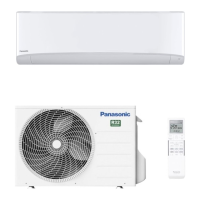
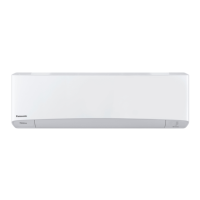
This document provides operating instructions for Panasonic air conditioners, covering single split and multi-split systems. It serves as a comprehensive guide for users to understand the functions, usage, and maintenance of their air conditioning units.
The air conditioner features a built-in Network Adaptor, enabling control of the heat pump from anywhere via a connected network. This allows for remote management of the unit, enhancing convenience and flexibility. The system offers flexibility to connect as either a Single Split System or a Multi Split System Air Conditioner, catering to various installation needs.
Basic Operation
To start or stop the operation, users press the "OFF/ON" button on the remote control. The desired mode (AUTO, HEAT, DRY, COOL) can be selected by pressing the "MODE" button. Temperature adjustment is done using the "TEMP UP" and "TEMP DOWN" buttons, with a selection range of 16.0 °C to 30.0 °C (60 °F to 86 °F). The remote control display shows the selected temperature, and when the unit is ON, "OFF" disappears from the display.
Airflow Direction
The airflow direction can be adjusted for optimal comfort. The unit offers upper and lateral direction adjustments, including a "swing" function for continuous airflow movement. Users are advised not to manually adjust the flap.
Fan Speed and Quiet Condition
The "FAN SPEED/QUIET" button allows users to adjust the fan speed. When "FAN AUTO" is selected, the fan speed automatically adjusts based on the operation mode. A low noise operation can be achieved by selecting the lowest fan speed. The "QUIET" function specifically reduces airflow noise.
Fresher and Cleaner Environment (nanoe X)
The air conditioner incorporates "nanoe X" technology, which provides cleaner air, moisturizes skin and hair, and deodorizes odors in the room. This function can be activated by pressing the "nanoe X" button, whether the unit is ON or OFF. During individual "nanoe X" operation, the fan speed follows the remote control setting. If activated before the unit is turned off, "nanoe X" operation resumes when the unit is turned on, including when "TIMER ON" is set. This feature can be canceled by pressing the button again. In a multi-split system, if the unit is turned off, individual "nanoe X" operation cannot be performed or will stop if another indoor unit is activating HEAT mode.
Desired Temperature Quickly (POWERFUL)
The "POWERFUL" function allows the unit to reach the desired temperature quickly. This operation automatically stops after 20 minutes and can be canceled by pressing the button again.
Improve Humidity and Moisture Level (MILD DRY)
For single split systems, the "MILD DRY" function reduces air dryness during COOL mode only. This feature can be canceled by pressing the button again.
Maximizing Comfort While Sleeping (SLEEP)
The "SLEEP" operation provides a comfortable environment by automatically adjusting the sleep pattern temperature during activation. The indoor unit indicator dims when this operation is active (unless manually dimmed). This function can be set with an activation timer (0.5 to 9 hours) and has priority over the OFF timer. It can be canceled by pressing the respective button until the sleep timer reaches 0.0h.
Timer Setting
Users can set the timer to turn the unit on and off at two different preset times. To set the timer, select "TIMER ON" or "TIMER OFF," adjust the time, and then confirm. The nearest timer setting is displayed and activates in sequence, repeating daily. The timer operation follows the clock setting on the remote control. The timer can be canceled manually or restored after a power failure.
Network Connection
For Wireless LAN Module operation, users should refer to the User's Manual from the Comfort Cloud App. This involves signing into the app and selecting "User's Manual" from the menu. If the Wireless LAN LED blinks continuously and the app is not desired, the Wireless LAN button can be pressed to turn it off.
Energy Saving Temperature Setting
To save energy, it is recommended to operate the unit within specific temperature ranges: HEAT (20.0 °C ~ 24.0 °C / 68 °F ~ 75 °F) and COOL (26.0 °C ~ 28.0 °C / 79 °F ~ 82 °F).
Auto Restart Control
After a power failure, the unit automatically restarts with the last operation mode and airflow direction. This control is not applicable when the TIMER is set.
Inside Cleaning
To enhance the internal cleaning of the indoor unit, users can activate the inside cleaning function. This is done by turning off the unit and pressing the "nanoe X" button for more than 3 seconds on the remote control. During this operation, "nanoe X" turns on, the horizontal flap opens, and the fan operates at low speed for a maximum of 2.5 hours before the unit turns off. It is important not to turn off the power supply during this operation. The cleaning is complete when the fan stops and the flap closes. This operation will not resume if power is lost during the process.
Maintenance Features
Regular cleaning is essential for optimal performance and to prevent malfunctions.
- General Cleaning: Before cleaning, switch off the power supply and unplug the unit. Avoid touching the aluminum fin due to sharp parts. Use only soap (pH 7) or neutral household detergent and water not hotter than 40 °C (104 °F).
- Indoor Unit Surface: Handle the unit surface carefully to avoid scratches. Wipe gently with a soft damp cloth. Coils and fans should be periodically cleaned by an authorized dealer.
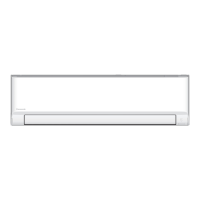
- Front Panel: The front panel can be removed for gentle washing and drying. To remove, raise it, slide it to the right, and pull it out. To close, hold it horizontally, match and push in, then press both ends and the center of the front panel.
- Outdoor Unit: Clean debris surrounding the unit and clear any blockages from the drain pipe.
- Air Filters: Clean the air filters every two weeks. Wash/rinse them gently with water, dry thoroughly under shade away from fire or direct sunlight, and replace any damaged filters. To remove, pull them out from the unit. To attach, insert them into the unit.
Troubleshooting
The manual provides a list of common symptoms and their causes, distinguishing between normal operational behaviors and potential issues. For example, a blinking POWER indicator before startup indicates a preliminary step for TIMER operation. Reduced cooling/heating capacity at lowest fan speed is due to low noise operation. Peculiar odors may be due to damp smells from the room. Cracking sounds are normal due to temperature changes.
For issues requiring servicing, users are advised to check basic settings like temperature, door/window closure, filter cleanliness, and obstructions. If the remote control is not working, check batteries and ensure the receiver is unobstructed. If the unit stops and the TIMER indicator blinks, users can retrieve an error code using the remote control and consult an authorized dealer.
Non-Serviceable Criterias
Users are instructed to turn off the power supply and unplug the unit, then consult an authorized dealer if they observe abnormal noise, water/foreign particles in the remote control, water leakage from the indoor unit, frequent circuit breaker trips, an unnaturally warm power cord, or malfunctioning switches/buttons.
The manual includes symbols indicating that used electrical and electronic products and batteries should not be mixed with general household waste. They should be disposed of at applicable collection points according to national legislation. This helps save resources and prevent negative environmental and health effects. For business users in the European Union, specific instructions for discarding equipment are provided, advising contact with the dealer or supplier.
The appliance uses R32 (mild flammable refrigerant). Symbols indicate that the equipment uses flammable refrigerant and that the operation instructions should be read carefully. Service personnel should handle the equipment with reference to the installation instructions. Precautions for using R32 refrigerant are detailed, including ensuring proper installation, leak detection, and handling by trained and certified personnel. The manual emphasizes not mixing refrigerants, proper evacuation of compressors, and safe oil drainage.



 To Next Page
 General