EasyManua.ls Logo

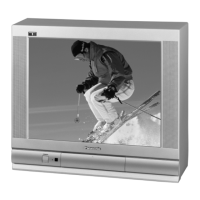
Panasonic CT-20SX11 - User Manual

Panasonic CT-20SX11
38 pages
Print Icon
To Next Page IconTo Next Page
Loading...
®
®
Color Television
Operating Instructions
CT-20SX11
CT-F2111
CT-F2111X
CT-F2121L
TQB2AA0407 10607
PRINTED IN USA
Televisor a color
Instrucciones de Operación
CT-20SX11
CT-F2111
CT-F2111X
CT-F2121L
TQB2AA0407 10607
IMPRESO EN EE.UU.
For assistance, please call: 1-800-211-PANA (7262) or
send e-mail to: consumerproducts@panasonic.com (USA only)
Para asistencia llame al teléfono: 1-800-211-PANA (7262)
o envíe un correo electrónico a la dirección:
consumerproducts@panasonic.com (Solo en Estados Unidos)
0407 Cover.fm Page 1 Wednesday, July 25, 2001 2:45 PM

Questions and Answers

  • A
    Anthony BakerJul 30, 2025
    What to do if there is no audio on Panasonic TV?
    • L
      Lee WangJul 30, 2025
      If there's no sound coming from your Panasonic TV, first, make sure the power cord is properly connected to a working outlet. Then, adjust both the brightness and audio settings. Try changing the channel and inspect the cable connections. You might also need to reprogram the remote control, or check a second video source to see if the issue persists.
  • D
    Dakota SmithAug 8, 2025
    How to fix noisy audio on Panasonic CT-20SX11 TV?
    • C
      collinsgeneAug 9, 2025
      If the audio on your Panasonic TV is noisy, try these steps: First, adjust the antenna's position and connection. Also, check the antenna lead-in wire. If the problem continues, move the TV away from electrical appliances, lights, vehicles, and medical equipment that could be causing interference.
  • O
    olsenemilyAug 18, 2025
    Why is the audio wrong on my Panasonic TV?
    • J
      Joseph BrownAug 19, 2025
      If the audio on your Panasonic TV sounds wrong, ensure that the audio setting is set to either Stereo or Mono, and not SAP.

Summary

Safety Warnings

Electric Shock Hazard

Warning about electric shock risk and not opening the unit.

Servicing Precautions

Instruction to refer servicing to qualified personnel.

Environmental Hazard Warning

Warning to prevent fire or shock hazard by avoiding rain or moisture.

Feature Chart

Product Information and Care

Customer Record and Specifications

Instructions for recording model/serial numbers and technical specifications.

Care and Cleaning

Guidelines for cleaning the screen, cabinet, and remote control.

Installation

Television Location

Guidelines for placing the TV to avoid sunlight, heat, and magnetic interference.

Cable and Antenna Connections

Instructions for connecting cable, antenna, and optional equipment.

Power Cord Safety

Safety precautions for connecting the AC power cord to prevent electric shock.

External Equipment Setup

Information on connecting VCRs, cable boxes, and audio amplifiers.

Main Menu Navigation

Using Control Buttons

How to use ACTION, CH, and VOL buttons for menu navigation.

Remote Control Guide Location

Information about the location of the Remote Control Quick Reference Guide.

Main Menu Features

Feature Chart Details

Details on Setup, Audio, Timer, Picture, CH CAP, and Lock functions.

Special Features

Menu Language and Timers

Options for selecting menu language and setting Sleep/Program Timers.

Channel Captioning and Lock

Details on CH CAP, Game Guard Lock, and their functions.

Troubleshooting

Notes

Panasonic CT-20SX11 Specifications

General IconGeneral
Screen Size20 inches
Display TypeCRT
Resolution480i
Aspect Ratio4:3
InputsComposite, RF

Related product manuals