44
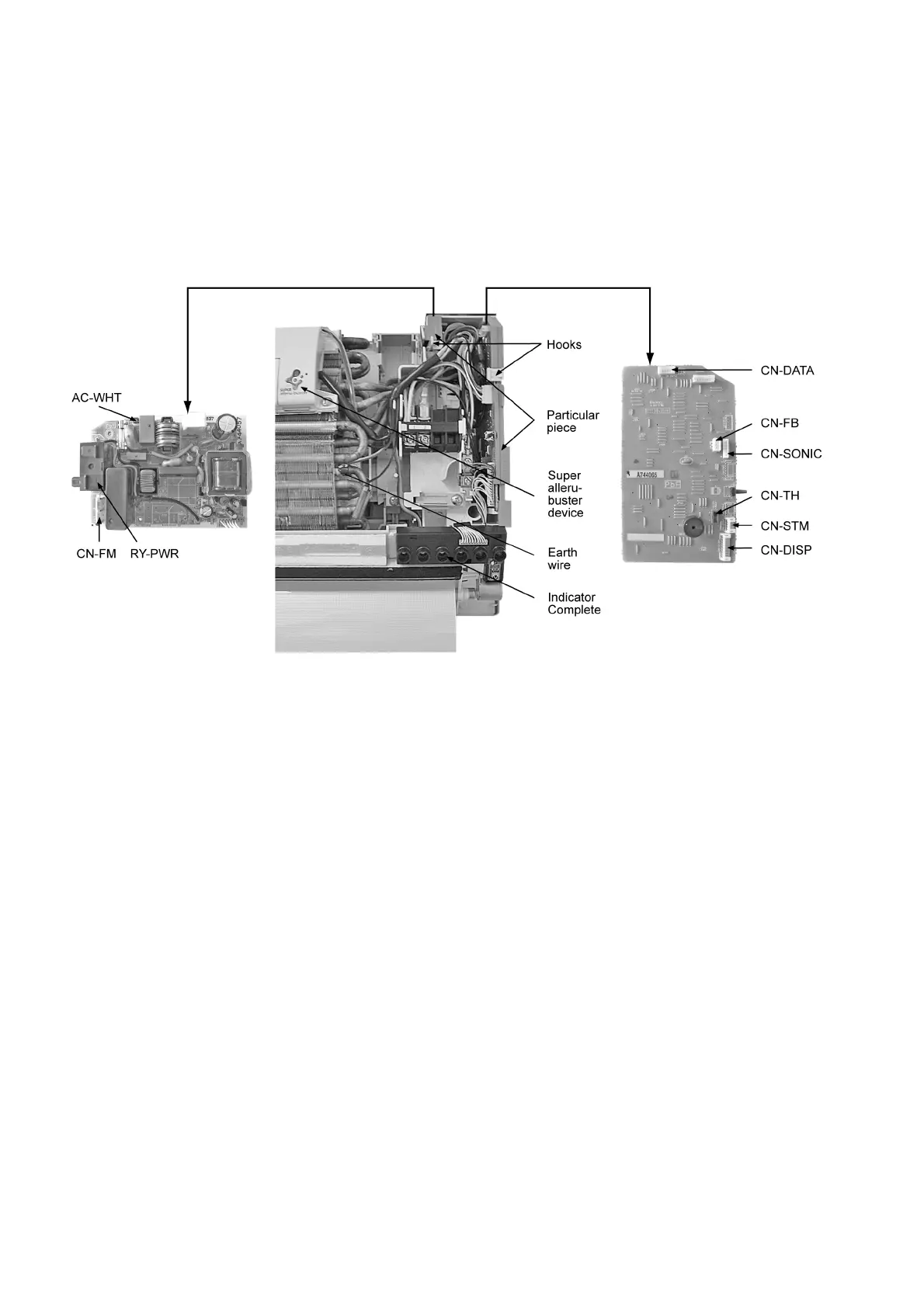
• How to remove PCBs from the control board
- Pull the hook then remove the particular piece. (Fig. 4)
- Release CN-DISP. (Fig. 4)
- Release CN-STM. (Fig. 4)
- Release CN-TH. (Fig. 4)
- Release CN-SONIC. (Fig. 4)
- Release CN-FB. (Fig. 4)
- Release CN-DATA. (Fig. 4)
- Release CN-FM. (Fig. 4)
- Remove RY-PWR connector (black and brown) and AC-WHT connector from power PCB.
- Pull the hooks and remove the PCBs.
Fig. 4



 To Next Page