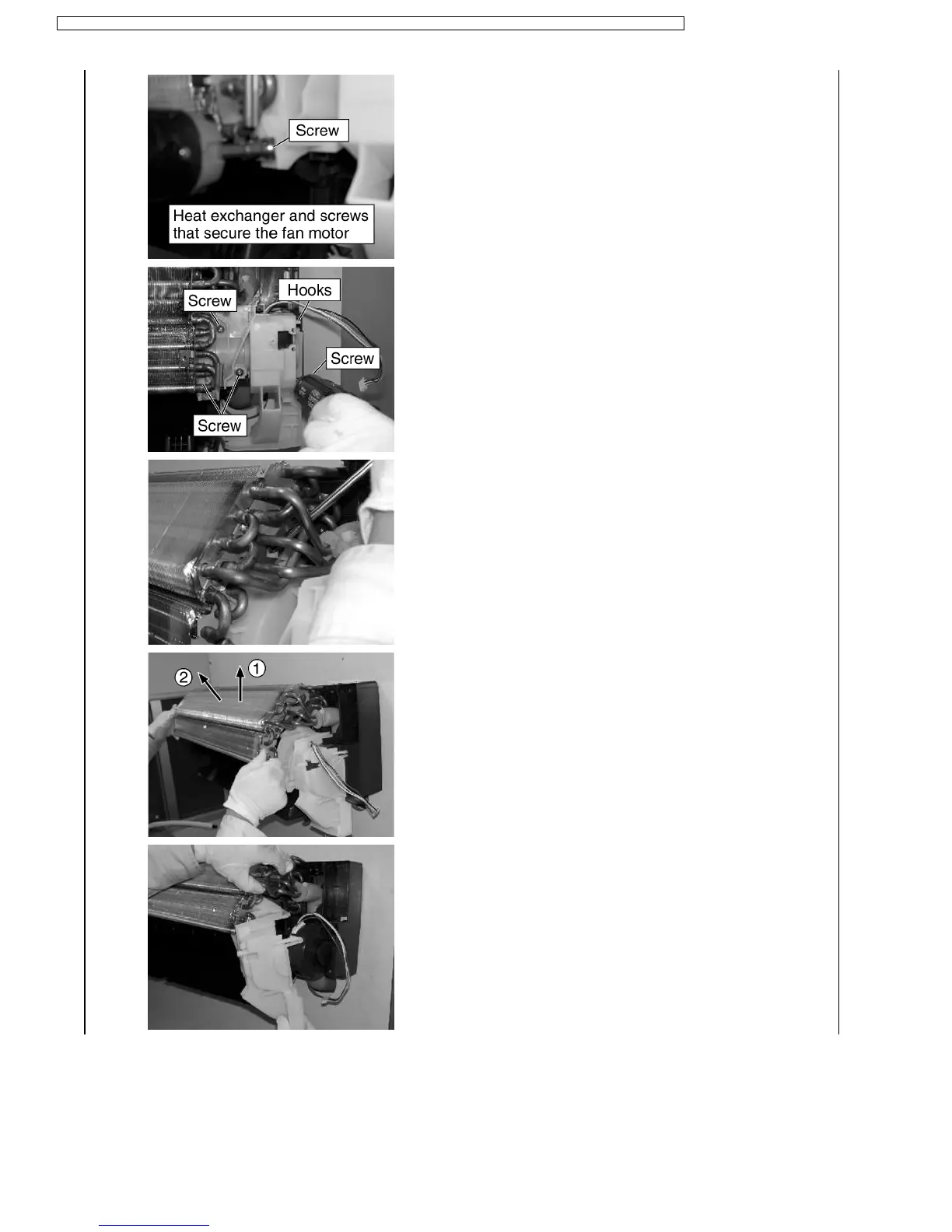
9. Remove the four screws that fix the fan motor cover (white), and
release the hooks.
10. Hold down the hook of the heat exchanger using a screwdriver or
other tool and remove the heat exchanger (while lifting 1, 2). Now
remove the fan motor cover.
90
CS-ME7CKPG / CS-ME10CKPG / CS-ME12CKPG / CS-ME14CKPG / CS-ME18CKPG / CU-2E15CBPG / CU-2E18CBPG / CU-3E23CBPG / CU-4E27CBPG




 To Next Page