65
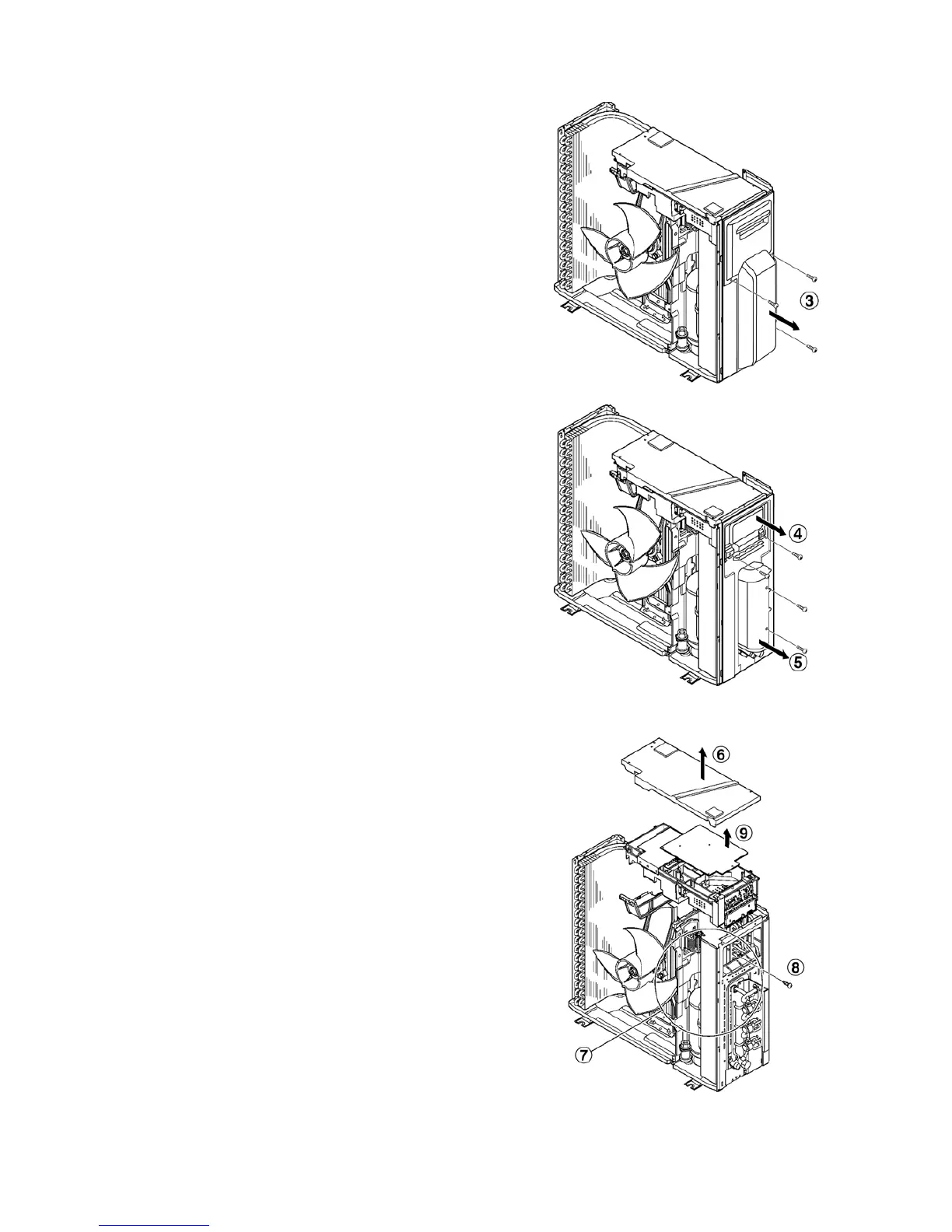
18.2.2. Remove the Control Board Cover and Particular Plates
3. Remove the control board cover (remove 3 screw).
4. Remove the particular plate (remove 2 screw).
5. Remove the particular plate (remove 2 screw).
18.2.3. Removing the Control P.C. Board
6. Remove the drip proof cover.
7. Disconnect the connectors (lead wires of the compressor,
sensor, and others).
8. Remove the screw at the right side of the control box, and
pull out the entire control box.
9. Release the control P.C. Board tab to remove the control
P.C. Board.






 To Next Page