
 Need help?
Do you have a question about the Panasonic CU-C125KE and is the answer not in the manual?
Guide to cleaning the indoor unit, remote control, and air filters for optimal performance.
Helps identify and resolve common operational issues and errors with the air conditioner.
Provides supplementary tips and guidance for using the air conditioner.
Offers advice on reducing electricity consumption and improving operating efficiency.
Convenient button for operation in the dark.
Automatically selects the optimum operating mode based on room conditions.
Maintains a comfortable room temperature while sleeping.
Reduces electrical power consumption.
Achieves desired room temperature quickly.
Allows for quick and easy cleaning of the unit.
Filters dust, smoke, and prevents bacteria/virus growth.
Removes unpleasant odors and deodorizes the air.
Automatically restarts the unit after a power failure.
Essential guidelines for safe and proper installation of the air conditioner.
Highlights severe injury warnings and actions that are strictly prohibited.
Warns of property damage and lists actions that must be followed.
Ensures safe use of electrical components, plug insertion, and cord handling.
Covers safe practices during operation, like avoiding foreign objects and direct airflow.
Prohibits certain uses and outlines safety during cleaning and maintenance.
Guidance on safe placement and avoiding obstructions around the outdoor unit.
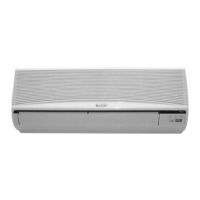
Identifies parts of the indoor unit, including vents, panels, and indicators.
Details the components visible when the front panel of the indoor unit is opened.
Identifies parts of the outdoor unit, including vents, hoses, and piping.
Lists essential accessories provided with the air conditioner, such as remote control and filters.
Diagram and labels for the buttons and display of the remote control.
Explains the function of buttons accessible when the remote control cover is opened.
Instructions on aiming, distance, and signal reception for effective remote control use.
Details on accessing reset points when the back cover of the remote control is opened.
Steps for connecting power, installing filters, and closing the front panel.
Specifies the recommended dry bulb and wet bulb temperatures for operation.
Guide on how to correctly insert batteries into the remote control.
Instructions for setting the current time on the remote control.
Advice on battery usage, replacement, and storage for the remote control.
How to choose between Automatic, Cooling, Soft Dry, and Fan modes.
Instructions for adjusting the desired room temperature using the remote control.
Explains the specifics and nuances of Cooling and Soft Dry modes.
How to select different fan speeds for optimal comfort.
Instructions for automatically or manually adjusting the vertical louvers.
Guidance on manually adjusting the horizontal airflow direction.
Explains Air Circulation and Automatic Airflow Volume modes.
Step-by-step guide to program the timer for automatic start-up.
Instructions for programming the timer for automatic shut-off.
How to cancel programmed timer settings.
Using the OFF-timer to prevent electricity waste while sleeping.
Using the ON-timer to start the day at a comfortable temperature.
Using ON/OFF timers for comfort upon returning and saving energy when away.
How to activate and cancel Sleep Mode for comfortable night-time temperature.
Explains how Sleep Mode adjusts airflow and its 8-hour operation cycle.
How to use Economy Mode for energy saving and its indicator light.
How to use Powerful Mode for rapid cooling and its 15-minute limit.
Details on temperature and airflow volume changes for Economy and Powerful modes.
Guidelines for gently cleaning the main unit and remote control.
Step-by-step instructions for removing, cleaning, and reinstalling air filters.
Instructions for removing, washing, drying, and reattaching the front panel.
Guidance on replacing Catechin and Deodorizing filters every three months.
Checks to perform before the cooling season to ensure proper operation.
Procedure for preparing the unit for long-term storage, including drying and battery removal.
Advice on professional inspection for maintaining performance and preventing issues.
Explains common sounds and conditions like water flow, fog, or stopping during soft dry mode.
Addresses issues like fan stopping during auto airflow or soft dry mode.
Lists common problems like no operation, loud noise, or poor cooling.
Conditions requiring immediate shutdown and contacting an authorized dealer for service.
How to use the auto operation button as a backup for the remote control.
Explanation of the unit's automatic restart feature after a power failure.
Reminder to reset the timer if power is interrupted.
Advice on protecting the unit during severe weather conditions.
Adjusting temperature settings to reduce electricity costs.
Importance of cleaning air filters for optimal cooling efficiency.
Keeping doors and windows closed to maintain desired room temperature.
Ensuring unobstructed airflow around the outdoor unit for better performance.
Using curtains to block direct sunlight during cooling operations.
Utilizing timer and sleep modes to prevent electricity wastage.
Crucial safety instructions regarding earthing, cord replacement, servicing, and atmosphere.
Reminder to disconnect power when the appliance is not in use.
Details on wire colours and their corresponding terminal connections for safe installation.
 General
| Power Source | 220-240V, 50Hz |
|---|---|
| Refrigerant | R410A |
| Indoor Unit Weight | 9 kg |
| Outdoor Unit Dimensions (W x H x D) | 780 x 540 x 269 mm |
| Noise Level (Outdoor) | 50 dB |



 To Next Page
