EasyManua.ls Logo

Panasonic CU-C12CKP5 - User Manual

Panasonic CU-C12CKP5
94 pages
Print Icon
To Next Page IconTo Next Page
Loading...
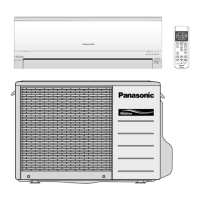
OPERATING INSTRUCTIONS
Room Air Conditioner
Before using your air-conditioner, please read this operating instructions
carefully and keep it for future reference.
COOLING MODEL :-
(Refrigerant : R22)
Indoor Outdoor
CS-C7CKP CU-C7CKP5
CS-C9CKP CU-C9CKP5
CS-C12CKP CU-C12CKP5
HEAT-PUMP MODEL :-
(Refrigerant : R22)
Indoor Outdoor
CS-A7CKP CU-A7CKP5
CS-A9CKP CU-A9CKP5
CS-A12CKP CU-A12CKP5
COOLING MODEL :-
(Refrigerant : R410A)
Indoor Outdoor
CS-V7CKP CU-V7CKP5
CS-V9CKP CU-V9CKP5
CS-V12CKP CU-V12CKP5
HEAT-PUMP MODEL :-
(Refrigerant : R410A)
Indoor Outdoor
CS-W7CKP CU-W7CKP5
CS-W9CKP CU-W9CKP5
CS-W12CKP CU-W12CKP5
ENGLISH ...................... P. 1 P. 10
PORTUGUÊS ............... P. 11 P. 20
DEUTSCH ..................... P. 21 P. 30
FRANÇAIS.................... P. 31 P. 40
NEDERLAND................ P. 41 P. 50
ITALIANO ..................... P. 51 P. 60
GREEK ......................... P. 61 P. 70
ESPAÑOL ..................... P. 71 P. 80
RUSSIAN ...................... P. 81 P. 92
Before using your air-conditioner, please read
this operating instructions carefully and keep it
for future reference.
F563838
MATSUSHITA INDUSTRIAL CORP. SDN. BHD.
LOT 2, PERSIARAN TENGKU AMPUAN, SECTION 21,
SHAH ALAM INDUSTRIAL SITE, SELANGOR, MALAYSIA
BZ02
BZ02

Table of Contents

Other manuals for Panasonic CU-C12CKP5

Questions and Answers

  • P
    Paul HughesAug 13, 2025
    Why won't my Panasonic CU-C12CKP5 Air Conditioner turn on?
    • A
      alicia29Aug 14, 2025
      If your Panasonic Air Conditioner isn't turning on, consider these possible reasons: * Check if the circuit breaker has tripped. * Ensure the power plug is properly inserted into the wall outlet. * Verify the timer is correctly set. * Confirm the unit isn't installed at a slant. * Make sure the front grille is properly closed. * Check the temperature settings. * Clean dirty filters. * Ensure the outdoor unit's vents aren't blocked. * Confirm all windows and doors are closed. * Check or replace empty batteries. * Verify the batteries are correctly inserted (+/-).
  • J
    James SullivanAug 17, 2025
    What should I do if my Panasonic CU-C12CKP5 Air Conditioner indoor unit is leaking water?
    • M
      Melissa JonesAug 17, 2025
      If you notice a water leak from the indoor unit, immediately call the dealer and turn off and unplug the main power supply.
  • A
    Angel ArellanoAug 21, 2025
    Why is my Panasonic CU-C12CKP5 Air Conditioner remote control not working?
    • E
      Elizabeth RoblesAug 21, 2025
      If your Panasonic Air Conditioner remote control or display isn't working, the batteries may be empty or not correctly inserted. Ensure the batteries have power and are properly oriented with the correct (+) and (-) polarity.
  • M
    michael64Aug 25, 2025
    What to do if the circuit breaker for my Panasonic Air Conditioner keeps tripping?
    • Y
      yallenAug 26, 2025
      If the circuit breaker switches off frequently, immediately call the dealer and turn off and unplug the main power supply.
  • C
    Christopher HarringtonAug 28, 2025
    What should I do if my Panasonic CU-C12CKP5 Air Conditioner is making an unusual noise?
    • D
      David ChambersAug 29, 2025
      If you hear an abnormal noise during operation, immediately call the dealer. Turn off and unplug the main power supply.
  • A
    Amanda SnowSep 1, 2025
    What should I do if the power cord of my Panasonic CU-C12CKP5 gets too hot?
    • Q
      qkramerSep 1, 2025
      If the power supply cord and plug become unusually warm, immediately call the dealer and turn off and unplug the main power supply.
  • C
    Christian PetersonSep 5, 2025
    What to do if the buttons on my Panasonic CU-C12CKP5 don't work?
    • K
      Kristina SantosSep 5, 2025
      If the switches or buttons do not operate properly, immediately call the dealer and turn off and unplug the main power supply.
  • D
    daviddanielsSep 9, 2025
    What to do if water gets into my Panasonic CU-C12CKP5 remote control?
    • D
      David CruzSep 9, 2025
      If water or foreign material gets into the remote control by mistake, immediately call the dealer and turn off and unplug the main power supply.

Summary

FEATURES

Feature: Illuminating Button

Button for convenient operation in the dark.

Feature: Automatic Operation

Senses indoor temperature to select the optimum mode.

Feature: Quiet Mode

Provides quiet operation.

Feature: Ionizer Mode

Produces negative ions for fresh air.

Feature: Powerful Mode

Reaches the desired room temperature quickly.

Feature: Removable Front Panel

For quick and easy cleaning (washable).

Feature: Air Purifying Filters

Filters that trap dust, smoke, and particles; prevent bacteria/viruses.

Feature: Triple Deodorizing Filter

Absorbs odors from wallpaper, construction, and living environment.

Feature: Auto Restart Control

Restarts unit automatically after power failure.

Feature: Environmental Friendliness

Uses R410A refrigerant with zero ozone depletion.

SAFETY PRECAUTIONS

Safety: Installation Precautions

Instructions for safe unit installation to prevent hazards.

Safety: Operation Precautions

Instructions for safe unit operation to prevent hazards.

NAME OF EACH PART - PART 1

Parts: Indoor Unit Identification

Identification of parts of the indoor unit and its indicators.

Parts: Outdoor Unit Identification

Identification of parts of the outdoor unit.

Parts: Included Accessories

Lists and identifies included accessories like remote control and filters.

NAME OF EACH PART - PART 2

Parts: Remote Control Details

Detailed description of remote control buttons and signal reception.

Parts: Inserting Remote Control Batteries

Step-by-step guide on how to insert batteries into the remote control.

PREPARATION BEFORE OPERATION

Indoor Unit Preparation

Steps to prepare the indoor unit before operation.

Setting Remote Control Time

Guide to set the current time on the remote control.

HOW TO OPERATE - PART 1

Starting and Stopping Operation

Instructions on how to start and stop the air conditioner.

Setting Operation Mode

How to select different operation modes like AUTO, COOL, DRY, FAN.

Setting Temperature

How to adjust the desired temperature setting for cooling and heating.

Understanding Standard Temperatures

Recommended temperature settings for different modes and conditions.

HOW TO OPERATE - PART 2

Setting Fan Speed

How to adjust the fan speed for different operations.

Adjusting Vertical Airflow

How to set the vertical airflow direction manually or automatically.

Adjusting Horizontal Airflow

Manual adjustment of the horizontal airflow direction.

Recommended Operating Conditions

Tables showing suitable conditions for cooling and heating models.

Operation Mode Details

Detailed explanations of COOL, AUTO, DRY, HEAT, and FAN operation modes.

SETTING THE TIMER

ON-TIMER Operation

How to set the timer to automatically start the unit.

OFF-TIMER Operation

How to set the timer to automatically stop the unit.

Timer Operation Details

Explains how timers work and their behavior.

CONVENIENCE OPERATION

Powerful Mode Operation

How to activate Powerful Mode for quick temperature adjustment.

Quiet Mode Operation

How to activate Quiet Mode for reduced noise.

Ionizer Mode Operation

How to activate Ionizer Mode for fresh air.

CARE AND MAINTENANCE

Cleaning Indoor Unit & Remote

Instructions for cleaning the indoor unit and remote control.

Cleaning Air Filters

Steps to clean the air filters for optimal performance.

Cleaning Front Panel

How to safely remove and clean the front panel.

Air Purifying Filters

Details on Triple Deodorizing and Catechin filters, their maintenance.

Pre-Season Inspection

Checks to perform before the start of the cooling or heating season.

Extended Non-Use Preparation

Steps for preparing the unit when not used for a long period.

Recommended Inspection

Suggestion for periodic professional inspection for unit efficiency.

HELPFUL INFORMATION

Auto Operation Button Function

How to use the Auto Operation button when the remote is lost or not working.

Automatic Operation Details

Explains how automatic operation works and its limitations.

Remote Control Signal Beep

How to enable/disable the signal receiving beep sound.

Auto Restart Control

How the unit restarts automatically after a power failure.

Timer Setting After Power Failure

What happens to timer settings during a power failure.

Thunder and Lightning Protection

Advice on protecting the unit during lightning storms.

ENERGY SAVING AND OPERATION HINTS

Temperature Setting for Savings

Tips on setting temperature to save electricity.

Filter Maintenance for Efficiency

Importance of cleaning filters for cooling/heating efficiency.

Keep Doors;Windows Closed

How closing openings improves performance and saves energy.

Outdoor Unit Placement

Importance of not blocking outdoor unit vents for performance.

Using Timer Mode

How to use timer mode to prevent energy wastage.

Avoid Direct Sunlight

How to avoid direct sunlight impact on operation.

TROUBLESHOOTING

Normal Operation Conditions

Explains common sounds and phenomena considered normal operation.

Abnormal Operation Checks

Lists checks to perform when the unit is not operating correctly.

When to Call a Dealer

Identifies critical conditions requiring immediate professional service.

RECORDING PURCHASE DETAILS

Model and Serial Number

Fields to record model and serial numbers.

Dealer and Purchase Date

Fields to record dealer name and date of purchase.

Panasonic CU-C12CKP5 Specifications

General IconGeneral
BrandPanasonic
ModelCU-C12CKP5
CategoryAir Conditioner
LanguageEnglish

Related product manuals