before cleaning
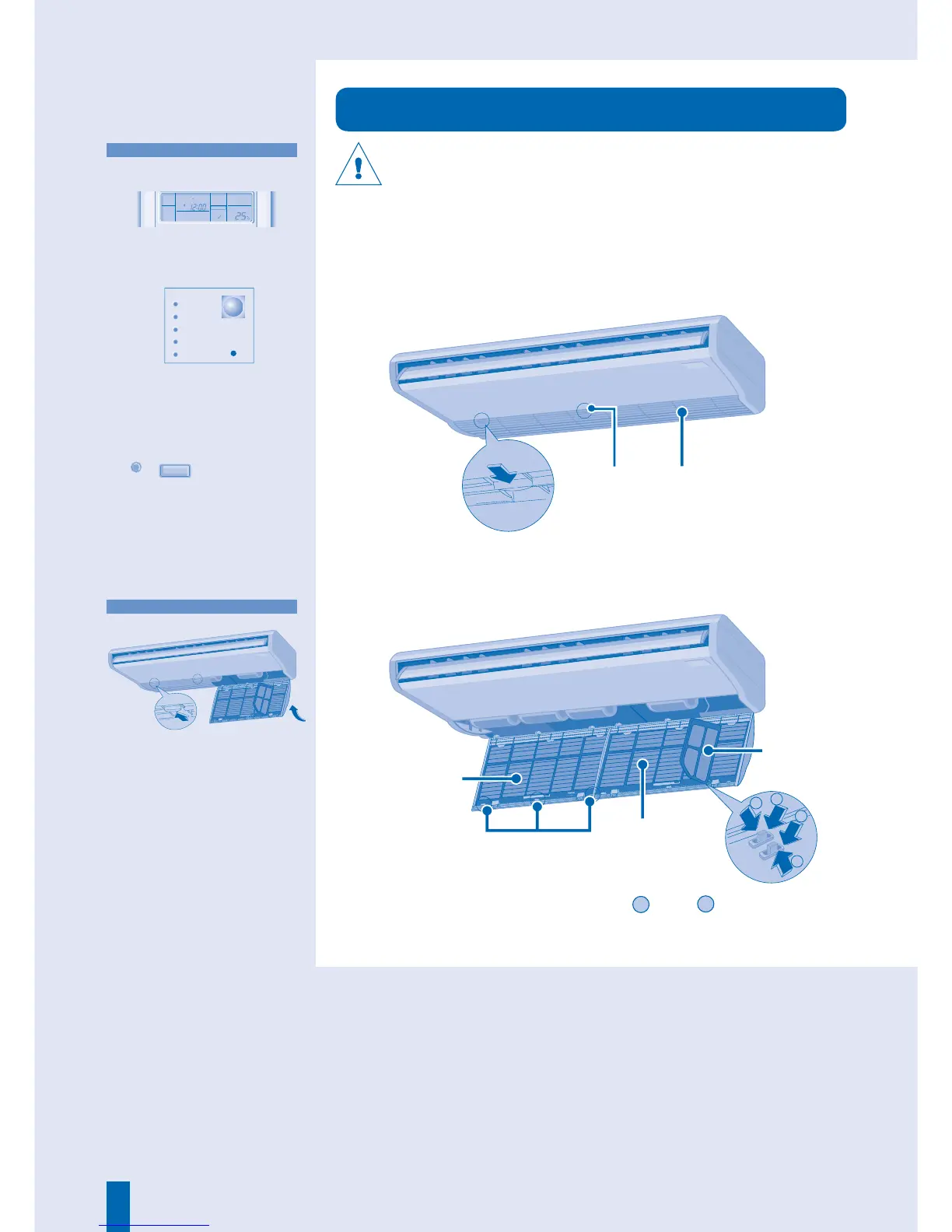
• Cleaning is needed when:
“FILTER RESET” appears on the
remote control display. (For wired
remote control)
“FILTER” lights up on the indicator
display. (For wireless remote
control)
• lt is recommended to clean the
fi lter every 6 weeks.
• After the air fi lter is cleaned, press
FILTER RESET
/
FILTER RESET
to reset.
• Do not operate without an air fi lter.
• Wash/rinse the fi lter gently with
water to avoid damage to the fi lter
surface.
• Do not dry the part with a hair
dryer or a stove.
• Replace any damaged fi lter.
FILTER INSTALLATION
3
Press the side air fi lter tab
1
and
2
in that
order to release the side air fi lter.
Knob
Intake Grille
Main air fi lter
Side
air fi lter
Knob
Push
Close
1. Install the air fi lters to the intake
grille by the reverse procedures of
removal.
2. Close and push the knobs to
secure the intake grille.
Push
Push
Push
■ About
AIR FILTER MAINTENANCE
AUTO FAN
COOL DRY
FILTER
RESET
AUTO
AUTO 123
FAN SPEED
AIR SWING
MON TUE WED THU FRI SAT SUN
ON
POWER
TIMER
FILTER
ECONOMY
AUTO
ODOUR WASH
Tabs



 To Next Page