5
ENGLISH
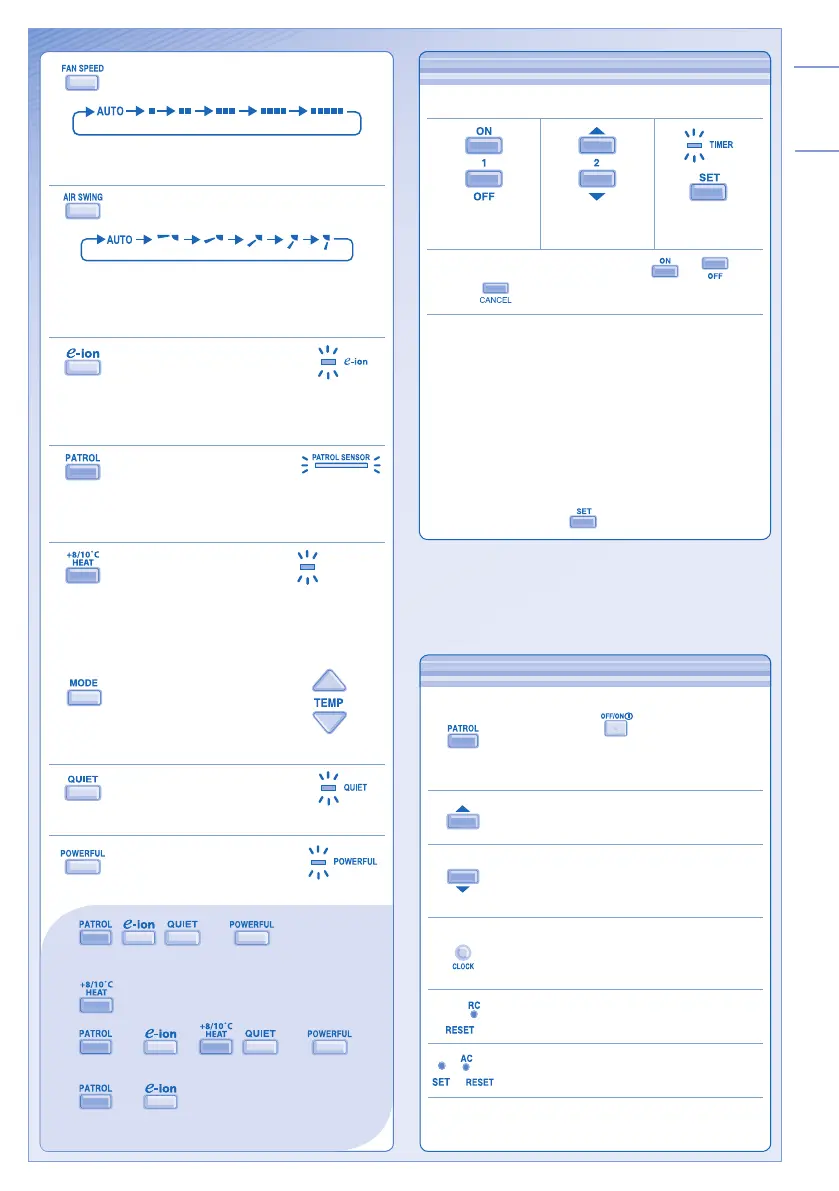
TO SELECT FAN SPEED
(5 OPTIONS)
• For AUTO, the indoor fan speed is automatically
adjusted according to the operation mode.
TO ADJUST VERTICAL AIRFLOW
DIRECTION (5 OPTIONS)
• Keeps the room ventilated.
• If AUTO is set, the louvers swing up/down automatically.
• In heat mode, the air blows horizontally for a while, then
starts to blow downwards.
TO ENJOY CLEAN &
FRESH AIR
• Generates negative ions to produce fresh air effect
and attract dust which will then be captured at the
positively charged e-ion fi lters.
TO MONITOR AIR QUALITY
• Patrol sensor detects air quality.
• When the air quality is unsatisfactory, e-ion operation
will start automatically.
TO USE MAINTENANCE
HEATING
• Maintain indoor temperature at 8/10°C.
Fan switches to high fan speed
automatically.
• This operation overwrite the operation
mode and could be cancelled by pressing
.
• Defrost operation at outdoor unit will
result in sudden cold air from indoor unit.
Eliminate cold air with heat mode.
TO ENJOY QUIET
ENVIRONMENT
• This operation reduces airfl ow noise.
TO ACHIEVE
TEMPERATURE QUICKLY
• , , and can be activated
in all modes and can be cancelled by pressing the
respective button again.
•
operation can be activated independently.
•
and or , and can
not be selected at the same time.
•
and can be activated even when the
unit is turned off. In this condition, fan speed and air
swing can not be adjusted.
OPTIONAL SETTINGS
Patrol starts automatically with the unit
switched on with .
Press and hold for 5 seconds, then release
to disable or restore this setting.
Press and hold for 5 seconds to dim or
restore the unit’s indicator brightness.
Press and hold for approximately 10
seconds to show temperature setting in °C
or °F.
Press and hold for approximately 5 seconds
to show 12-hour (am/pm) or 24-hour time
indication.
Press to restore the remote control’s default
setting.
,
Not used in normal operations.
Use curtains to screen off sunlight and outdoor heat to
reduce power consumption during cool mode.
TO SET THE TIMER
• To turn ON or OFF the unit at a preset time.
Select ON or
OFF timer.
Set the time. Confi rm.
• To cancel ON or OFF timer, press
or then
press .
• When ON Timer is set, the unit may start earlier (up
to 35 minutes) before the actual set time in order to
achieve the desired temperature on time.
• Timer operation is based on the clock set in the remote
control and repeats daily once set. For clock setting,
please refer to Remote Control Preparation at back
cover.
• If timer is cancelled manually or due to power failure,
you can restore the previous setting (once power is
resumed) by pressing
.
10˚C
8˚C
+8/10°C HEAT




 To Next Page