18
DEICE
How to use
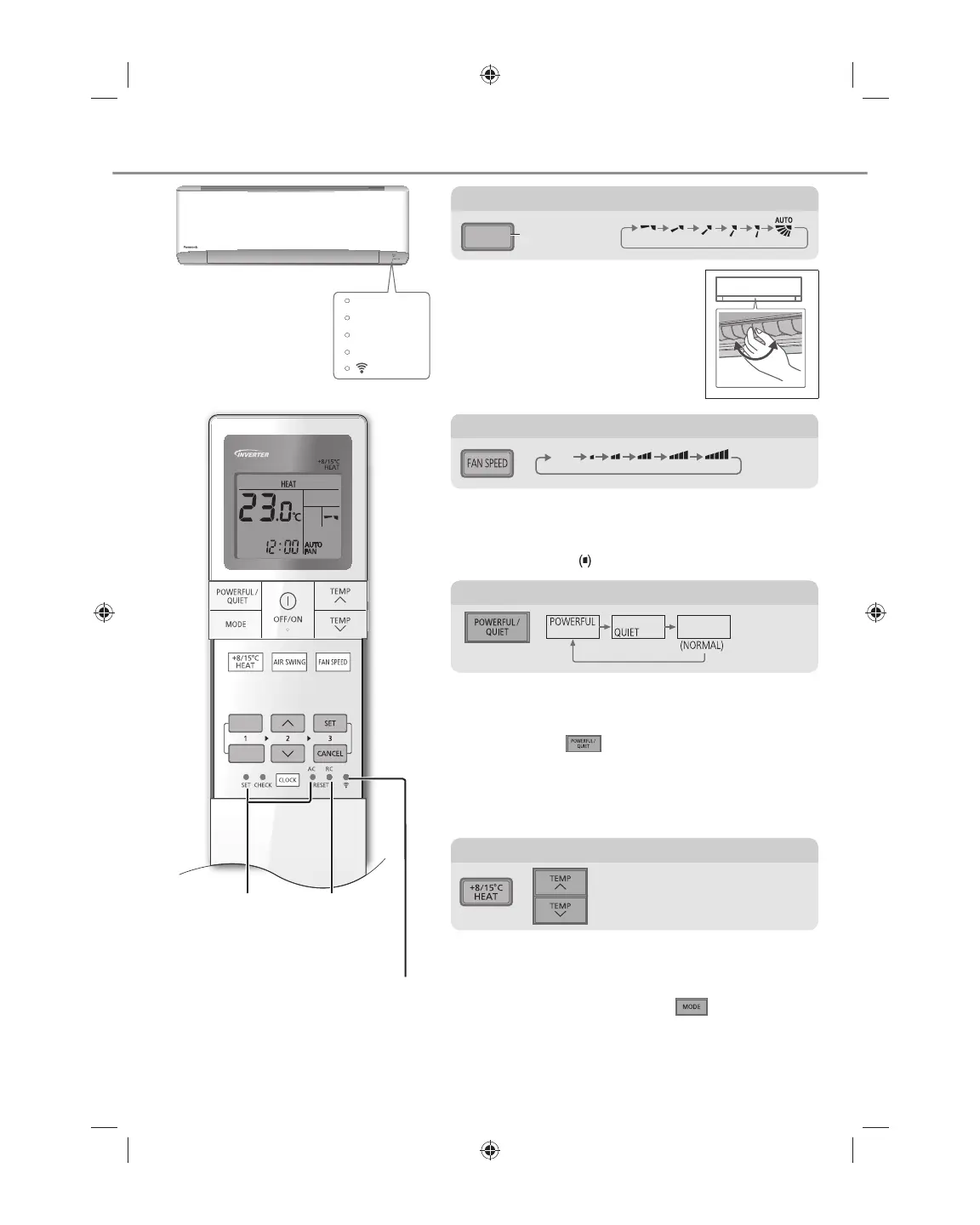
To adjust fan speed
• For AUTO, the indoor fan speed is automatically
adjusted according to the operation mode.
• To have low noise priority operation, select the
lowest fan speed
.
AUTO
FAN
To use maintenance heating
• Maintain indoor temperature at 8/15°C. Fan
switches to high fan speed automatically.
• This operation overwrite the operation mode and
could be cancelled by pressing
.
• Defrost operation at outdoor unit will result in
sudden cold air from indoor unit. Eliminate cold air
with heat mode.
15˚C
8˚C
To switch between powerful/quiet
POWERFUL:
To reach temperature quickly
• This operation continues until it is cancelled by
pressing again
button or turn OFF the unit to
stop this operation.
QUIET:
To enjoy quiet operation
• This operation reduces airß ow noise.
TIMER
OFF
TIMER
ON
Press to restore
the remote
control to default
setting.
Not used
in normal
operations.
Press to ON/ OFF
Wireless LAN
features.
To adjust airß ow direction
• Do not adjust the ß ap by hand.
To adjust vertical airß ow direction
AIR SWING
Upper direction
• For lateral direction, it is manually
adjustable as shown.
Indicator
POWER
TIMER
DEICE
+8/15°C HEAT
ACXF55-24700_FULLSET.indb 18 6/24/2019 3:37:44 PM



 To Next Page