DEICE
8
How to use
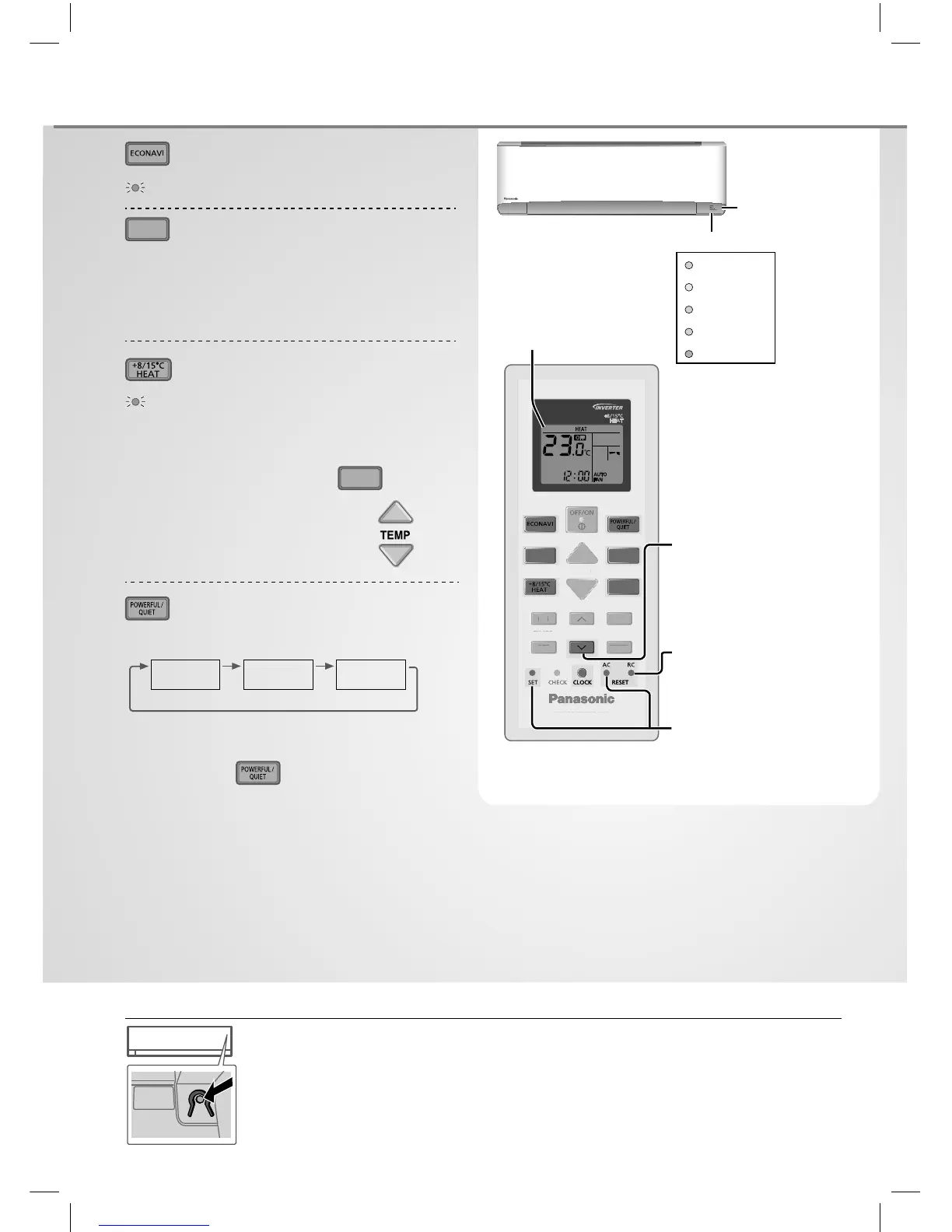
Auto OFF/ON button
AUTO
OFF/ON
Use when remote control is misplaced or a malfunction occurs. Raise the front panel:
1. Press the button once to use in AUTO mode.
2. Press and hold the button until you hear 1 beep, then release to use in forced
COOL mode.
3. Repeat step 2. Press and hold the button until you hear 2 beeps, then release to
use in forced HEAT mode.
• Press the button again to turn off .
To optimise energy saving
ECONAVI
MODE
To select operation mode
HEAT - To enjoy warm air
COOL - To enjoy cool air
DRY - To dehumidify the environment
FAN - To circulate air in the room
AUTO - For your convenience
To use maintenance heating
+8/15°C HEAT
•
Maintain indoor temperature at 8/15°C. Fan
switches to high fan speed automatically.
•
This operation overwrite the operation mode and
could be cancelled by pressing
MODE
.
•
Defrost operation at outdoor unit
will result in sudden cold air from
indoor unit. Eliminate cold air with
heat mode.
To switch between powerful &
quiet
(Remote control display)
POWERFUL
QUIET
(NORMAL)
POWERFUL: To reach temperature quickly
•
This operation continues until it is cancelled by
pressing again button or turn OFF the
unit to stop this operation.
QUIET: To enjoy quiet operation
• This operation reduces airfl ow noise.
15˚C
8˚C
AIR CONDITIONER
ON
OFF
SET
TIMER
CANCEL
AIR SWING
TEMP
FAN SPEED
MODE



 To Next Page