RQT6984
[HOD][RAM]
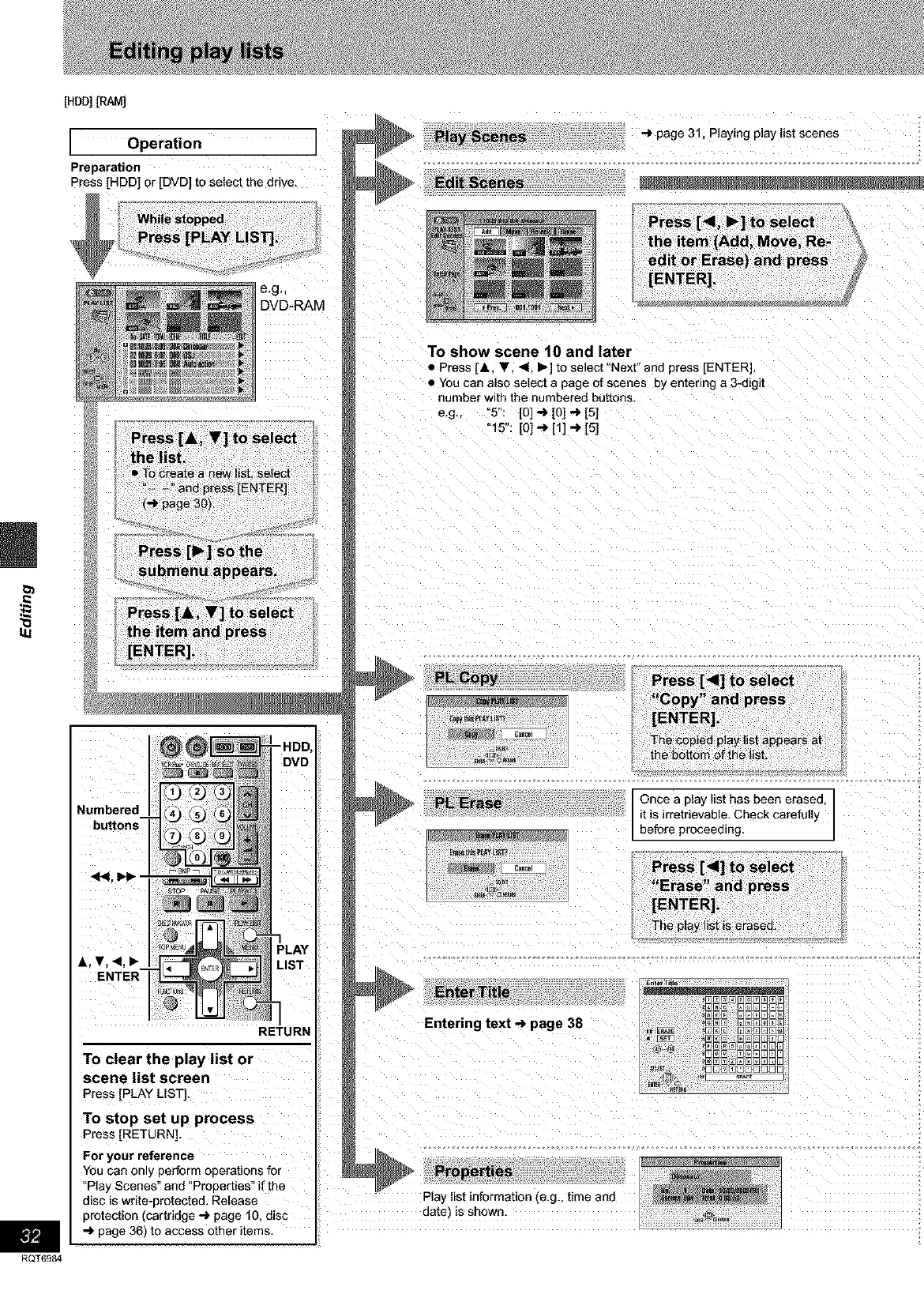
Operation
Preparation
Press [HDD] or [DVD] to select the drive.
e,g,_
DVD-RAM
Numbered
"HDD,
DVD
&. T. _1. Ib
ENTER
'LAY
.IST
RETURN
To clear the play list or
scene list screen
Press[PLAYLIST].
To stop set up process
Press[RETURN],
For your reference
You can only perform operations for
"Pla) Scenes" and °Prooerties" if the
disc is write-protected. Release
protection (cartridge _ page 10. disc
-') page 36) to access other items, I
R
-> page 31, Playing play list scenes
Edit Scenes
To show scene 10 and later
• Press [A. T. <. _- to select"Next" and press [ENTER].
• You can also select a page of scenes 3y entering a 3-digit
number with the numbered buttons.
e.g., 5": [0] -> [0] -> [5]
"15": [0] -J_[1] _ [5]
Once a play list has been erased
it is irretrievable. Check carefully
before proceeding.
E3m_E_ E]E
_N@@@E]E]E]E]E
Entering text-_ page 38 _NN NNNNm_
,D3_E]53@53mO
NN_NNNN_E]N
_a _OONNOOONO0]
Play list information .,e.g. time and
aate is shown









 To Next Page