3
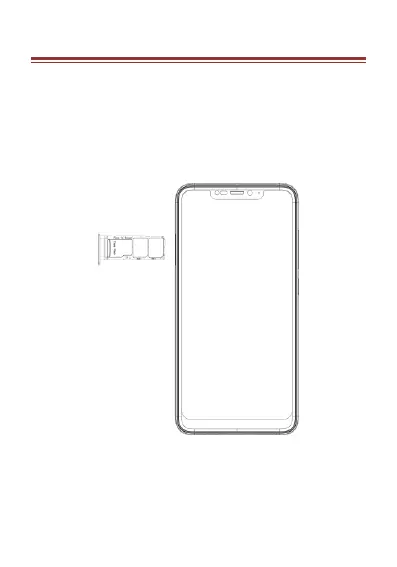
2.IN S T A L L I N G C A R D S
Please power off your device before inserting or
removing the SIM card and memory card.
Installing SIM card or Memory card
Use the pin to open the card slot.
Insert the SIM card or TF card correctly.
Push the SIM card slot to the correct position.











 To Next Page