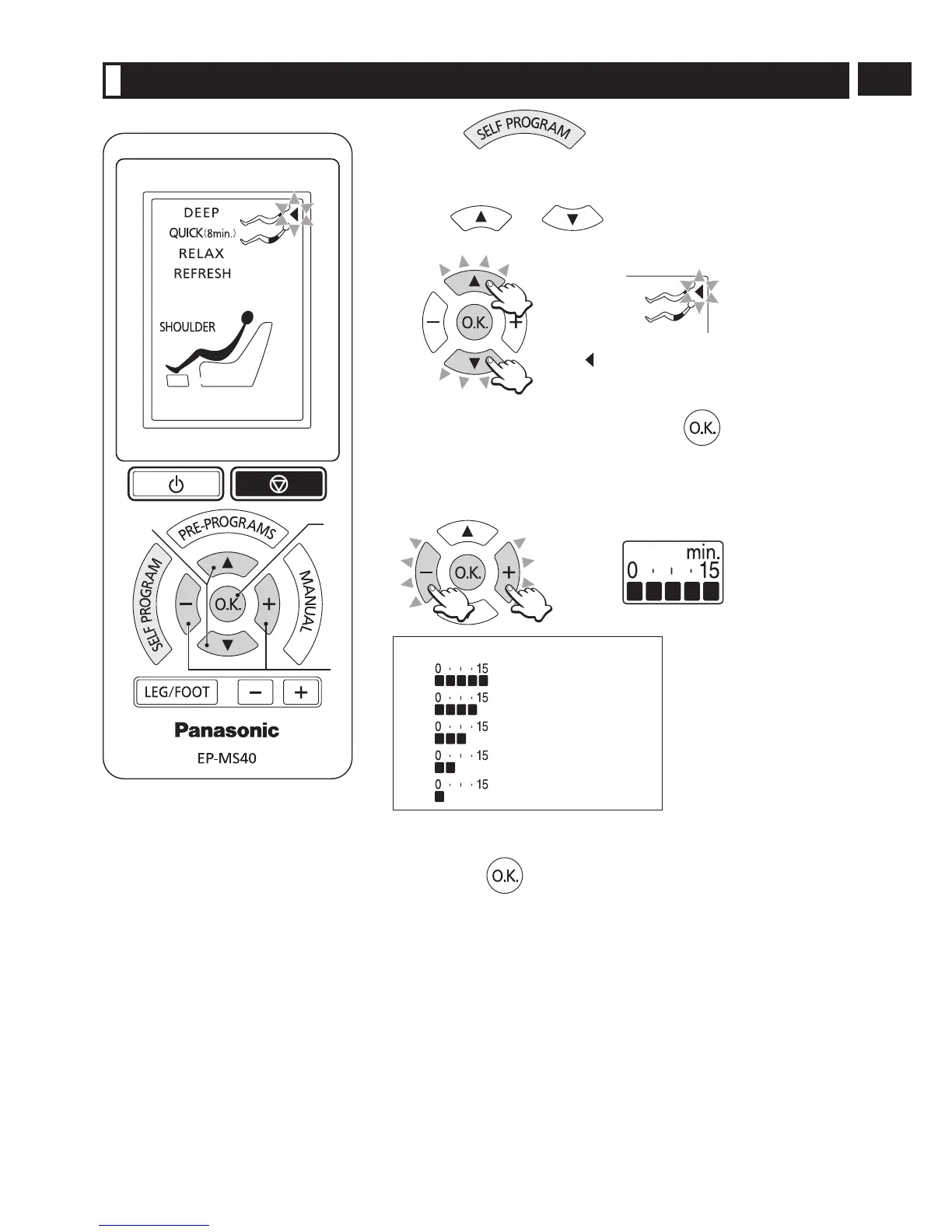
Press the button to enter the program
selection mode for Self Program.
(The power will turn off automatically if no operation is performed within
3 minutes after entering the program selection mode.)
1
Press or to select a program.
Select either “Neck and shoulders” or “Back and lower back”.
The mark for the currently selected
program will flash.
2
Select a program and press the button.
3
Set duration of massage.
Press the – + adjustment buttons.
Time indicator
Approx. 15 minutes
Approx. 12 minutes
Approx. 9 minutes
Approx. 6 minutes
Approx. 3 minutes
Note:
When y
ou change to “SELF PROGRAM” halfway through another type
of massage, you can make selections for the time remaining.
4
Press the button to complete the setting.
USING SELF PROGRAM
[Program Selection Mode]


 To Next Page