To change the content of the massage
With Self Program, you cannot set a massage longer than the massage time you first set.
If you set a short time by mistake, end the massage, and then press the
button again and enter new settings.
To select a different program from Self Program
Press the button, and select a different program.
Upper body massage will stop temporarily.
(See page 17.)
To change to Pre-Programs
Press the button and select a program.
Upper body massage will stop temporarily.
(See page 14.)
To change to Manual operation
Press the button.
Action will start immediately.
(See below.)
USING MANUAL OPERATION
See Warning No. 4 on page 2.
Press the button.
6 types of action including Soft Shiatsu, Knead and Tap are performed
sequentially.
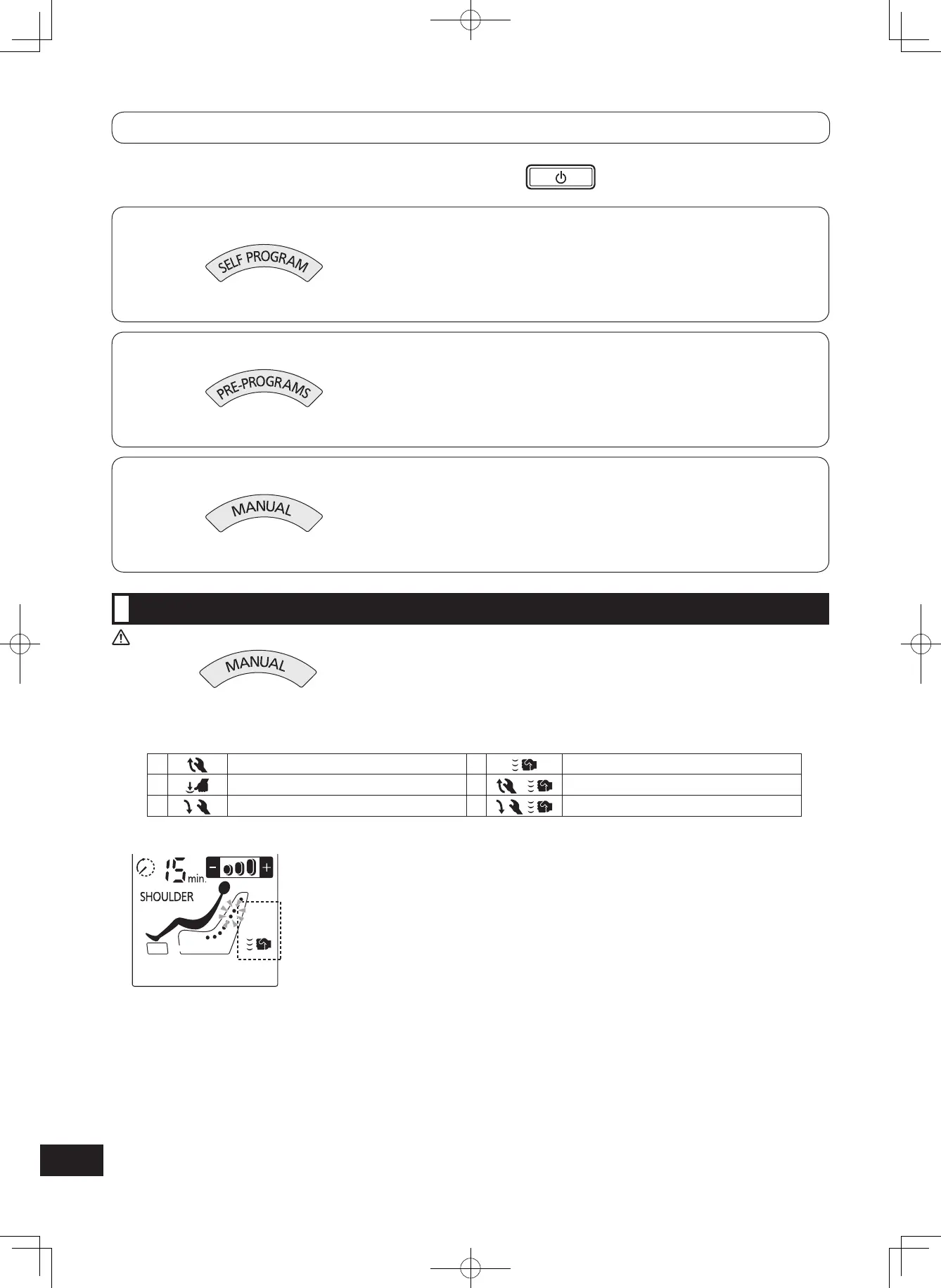
<Sequence of massage operations>
1 Knead upwards 4 Tap
2 Soft shiatsu 5 Upward knead and tap
3 Knead downwards 6 Downward knead and tap
[Display during massage]
Massage Operation Display
The operations change automatically.
When the same spot has been massaged continuously for 5 minutes, the massage position is automatically moved
upwards by around 3 cm.
•
•


 To Next Page