16
English
Clean
Cleaning the shaver
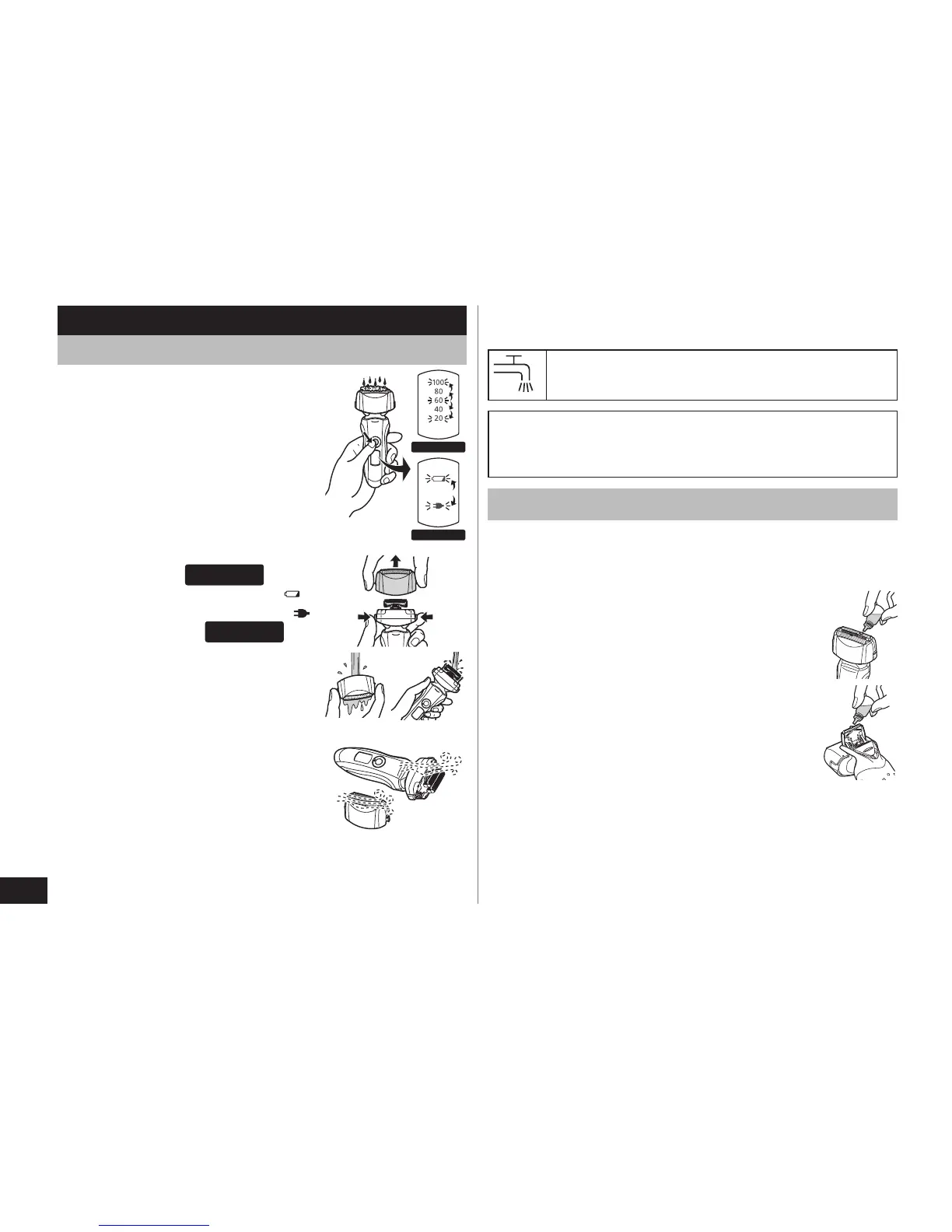
1. Disconnect the power cord from
the shaver.
2. Apply some hand soap and
some water to the outer foil.
3. Rotate the lock ring to unlock the
power switch.
4
. Press the power switch for more
than 2 seconds to activate the
sonic vibration cleaning mode.
The battery capacity lamps
blink in order.
ES‑LT50
The battery capacity lamp (
)
and the charge status lamp (
)
blink alternately.
ES‑LT20
After about 20 seconds, it will
be automatically turned off, or
you can turn it off by pressing
the power switch.
5. Remo
ve the outer foil section
and press the power switch for
more than 2 seconds to activate
the sonic vibration cleaning mode
and clean it with running water.
6
. Wipe off any drops of water with
a dry cloth.
7
. Dry the outer foil section and the
shaver completely.
•
•
•
8. Attach the outer foil section to the shaver.
9. Lubricate the shaver.
The mark on the left means suitable for
cleaning under an open water tap.
Warning
Disconnect the power cord from the shaver before
cleaning it in water to prevent electric shock.
Lubrication
To maintain shaving comfort for a long time, it is
recommended that the oil provided with the shaver is
used.
1. Switch off the sha
ver.
2. Apply one drop of oil to each of the outer
foils.
3
. Raise the trimmer and apply a drop of oil.
4. Switch the shaver on, and run it for
approximately five seconds.
5. Switch off the shaver, and wipe off any
excess oil from the outer foils with a soft
cloth.



 To Next Page