16
English
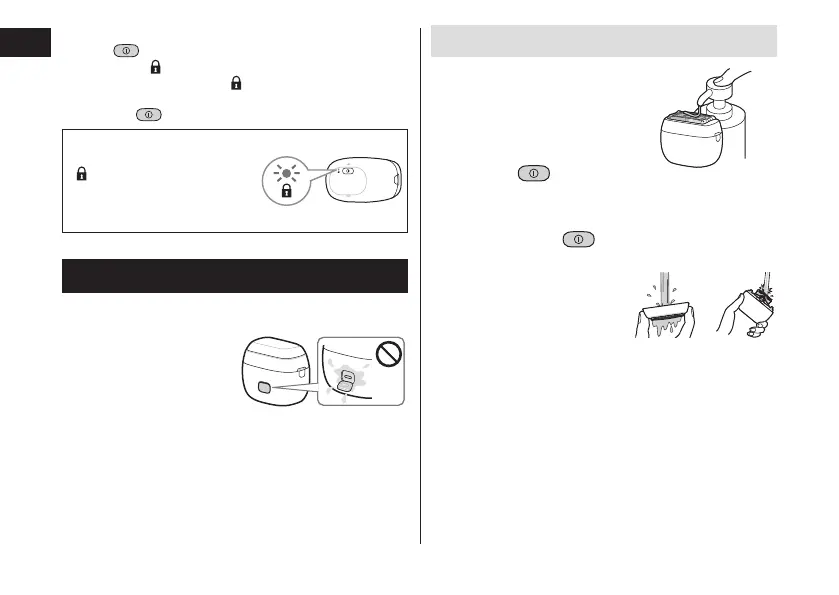
► Unlocking the power switch
1. Hold
for more than 2 seconds until the switch
lock lamp (
) turns o.
• The switch lock lamp (
) will turn o.
• The shaver starts operating.
2. Release
.
The power switch is locked
when the switch lock lamp
(
) blinks for 5 seconds and
the shaver does not operate
even though the power
switch is pressed.
Cleaning the shaver
• We recommend cleaning the shaver after each use.
• Turn the shaver o and disconnect the USB plug.
• Check that the socket
cover is closed.
Cleaning with water
1
Apply some hand
soap and some
water to the
system outer foil�
2
Press and
make foam for
several seconds,
then press to
stop making foam�
3
Remove the outer
foil section and
clean with
running water�
• See page 18 for
removing the outer foil
section.
4
After rinsing with water, shake
the shaver up and down for a few
water with a dry cloth�






 To Next Page