6
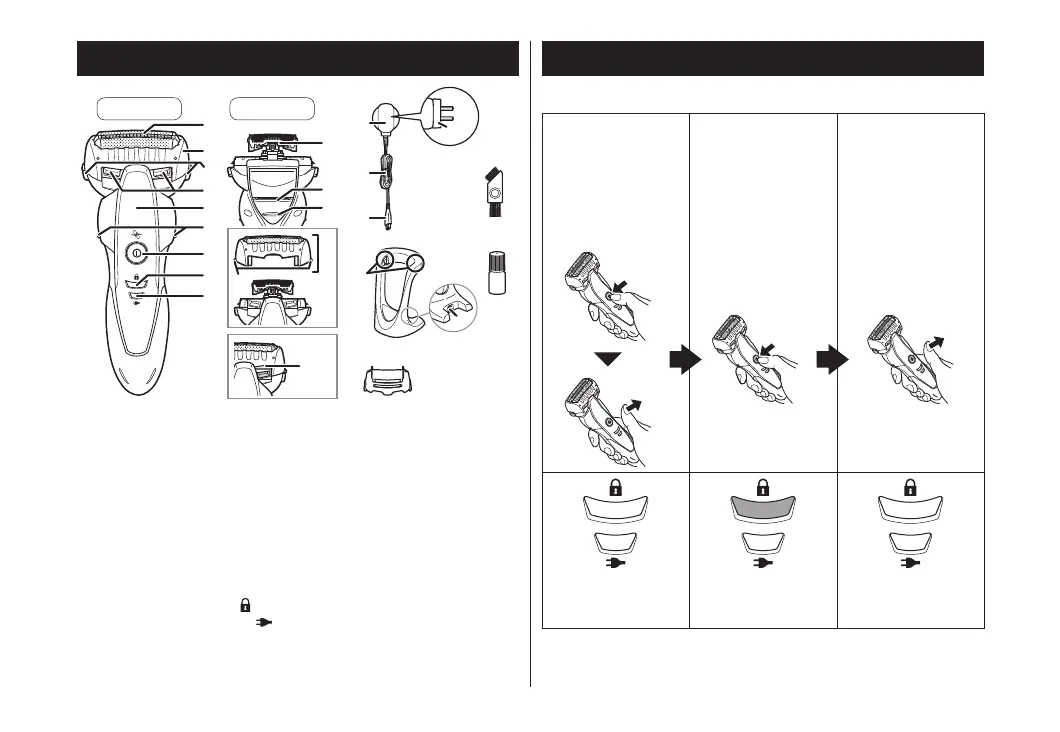
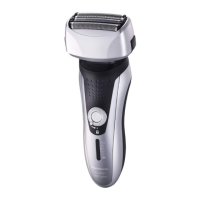
Parts identification
Front Back
A Main body
1 System outer foil
2 Foil frame
3 Foil frame release buttons
4 Cleaning shutter
5 Finger rest
6 Side terminals
7 Power switch
To turn the shaver on and
off and also lock and
unlock the power switch.
8 Switch lock lamp (
)
9 Charge status lamp (
)
: Inner blades
; Trimmer
Trimmer handle
Outer foil section
System outer foil release buttons
Water inlet
B AC adaptor (RE7-87)
Adaptor
Power plug
Cord
Appliance plug
C Charging stand (RC9-84)
Charging terminals
Stand socket
Accessories
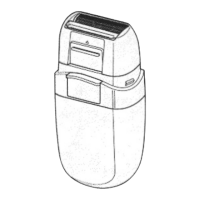
D Carrying holder
E Cleaning brush
F Oil
Operation and display of the switch lock
►Locking the power switch
1. Press the power
switch once and
then release.
• The shaver
starts operating.
2. Press the power
switch for more
than 2 seconds
when the shaver
is operating.
• The shaver will
stop operating.
3. Release the
power switch.
The switch lock
lamp is off.
The switch lock
lamp will light up.
The switch lock
lamp will turn off
after 5 seconds.
ES-ST29_AUS.indd 6 2015/11/17 19:54:08




 To Next Page