file:///C|/U...al/Temp/Rar$EXa0.719/viewing/SGML_VIEW_DATA/ALL/H-E08018PP/SVC/DSC1705017CE/doc/DSC1705017CE_06.xml[11/11/2018 5:09:11 PM]
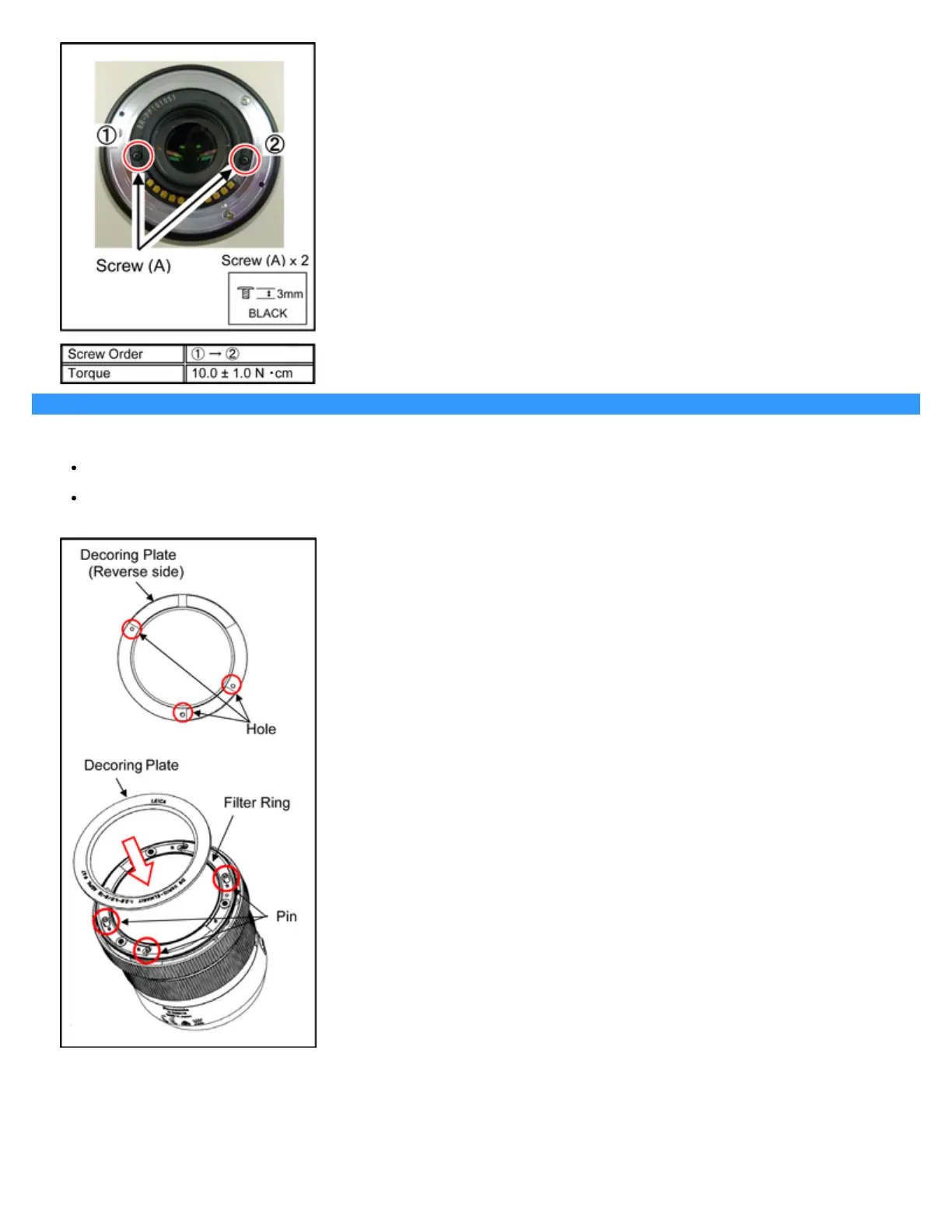
6.5.6 Installation of the Decoring Plate
1. Insert the 3 holls of the Decoring Unit to the pins of the Filter Ring.
Use new one, do not use the one which is removed.
Double-stick tape sticks to the Decoring Unit of the repair part. Remove the old double-stick tape from the Filter Ring.
2. After installing the Decoring Plate, use a soft cloth to press it into place.













 To Next Page