
 Need help?
Do you have a question about the Panasonic KX-NCV200 and is the answer not in the manual?
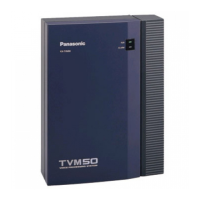
Details the main units and their internal components for KX-TVM50 and KX-TVM200/NCV200.
Explains different integration types (DPT, APT, Inband) for connecting VPS to PBX.
Provides detailed technical specifications for KX-TVM50 and KX-TVM200/KX-NCV200 models.
Outlines crucial installation and wiring precautions before setting up the VPS.
Instructions for installing various optional expansion cards in the KX-TVM50 unit.
Details how to connect the VPS to the PBX using different cable types and connectors.
Explains how to connect a PC to the VPS via USB, LAN, or modem for programming.
Describes the procedure to reset the VPS to default values before initial programming.
Details system and hardware requirements and the installation process for the console software.
Explains how to start and connect the Maintenance Console to the VPS via USB.
Provides an overview of APT/DPT integration and its key features and benefits.
Step-by-step guide for programming KX-TDA series PBXs for DPT Integration with the VPS.
Guide for programming KX-TE series PBXs for APT Integration using the Maintenance Tool.
Instructions for programming KX-TD series PBXs for DPT Integration.
Steps to complete and test the PBX-VPS connection after integration setup.
Provides an overview of Inband Integration, its requirements, and signalling.
Details PBX settings and parameters required for Inband Integration.
Guide for programming KX-TDA series PBXs for Inband Integration.
Instructions for programming KX-TE series PBXs for Inband Integration.
Instructions for programming KX-TD500 PBXs for Inband Integration.
Covers initial preparation, quick setup, and system configuration steps.
Details how to assign ports/trunks to different Incoming Call Services.
Explains how to create, edit, and manage mailboxes and group lists.
Instructions for customising system and company greetings and prompts.
Procedures for resetting the VPS to default values using Maintenance Console or Mode Switch.
Instructions for backing up VPS system data and configuration settings.
Methods for restarting the VPS when it is not functioning properly.
Provides solutions for common problems encountered during VPS installation and operation.
 General
| Type | IP PBX |
|---|---|
| Number of Lines | 8 |
| Number of Extensions | 64 |
| Maximum number of IP phones | 64 |
| Maximum number of SIP trunks | 8 |
| Connectivity | Ethernet |
| Power Supply | AC 100-240V, 50/60Hz |
| Display | LCD |
| SIP Accounts | 64 |
| Supported Codecs | G.711, G.729 |
| Headset Jack | Yes |








 To Next Page
