EasyManua.ls Logo

Panasonic KX-TVM50 - User Manual

Panasonic KX-TVM50
88 pages
Print Icon
To Next Page IconTo Next Page
Loading...
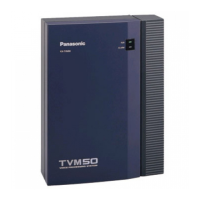
KX-TVM50
Model
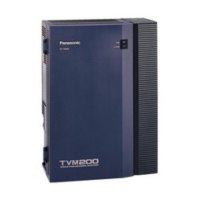
KX-TVM200
Voice Processing System
Subscriber’s Manual
Thank you for purchasing a Panasonic Voice Processing System.
Please read this manual carefully before using this product and save this manual
for future use.
KX-TVM50/KX-TVM200: Version 1.0

Table of Contents

Other manuals for Panasonic KX-TVM50

Questions and Answers

  • A
    aaroncarrollJul 26, 2025
    What to do if nothing is heard from Panasonic Voicemail VPS?
    • W
      Wayne MartinezJul 26, 2025
      If you're experiencing silence when accessing the VPS, verify that you're using the correct extension number. If the issue persists, check the VPS jacks are properly connected to the PBX jacks. Ensure the System Program [130] of the KX-TA or KX-TE series aligns with the actual connection. Also, check the "1-4 VPS (DPT) Port Assignment" screen of the KX-TD500, or System Program [117] or [126] of other KX-TD series PBXs, or the "Groups-VM(DPT) Group-Unit Setting" and "Configuration- Extension Port" screens of KX-TDA series PBXs that use DPT Integration to confirm the programming matches the physical connection. If unsure, ask your System Administrator.
  • A
    Anthony RobinsonJul 31, 2025
    How to fix Panasonic Voicemail unable to call outside party?
    • D
      Diane KhanJul 31, 2025
      If you're unable to call an outside party, reset the trunk access sequence of the connected PBX. Refer to "Dial Number" in section 2.1.4 and "Number of Digits to Access Outside Line" in section 2.5.4 of the Programming Manual. Also, check "Outgoing Call No Answer Time" in section 2.5.4 of the Programming Manual. When setting a Dial Number for Device Notification or a telephone number for External Message Delivery, keep in mind the "Note" for "Dial Number" in section 2.1.4.
  • F
    fpinedaAug 4, 2025
    How to fix Panasonic Voicemail unable to reconnect on busy line?
    • D
      David BakerAug 4, 2025
      To resolve the issue of being unable to reconnect when the line is busy, adjust the busy signal reconnection procedure to match that of the connected PBX. Consult "Reconnect Sequence on Busy" in section 2.5.4 of the Programming Manual.
  • A
    Andrew MendezAug 8, 2025
    What to do if Panasonic Voicemail unable to reconnect on no-response?
    • C
      carl34Aug 8, 2025
      To fix the issue of being unable to make a no-response reconnection, adjust the no-response reconnection procedure to match that of the connected PBX. Refer to "Reconnect Sequence on No Answer" in section 2.5.4 of the Programming Manual.
  • L
    Lisa CunninghamAug 12, 2025
    Why Panasonic Voicemail unable to call extension?
    • A
      Alicia JonesAug 12, 2025
      If you're unable to call an extension, check the PBX Extension Numbering Plan.
  • W
    willisaimeeAug 17, 2025
    What to do if Panasonic Voicemail dialing is not registered?
    • H
      Heather VargasAug 17, 2025
      If dialing is not registered, switch to a touch tone telephone. Also, adjust the integration mode properly between the VPS and your PBX, as described in "Integration Mode" in section 2.5.4 of the Programming Manual.
  • M
    Mary ChristensenAug 21, 2025
    What to do if Panasonic Voicemail VPS does not operate?
    • J
      jessicamartinezAug 21, 2025
      If the VPS does not operate, try the following: 1. Change the printed circuit board. 2. Check the connection between the VPS and PBX. 3. Insert the card firmly into the card slot.

Summary

Introduction to the VPS

Introduction to the VPS

Overview of the Voice Processing System (VPS) and its benefits for managing voice communications.

Before You Begin

Information required before using the VPS as a subscriber, including extension and password details.

Using the VPS

Explains the two modes of using the VPS: as a subscriber or as a caller.

Logging in to and Configuring Your Mailbox

Logging in to Your Mailbox

Details the two methods for accessing your VPS mailbox: Automatic and Manual Log-in.

Subscriber Tutorial (Easy Mailbox Configuration)

Guides first-time users through initial mailbox setup, including password and greetings.

Changing or Deleting Your Password

Instructions on how to modify or remove your mailbox password for security.

Message Playback and Related Features

Playing Messages

Explains how to listen to new, old, and deleted messages in your mailbox, including envelope information.

Replying to Messages

Describes how to reply to messages by calling back the sender or leaving a message in their mailbox.

Transferring Messages

Instructions on forwarding messages to other subscribers, with options for comments and recipient specification.

Sending Messages

Sending Messages-Overview

Explains the capabilities for sending messages to subscribers and external parties.

Message Delivery

Details how to send messages to other subscribers by number or name, with delivery options.

External Message Delivery

Guides on sending messages to parties without VPS mailboxes, including single recipients and lists.

Other Features

Call Transfer

Manages how incoming calls are handled when they reach your extension, offering various transfer options.

Incomplete Call Handling

Sets rules for handling calls that are not answered, are busy, or are blocked.

Message Waiting Notification

Configures how you are notified of new messages via lamp, device, or email.

Personal Custom Service

Create custom menus for callers to access specific features by pressing keys.

Recovering Deleted Messages

Instructions on how to retrieve messages that have been deleted.

Panasonic KX-TVM50 Specifications

General IconGeneral
Integrated voicemailYes
AC input voltage120 V
AC input frequency60 Hz
Power consumption (typical)40 W
USB 2.0 ports quantityUSB 2.0 ports have a data transmission speed of 480 Mbps, and are backwards compatible with USB 1.1 ports. You can connect all kinds of peripheral devices to them.
Ethernet LAN (RJ-45) ports1
Weight and Dimensions IconWeight and Dimensions
Weight2000 g
Dimensions (WxDxH)249 x 316 x 74 mm

Related product manuals