EasyManua.ls Logo

Panasonic KX-TD308 - User Manual

Panasonic KX-TD308
441 pages
Print Icon
To Next Page IconTo Next Page
Loading...
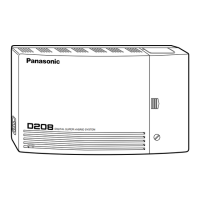
Digital Super Hybrid System
MODEL
KX-TD308
Please read this manual before using
the Digital Super Hybrid System.
POWER
D
I
G
I
T
A
L
S
U
P
E
R
H
Y
B
R
I
D
S
Y
S
T
E
M

Table of Contents

Other manuals for Panasonic KX-TD308

Questions and Answers

  • J
    Joy StewartJul 30, 2025
    What to do if Panasonic KX-TD308 extension does not operate?
    • L
      Luis KellerJul 30, 2025
      If a Panasonic Telephone System extension isn't working, here's what you can check: * Try replacing the extension card's printed circuit board. * Use a short telephone cord to plug the extension into the same extension port. If it doesn't work, repair the connection between the system and the extension. * Ensure you're using a 2-wire cord. * If you have a telephone with an A-A1 relay, set the switch to the “OUT” or “OFF” position. * Plug the extension into a working extension port. If it still fails, the phone needs replacing. This could be due to a bad printed circuit board, a faulty connection, an incompatible telephone relay setting, or a defective extension.
  • R
    Ronald LeeAug 15, 2025
    How to troubleshoot a Panasonic Telephone System extension that does not operate?
    • A
      Andrew RobertsonAug 15, 2025
      If a Panasonic Telephone System extension is not working, there are several potential causes. First, it could be a faulty extension card. Try swapping the printed circuit board with another one. Second, there might be a bad connection between the system and the extension. To check this, plug the extension into the same extension port using a short telephone cord; if it still doesn't work, the connection needs repair. Ensure you're using a 2-wire cord. Third, a telephone with an A-Al relay might be connected; set the A-Al relay switch to the “OUT” or “OFF” position. Finally, the extension itself might be bad. Test this by plugging the extension into a known working extension port; if it still doesn't work, replace the phone.

Summary

Cautions

Section 1 DPT Overview

Section 2 Station Programming (Personal Programming)

2.1 Station Programming Instructions

Provides guidance on entering and exiting the Station Programming mode.

2.2 Station Programming (Personal Programming)

Explains how to program features like Bilingual Display, Call Waiting Tone, etc.

Section 4 DPT Features

4.1 Basic Operations

Covers fundamental operations like making and receiving calls.

4.2 DPT Features (A - Z)

Details various features of Digital Proprietary Telephones (DPTs) alphabetically.

4.3 Operator; Manager Service Features

Outlines features specifically for system operators and managers.

4.4 Special Display Features

Explains features that utilize the telephone's display for operations.

Section 5 Standard Telephone Features

Section 6 Quick Reference

DPT Features

Provides a quick reference for Digital Proprietary Telephone features.

Panasonic KX-TD308 Specifications

General IconGeneral
BrandPanasonic
ModelKX-TD308
CategoryTelephone System
LanguageEnglish

Related product manuals