Congratulations
on
purchasing
a
Panasonlc
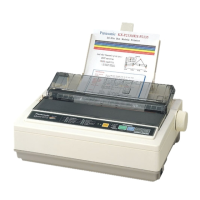
printer
This
pnnter
IS
a versatile,
high
quality 9-pln
dot
matrix printer
which
IS
designed
10
meet
the
needs
01
your
office
ThiS
printer
has
been
factory
set
to
operate
With the
most
popular
software
packages
Your
applicatIOn
software
should
control the
pnnter
functIOns In
most
cases, there
Will
be no
need
to
change
the factory
settings
2
The
serial
number
of the unit
may
be
found
on the label
on the
rear
of the unit
For
your
conVenience,
note
thiS
number
below,
and
retain
thiS
book, along With
your
proof
01
purchase,
to
serve
as a
permanent
record of
your
purchase
In
the
event
of a theft, or for 1uture
reference
MODEL
NO
KX-PJ2DD
NAME
OF
DEALER
SERIAL NO
DATE
OF
PURCHASE
Warnmg.
•
The
power
source
voltage
of thiS unit
IS
listed on the
nameplate
Plug
the printer's
3-prong
cord Into an outlet
With the
proper
voltage
•
To
prevent
fire or
shock
hazard, do not
expose
thiS
product
to
rain or
any
type of mOisture
CautIon.
•
When
you
operate
thiS equipment, the outlet
should
be
near
the eqUipment
and
shOUld be eaSily acceSSible
•
To
prevent
parallel/serial Interface and
prlnthead
from
static
electriCity
damage,
before
you
touch
them,
diS-
charge
any
stalic
electriCity from
your
hands
by
touch-
Ing
a
grounded
metal
surface
(However, do not touch
the
prlnthead
when
It
IS
hot)
FOR YOUR SAFETY
To
ensure
sare operation the three-pin
plug
supplied
must
be Inserted
only
Into a
standard
three-pin
power
pOint
which
IS
effectively
earthed
through
the
normal
household
wiring
Extension
cords
used
With the eqUipment
must
be three-
core
and
be
correctly Wired
to
proVide connection
to
earth
Improperly
Wired
extension
cords are a
major
cause
or
fatalities
The
fact that
the
equipment
operates
satlsractorlly does
not Imply Ihat
Ihe
power
pOint
IS
earthed
and
that the
InstallatIOn
IS
completely
safe
For
your
safety, If
In
any
doubt
about
the effective earthing
or
the
power
pOint,
consult
a qualified electriCian
If the
plug
cannot
be Inserted Into the
AC
outlet,
contacl
a
licensed
electriCian
to
replace the outlet With properly
grounded
one
Do
not
defeat
the
purpose
of the grounding
plug
(ex do not
use
a
conversion
plug)
IBM, IBM·PC and Proprlnter are trademarks
01
Inlemallonal
BUSiness
Machines
Corporation
Microsoft
IXI
and
Windows
®
are
registered
tradema~s
or
Microsoft
Corporation
In the
United
States
and/or
other
coun-
tnes
Epson
IS
a
trademark
of
Selko
Epson
Corporation
Printer
Driver
Program
for
Windows
3 1
All
Rlghls Reserved © COPYRIGHT t
BBO
- 1
BB2
Microsoft
Corporation
Printer
Driver
Program
for
Windows
95
All
Rlghls Reserved © COPYRIGHT 1
BB1
- 1
BBS
Microsoft
Corporalion
Any
details given In these
Operating
Instructions
are
subject
to
change
Without
notice
All Rlghls
Reserved
©
COPYRIGHT
1 BB6 KYUSHU
MATSUSHITA ELECTRIC
CO
, LTD
Unpacking
HaVing
unpacked
the
printer,
make
sure
none
of the
contents
shown
below
are missing or
damaged
Report
damages
or
shortages
to
the
store rrom
which
the
umt
was
purchased
~
~
Printer
Ribbon
cassette
(KX-Pl
BD)
~
$,
~
~
'b
Platen
knob
Power
card
~
Q
Setup
Disk
Operating
Manual
QUick
Start
GUide
•
The
Setup
Disk
contains
a
Pnnter
Dnver
lor
Windows
3 1
and
Window
95
(1&
P 11). a
Conlrol
Panel
Software
program
(
1&
P 13)
and
a
Command
Relerece
program
(
1&
PIS)
•
To
use
Ihls
Setup
DiSk,
you
need
10
have
an
IBM-PC
or
a
compatible
computer
With 3
5"floppy
disk
dnve
Nate
• It
IS
recommended
that
you
save
the
anginal
carton
and
packing
matenals
lor
proper
shipPing
and
Iransportlng
of the
printer










 To Next Page