
 To Next Page
C
caitlynhernandezAug 18, 2025
What to do if Panasonic Answering Machine display is blank?
- SSamantha KempAug 18, 2025
If the handset display of your Panasonic Answering Machine is blank, fully charge the battery.

What to do if Panasonic Answering Machine display is blank?
If the handset display of your Panasonic Answering Machine is blank, fully charge the battery.
Why is my Panasonic Answering Machine not recording messages?
If your Panasonic Answering Machine is on, but not recording incoming messages, check if the recording time is set to “Greeting only”. If so, select “1 minute”, “2 minutes” or “3 minutes”. Also, if the memory is full, erase unnecessary messages.
Why is my Panasonic Answering Machine not ringing?
If your Panasonic Answering Machine handset and/or base unit isn't ringing, the ringer volume might be turned off. Adjust the ringer volume to high, medium, or low.
Why can't I make calls on my Panasonic Answering Machine?
If you cannot make an intercom or outside call on your Panasonic Answering Machine, you may be in remote operation mode. Exit by pressing [OFF]. The handset you called might be too far from the base unit. If the handset or base unit is in use, try again later.
Why doesn't my Panasonic Answering Machine show caller ID?
If the handset does not display the caller’s name and/or phone number on your Panasonic Answering Machine, you may need to subscribe to a Call Display service. Other telephone equipment or electrical appliances connected to the same outlet may be interfering with your phone. Disconnect them and try again. If a (separate) Call Display box is connected between the unit and the telephone wall jack, disconnect the Call Display box or plug the unit directly into the wall jack. Set the handset and/or base unit ringer volumes to high, medium, or low and turn on the Talking Call Display feature.
Why can't I erase messages on Panasonic Answering Machine?
If you cannot erase messages on your Panasonic Answering Machine, it may be because another user is operating the Answering System or a caller is leaving a message.
How to fix Panasonic Answering Machine 'No link to base' error?
If you see “No link to base. Move closer to base, try again.” displayed and hear an alarm, it could be due to interference from other electrical units or being too far from the base unit. Try walking closer to the base unit, ensuring the base unit’s AC adapter is plugged in, and raising the base unit antenna. Also, move the handset and base unit away from other electrical appliances. If the issue persists, re-register the handset.
Why does my Panasonic Answering Machine exit Caller List?
If the handset display exits the Caller List or phone book on your Panasonic Answering Machine, avoid pausing for over 60 seconds while searching.
What to do if Panasonic Answering Machine stops programming when ringing?
If, while programming or searching on your Panasonic Answering Machine, the handset starts to ring and the program/search stops, a call is coming in. To answer the call, press [C], [s] or [SP-PHONE]. Try again from the beginning after hanging up.
How to fix Panasonic Answering Machine 'FULL' error?
If your Panasonic Answering Machine displays “FULL” and the ANSWER ON indicator flashes rapidly, no new messages are recorded because the memory is full. Erase unnecessary messages.
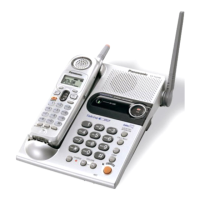
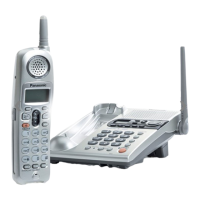
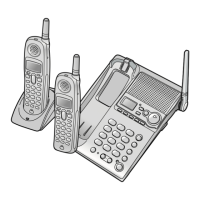
Details the controls and indicators on the base unit.
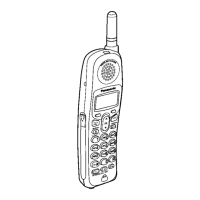
Details the controls and indicators on the handset.
Details the controls and indicators on the charger unit.
Instructions for connecting the base unit and charger to power and phone line.
Step-by-step guide to insert and replace the handset battery.
Procedure for charging the handset battery before initial use.
Explains how to select and set programmable functions using the handset menu.
Provides a table of programmable settings and their corresponding menu paths.
Instructions for setting the date and time for message recording timestamps.
How to adjust the ringer volume for the handset and base unit.
How to select different ringer patterns for calls.
How to turn the answering system on and configure basic settings.
How to play back recorded messages using the base unit or handset.
How to operate the answering system remotely using a touch-tone phone.
Step-by-step guide for making calls using the handset.
Step-by-step guide for making calls using the base unit speakerphone.
Explains how caller information is presented and announced during incoming calls.
How to enable/disable the feature that announces caller names.
Guide to saving contact information into the phone book.
How to make calls by selecting entries from the phone book.
Using phone book entries or manual key pad entries while making a call.
Instructions for initiating intercom calls between handsets and the base unit.
How to answer intercom calls received on the handset or base unit.
Steps to transfer an outside call from a handset to the base unit.
Steps to transfer an outside call from the base unit to a handset.
How to switch dialing mode to tone for accessing services.
How to temporarily silence the microphone during a call.
Common problems and solutions related to phone system operation.
Troubleshooting specific issues with the answering system features.
General troubleshooting tips for the handset and base unit not working.
Precautions for handling batteries and preventing fire/shock hazards.
Warning against exposing the product to rain or moisture.
Information regarding radio frequency exposure limits and safe operation.
Technical specifications for the base unit, including power, frequency, and dimensions.
Technical specifications for the handset, including power, frequency, and dimensions.
 General
| Number of Handsets | 1 |
|---|---|
| Caller ID | Yes |
| Display | LCD |
| Frequency | 2.4 GHz |
| Speakerphone | Yes |
| Call Waiting | Yes |
| Backlit Display | Yes |
| Redial | Yes |
| Power Source | AC adapter |
| Type | Cordless Phone |
| Phonebook Capacity | 50 stations |