EasyManua.ls Logo

Panasonic KX-TG5561 - User Manual

Panasonic KX-TG5561
84 pages
Print Icon
To Next Page IconTo Next Page
Loading...
This unit is compatible with Caller ID. To use this feature, you must
subscribe to the appropriate service offered by your service provider.
Please read these Operating Instructions before using the unit and save
for future reference.
For assistance, visit our website: http://www.panasonic.com for
customers in the U.S.A. or Puerto Rico.
Charge the battery for 6 hours before initial use.
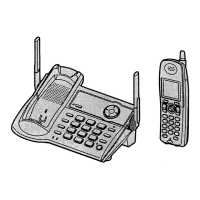
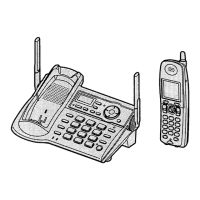
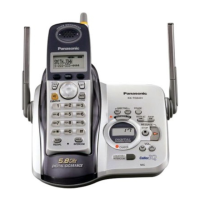
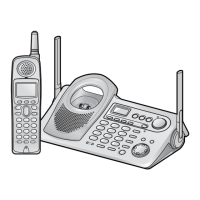
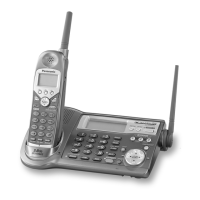
5.8 GHz Expandable Digital Cordless Phone
Model No.
KX-TG5561
Operating Instructions
KX-TG5566
TG5561_5566.book Page 1 Thursday, April 7, 2005 12:07 PM

Table of Contents

Other manuals for Panasonic KX-TG5561

Questions and Answers

  • S
    shepardannaAug 19, 2025
    Why does my Panasonic Cordless Telephone not work?
    • W
      williamsdeniseAug 20, 2025
      Your Panasonic Cordless Telephone might not be working due to several reasons. Ensure the battery is correctly installed and fully charged. Clean the charging contacts and try charging again. Unplug the base unit’s AC adapter to reset it, then reconnect and try again. Also, the handset may not be registered to the base unit, so register it. Re-install the battery and fully charge it.
  • M
    Manuel MccartyAug 21, 2025
    What to do if I cannot hear a dial tone on my Panasonic Cordless Telephone?
    • J
      Jeffrey HutchinsonAug 22, 2025
      If you cannot hear a dial tone on your Panasonic Cordless Telephone, confirm that the telephone line cord is properly connected.
  • J
    Jackie HodgesAug 23, 2025
    Why is my Panasonic KX-TG5561 Cordless Telephone not ringing?
    • S
      Sierra CampbellAug 25, 2025
      If your Panasonic Cordless Telephone is not ringing, the ringer volume might be turned off. Adjust the ringer volume.
  • B
    Brian DavisAug 26, 2025
    What to do if my Panasonic Cordless Telephone display is blank?
    • B
      Brooke JonesAug 26, 2025
      If the handset display of your Panasonic Cordless Telephone is blank, first, confirm that the battery is properly installed. If it is, fully charge the battery.
  • M
    melissamooreAug 27, 2025
    What to do if my Panasonic Cordless Telephone displays 'Recharge battery'?
    • S
      Susan EvansAug 27, 2025
      If your Panasonic Cordless Telephone displays “Recharge battery” or the handset beeps intermittently, fully charge the battery.
  • J
    julia32Aug 29, 2025
    Why is there static on my Panasonic KX-TG5561 Cordless Telephone?
    • R
      Ricky HarrisonAug 29, 2025
      Static on your Panasonic Cordless Telephone can be due to interference from other electrical units. Try moving the handset and the base unit away from other electrical appliances. You can also move closer to the base unit or raise the base unit antennas. Turn on the clarity booster feature. If you have DSL service, consider using a noise filter between the base unit and the telephone line jack.
  • K
    Kathryn MartinezSep 1, 2025
    Why does my Panasonic KX-TG5561 Cordless Telephone say 'No link to base'?
    • K
      Kayla McbrideSep 1, 2025
      If your Panasonic Cordless Telephone displays “No link to base. Move closer to base, try again,” the handset has lost communication with the base unit. Move closer to the base unit and try again. Also, confirm that the base unit’s AC adapter is plugged in and raise the base unit antennas. The handset’s registration may have been canceled, so re-register the handset.
  • A
    Amanda ThorntonSep 2, 2025
    What to do if my Panasonic Cordless Telephone shows 'Charge for 6 HRS'?
    • K
      Kristen HamptonSep 3, 2025
      If your Panasonic Cordless Telephone shows “Charge for 6 HRS” and the handset doesn't work, the battery has likely been discharged. Fully charge the battery.
  • J
    Julia BeardSep 4, 2025
    Why can't I make a call on my Panasonic KX-TG5561 Cordless Telephone?
    • E
      Eric SpencerSep 5, 2025
      If you cannot make a call on your Panasonic Cordless Telephone, the dialing mode may be set incorrectly. Set the dial mode to match your telephone service type (tone or pulse). Also, if the base unit or another handset is in use, you may not be able to make a call; try again later.
  • J
    Joseph HarrisonSep 7, 2025
    Why can't I record songs on my Panasonic Cordless Telephone?
    • C
      Curtis ThomasSep 7, 2025
      If you cannot record, download, or erase songs or pictures on your Panasonic Cordless Telephone and “Recharge battery” is displayed, the battery power is low. Fully charge the battery and try again.

Summary

Introduction

About these operating instructions

Details on how to use these operating instructions and model differences.

Accessory Information

Lists included accessories and how to order replacements.

Expanding your Phone System

Information on adding accessory handsets to expand the system.

Available Accessory Handsets

Compares features of different accessory handset models.

Important Safety Instructions

Essential safety precautions to follow when using the unit.

For Best Performance

Tips for optimal base unit location, environment, and routine care.

Preparation

Connections and Initial Setup

Connect the AC adaptor and telephone line cord to the base unit.

Battery Management

Steps for battery installation, charging, and replacement.

Base Unit Controls and Displays

Identifies controls and displays on the base unit.

Handset Controls and Features

Details of handset controls, joystick usage, and display items.

Unit Configuration Settings

Procedures for setting dialing mode, date, and time before first use.

Making and Answering Calls

Making Calls Using the Handset

Step-by-step guide for making calls using the handset.

Using the Speakerphone

Instructions for activating and using the speakerphone function.

Useful Features During a Call

Explains features like HOLD, MUTE, and Voice Enhancer during a call.

Additional Call Features

Details on Clarity Booster, Call Share, Call Privacy, and PAUSE button usage.

Making Calls Using the Base Unit

How to make calls directly from the base unit.

Answering Calls

Procedures for answering calls using either the handset or base unit.

Phonebook Management

Adding and Editing Phonebook Entries

Guide to adding new contacts, editing existing entries, and character entry.

Calling from the Phonebook

How to search for and dial contacts stored in the phonebook.

Copying Phonebook Items

Instructions for copying phonebook entries between handsets.

Speed Dialing

Base Unit Speed Dialing

How to assign and store phone numbers for quick dialing from the base unit.

Using the Speed Dialer

Steps to initiate a call using a stored speed dial number.

Caller ID Service

Using Caller ID Features

Explains how to use Caller ID for incoming calls, including Talking Caller ID.

Ringer ID and Light-up ID

Assigning custom ringtones and indicator colors to callers.

Picture ID

How to assign pictures to callers on color display models.

Caller List and Number Editing

Viewing call history, editing numbers, and storing information into the phonebook.

Intercom Features

Making Intercom Calls

Instructions for making calls between handsets and the base unit.

Voice Paging

Making voice announcements to all handsets.

Call Transfer

Procedures for transferring outside calls between units.

Conference Calls

Setting up multi-party conference calls.

Room Monitor

Using a handset to listen to another room.

Programmable Settings

Programming Guide and Direct Commands

Overview of menu navigation, direct commands, and programming basics.

Voice Mail Service Configuration

Set up and manage voice mail access numbers and features.

Ringer and Audio Customization

Adjust ringer volume, tone, and record custom ringtones.

Display and Handset Behavior Settings

Customize display color, wallpaper, LCD contrast, key tone, auto talk, interrupt tone, and language.

System and Caller ID Configuration

Manage handset registration, Caller ID settings, time, and language.

Troubleshooting

General Operation Issues

Solutions for problems like unit not working, no link, or incorrect time.

Call Handling and Programming Issues

Troubleshooting for call making, answering, intercom, and programming errors.

Phonebook and Caller ID Issues

Resolving problems related to phonebook storage, copying, and Caller ID display.

Battery and Power Issues

Troubleshooting battery recharge problems and power failure scenarios.

Useful Information

Accessories and Installation

Information on belt clips, headsets, and wall mounting the base unit.

Error Messages

Explanations of common error messages and their solutions.

FCC and RF Exposure Information

Compliance information regarding FCC rules and radio frequency exposure.

Warranty Information

Details on the product's limited warranty coverage and service.

Panasonic KX-TG5561 Specifications

General IconGeneral
TypeCordless Telephone
Number of Handsets1
ExpandableYes
Caller IDYes
Call WaitingYes
SpeakerphoneYes
IntercomYes
Talk Time10 hours
Battery TypeNi-MH
DisplayLCD
RangeUp to 1000 feet
Answering MachineYes
Phonebook Capacity50
ColorBlack

Related product manuals