EasyManua.ls Logo

Panasonic KX-TG5561M - User Manual

Panasonic KX-TG5561M
84 pages
Print Icon
To Next Page IconTo Next Page
Loading...
This unit is compatible with Caller ID. To use this feature, you must
subscribe to the appropriate service offered by your service provider.
Please read these Operating Instructions before using the unit and save
for future reference.
For assistance, visit our website: http://www.panasonic.com for
customers in the U.S.A. or Puerto Rico.
Charge the battery for 6 hours before initial use.
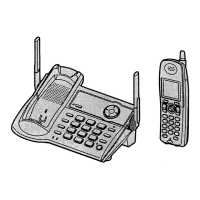
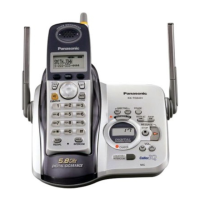
5.8 GHz Expandable Digital Cordless Phone
Model No.
KX-TG5561
Operating Instructions
KX-TG5566

Table of Contents

Questions and Answers

  • J
    Jessica LawsonAug 18, 2025
    What to do if my Panasonic Cordless Telephone says 'No link to base'?
    • P
      Peter BlanchardAug 18, 2025
      If your Panasonic Cordless Telephone displays “No link to base. Move closer to base, try again.” and an alarm tone sounds, it means the handset has lost communication with the base unit. Try moving closer to the base unit. Also, confirm that the base unit’s AC adapter is plugged in and raise the base unit antennas. If the problem persists, re-register the handset.
  • J
    jamesbryanAug 20, 2025
    What to do if there is no dial tone on my Panasonic KX-TG5561M Cordless Telephone?
    • C
      Cody SmithAug 20, 2025
      If you cannot hear a dial tone on your Panasonic Cordless Telephone, confirm that the telephone line cord is connected. If it is, disconnect the unit from the telephone line and connect a known working telephone. If the working telephone operates properly, contact our service personnel to have the unit repaired. If the working telephone does not operate properly, contact your telephone company.
  • J
    Jennifer MullenAug 23, 2025
    Why does my Panasonic KX-TG5561M display the wrong time?
    • S
      Scott EdwardsAug 23, 2025
      If the handset of your Panasonic Cordless Telephone displays the incorrect time, it means the handset has lost communication with the base unit. Confirm that the base unit’s AC adapter is connected and move the handset closer to the base unit.
  • P
    Peter MccormickAug 26, 2025
    Why can't I program items on my Panasonic Cordless Telephone?
    • S
      Sarah HuangAug 26, 2025
      If you cannot program items on your Panasonic Cordless Telephone, it may be because programming is not possible while the handset and base unit are being used. Also, do not pause for over 1 minute while programming, and move closer to the base unit.
  • J
    Jessica MoralesAug 27, 2025
    Why is there static on my Panasonic Cordless Telephone?
    • J
      John SmithAug 28, 2025
      If you hear static or the sound cuts in and out on your Panasonic Cordless Telephone, try moving the handset and the base unit away from other electrical appliances. You can also try moving closer to the base unit, raising the base unit antennas, or turning on the clarity booster feature. If you have DSL service, consider connecting a noise filter between the base unit and the telephone line jack.
  • M
    Michael NicholsonAug 30, 2025
    Why can't I make calls on my Panasonic KX-TG5561M Cordless Telephone?
    • H
      Hunter SchmidtAug 30, 2025
      If you cannot make a call on your Panasonic Cordless Telephone, the dialing mode may be set incorrectly. Set the dial mode to match the type of telephone service you have (tone or pulse). Also, if the base unit or another handset is in use, you may not be able to make a call. Try again later.
  • K
    Katherine MorenoSep 1, 2025
    What does it mean when my Panasonic KX-TG5561M Cordless Telephone displays 'Recharge battery'?
    • A
      Ashley BowmanSep 1, 2025
      If you cannot record, download, or erase songs or pictures and “Recharge battery” is displayed on your Panasonic Cordless Telephone, the battery power is low. Fully charge the battery and try again.
  • B
    Barbara HenrySep 3, 2025
    Why is paging not working on my Panasonic KX-TG5561M Cordless Telephone?
    • R
      Richard DavisSep 3, 2025
      If you cannot page the handset or base unit on your Panasonic Cordless Telephone, it may be because the called handset is too far from the base unit or the called unit is in use. Try again later.
  • T
    Tiffany VillarrealSep 5, 2025
    Why can't I make voice announcements on my Panasonic KX-TG5561M?
    • B
      Brittany AlexanderSep 5, 2025
      If you cannot make a voice announcement on your Panasonic Cordless Telephone, it is possible that other handsets are in use. Try again later.
  • N
    Nathan SmithSep 8, 2025
    Why can't I turn on the clarity booster on my Panasonic Cordless Telephone?
    • K
      Kyle BowersSep 8, 2025
      If you cannot turn the clarity booster feature on your Panasonic Cordless Telephone, it may be because another handset is already using this feature, as only one handset can use it. Also, if 3 handsets are on a conference call with an outside party, this feature cannot be used by any of the handsets.

Summary

Introduction

Important safety instructions

Critical safety precautions to follow when using the telephone unit.

Preparation

Battery charge

Procedures for charging the handset battery before initial use.

Battery replacement

Information on when and how to replace the handset battery.

Making;Answering Calls

Making calls using the handset

Instructions for initiating calls from the cordless handset.

Making calls using the base unit

Instructions for initiating calls from the base unit speakerphone.

Answering calls using the handset

How to receive and answer incoming calls on the handset.

Answering calls using the base unit

How to receive and answer incoming calls on the base unit.

Phonebook

Adding items to the phonebook

Guides on how to store new contact entries in the phonebook.

Calling someone in the phonebook

Instructions for making calls using stored phonebook entries.

Speed Dialer

Adding phone numbers to the speed dialer

Process for assigning phone numbers to speed dial keys.

Calling someone with the speed dialer

How to make calls using the speed dial feature.

Intercom Features

Programmable Settings

Voice Mail Service

Useful Information

Error messages

Explains common error messages and their solutions.

Troubleshooting

Provides solutions for common operational problems.

Panasonic KX-TG5561M Specifications

General IconGeneral
BrandPanasonic
ModelKX-TG5561M
CategoryCordless Telephone
LanguageEnglish

Related product manuals