EasyManua.ls Logo

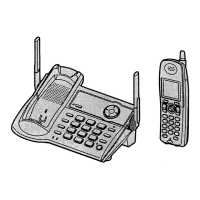
Panasonic KX-TG5566 - User Manual

Panasonic KX-TG5566
84 pages
Print Icon
To Next Page IconTo Next Page
Loading...
This unit is compatible with Caller ID. To use this feature, you must
subscribe to the appropriate service offered by your service provider.
Please read these Operating Instructions before using the unit and save
for future reference.
For assistance, visit our website: http://www.panasonic.com for
customers in the U.S.A. or Puerto Rico.
Charge the battery for 6 hours before initial use.
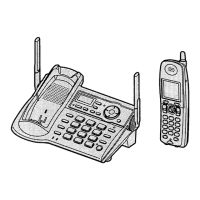
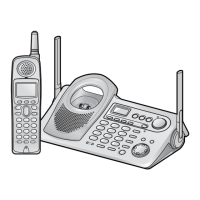
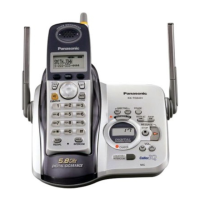
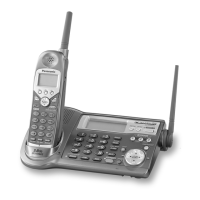
5.8 GHz Expandable Digital Cordless Phone
Model No.
KX-TG5561
Operating Instructions
KX-TG5566
TG5561_5566.book Page 1 Thursday, April 7, 2005 12:07 PM

Table of Contents

Other manuals for Panasonic KX-TG5566

Questions and Answers

  • D
    Donald CastroAug 20, 2025
    Why does my Panasonic Cordless Telephone not work?
    • A
      Anna PalmerAug 20, 2025
      Your Panasonic Cordless Telephone might not be working due to several reasons. Ensure the battery is correctly installed and fully charged. Clean the charging contacts and try charging again. Unplug the base unit’s AC adapter to reset it, then reconnect and try again. Also, the handset may not be registered to the base unit, so register it. Re-install the battery and fully charge it.
  • M
    Mr. Dan PhillipsAug 22, 2025
    What to do if I cannot hear a dial tone on my Panasonic KX-TG5566 Cordless Telephone?
    • A
      Amy RichardsAug 22, 2025
      If you cannot hear a dial tone on your Panasonic Cordless Telephone, confirm that the telephone line cord is properly connected.
  • H
    Heather BoydAug 25, 2025
    Why is my Panasonic KX-TG5566 not ringing?
    • A
      allenlopezAug 25, 2025
      If your Panasonic Cordless Telephone is not ringing, the ringer volume might be turned off. Adjust the ringer volume.
  • Y
    ygloverAug 27, 2025
    What to do if my Panasonic KX-TG5566 Cordless Telephone display is blank?
    • M
      Marissa ReynoldsAug 27, 2025
      If the handset display of your Panasonic Cordless Telephone is blank, first, confirm that the battery is properly installed. If it is, fully charge the battery.
  • M
    Madison DavisAug 28, 2025
    What to do if my Panasonic Cordless Telephone displays 'Recharge battery'?
    • K
      Katrina BrownAug 28, 2025
      If your Panasonic Cordless Telephone displays “Recharge battery” or the handset beeps intermittently, fully charge the battery.
  • A
    Andres CalderonAug 30, 2025
    Why is there static on my Panasonic KX-TG5566 Cordless Telephone?
    • G
      gmillerAug 30, 2025
      Static on your Panasonic Cordless Telephone can be due to interference from other electrical units. Try moving the handset and the base unit away from other electrical appliances. You can also move closer to the base unit or raise the base unit antennas. Turn on the clarity booster feature. If you have DSL service, consider using a noise filter between the base unit and the telephone line jack.
  • W
    waynejenkinsSep 1, 2025
    Why does my Panasonic Cordless Telephone say 'No link to base'?
    • A
      Andrea HollowaySep 1, 2025
      If your Panasonic Cordless Telephone displays “No link to base. Move closer to base, try again,” the handset has lost communication with the base unit. Move closer to the base unit and try again. Also, confirm that the base unit’s AC adapter is plugged in and raise the base unit antennas. The handset’s registration may have been canceled, so re-register the handset.
  • K
    Kimberly JarvisSep 3, 2025
    What to do if my Panasonic KX-TG5566 Cordless Telephone shows 'Charge for 6 HRS'?
    • D
      Douglas ElliottSep 3, 2025
      If your Panasonic Cordless Telephone shows “Charge for 6 HRS” and the handset doesn't work, the battery has likely been discharged. Fully charge the battery.
  • M
    Mr. Robert VanceSep 5, 2025
    Why can't I make a call on my Panasonic Cordless Telephone?
    • S
      simmonshannahSep 5, 2025
      If you cannot make a call on your Panasonic Cordless Telephone, the dialing mode may be set incorrectly. Set the dial mode to match your telephone service type (tone or pulse). Also, if the base unit or another handset is in use, you may not be able to make a call; try again later.
  • O
    ograhamSep 7, 2025
    Why can't I record songs on my Panasonic KX-TG5566 Cordless Telephone?
    • J
      James RhodesSep 7, 2025
      If you cannot record, download, or erase songs or pictures on your Panasonic Cordless Telephone and “Recharge battery” is displayed, the battery power is low. Fully charge the battery and try again.

Panasonic KX-TG5566 Specifications

General IconGeneral
BrandPanasonic
ModelKX-TG5566
CategoryCordless Telephone
LanguageEnglish

Related product manuals