EasyManua.ls Logo

Panasonic KX-TGE212 - User Manual

Panasonic KX-TGE212
68 pages
Print Icon
To Next Page IconTo Next Page
Loading...
Operating Instructions
Digital Cordless Phone
Model No.
KX-TGE210
KX-TGE212
Digital Cordless Answering System
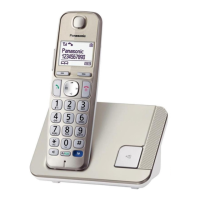
Model shown is KX-TGE210.
Model No.
KX-TGE232
KX-TGE233
KX-TGE234
KX-TGE240
KX-TGE242
KX-TGE243
KX-TGE244
KX-TGE245
Before initial use, see “Getting Started”
on page 10.
Thank you for purchasing a Panasonic product.
Please read these operating instructions before using the unit and save them for
future reference.
Consulte “Guía Rápida Española”, página 59.
For assistance, visit our Web site: http://www.panasonic.com/help for customers
in the U.S.A. or Puerto Rico.
Please register your product: http://www.panasonic.com/prodreg
TGE21x23x24x(en)_1122_ver031.pdf1 1 2013/11/22 14:22:26


Questions and Answers

  • H
    howelldouglasSep 10, 2025
    Why I cannot make long distance calls on my Panasonic KX-TGE212 Cordless Telephone?
    • N
      nsotoSep 10, 2025
      If you cannot make long distance calls on your Panasonic Cordless Telephone, ensure that you have long distance service.
  • G
    greenangelaAug 22, 2025
    Why I cannot hear a dial tone on my Panasonic Cordless Telephone?
    • D
      dana29Aug 22, 2025
      If you cannot hear a dial tone on your Panasonic Cordless Telephone, it could be due to a disconnected AC adapter or telephone line cord at the base unit. Check these connections to ensure they are properly connected. If the connections are correct, disconnect the base unit from the telephone line and connect the line to a known working telephone. If the working telephone operates properly, contact our service personnel to have the unit repaired. If the working telephone does not operate properly, contact your service provider/telephone company.
  • J
    Julia LopezAug 25, 2025
    What to do if my Panasonic KX-TGE212 Cordless Telephone unit does not work?
    • R
      Rebecca DudleyAug 25, 2025
      If your Panasonic Cordless Telephone unit isn't working, there are several things to check: * Ensure the batteries are installed correctly. * Fully charge the batteries. * Check all connections. * Unplug the base unit’s AC adaptor to reset the unit, then reconnect it. * Make sure the handset is registered to the base unit.
  • E
    emacdonaldAug 26, 2025
    Why does my Panasonic KX-TGE212 handset not ring?
    • A
      Andrea PerkinsAug 26, 2025
      If your Panasonic Cordless Telephone handset isn't ringing, the ringer volume might be turned off. Adjust the ringer volume. Alternatively, silent mode could be turned on; turn it off to enable the ringer.
  • H
    hoffmanstacyAug 27, 2025
    Why is there noise or sound cutting in and out on my Panasonic KX-TGE212?
    • J
      Jasmine SandovalAug 28, 2025
      Noise or sound cutting in and out on your Panasonic Cordless Telephone can occur due to a few reasons. You might be using the handset or base unit in an area with high electrical interference, so try repositioning the base unit and using the handset away from such sources. Also, try moving closer to the base unit. If you have DSL/ADSL service, connecting a DSL/ADSL filter between the base unit and the telephone line jack is recommended.
  • E
    Emily AguirreAug 29, 2025
    Why does my Panasonic Cordless Telephone base unit not ring?
    • N
      Nancy PowersAug 29, 2025
      If the base unit of your Panasonic Cordless Telephone is not ringing, it could be because the ringer volume is turned off. Adjust the ringer volume accordingly. Another possibility is that silent mode is activated; you should turn it off.
  • K
    Kim LarsonSep 18, 2025
    Why is the 2nd caller’s information not displayed during an outside call on my Panasonic KX-TGE212?
    • M
      marycollinsSep 18, 2025
      In order to use Caller ID, call waiting, or Call Waiting Caller ID (CWID) on your Panasonic Cordless Telephone, you must first contact your service provider/telephone company and subscribe to the desired service. After subscribing, you may need to contact your service provider/telephone company again to activate this specific service, even if you already subscribed to both Caller ID and Call Waiting with Caller ID services (CWID).
  • K
    kmcintoshSep 12, 2025
    Why is the unit not recording new messages on my Panasonic Cordless Telephone?
    • B
      Belinda GregorySep 12, 2025
      If your Panasonic Cordless Telephone unit is not recording new messages, check if the answering system is turned off and turn it on. Also, the message memory might be full, so erase unnecessary messages. Ensure the recording time is not set to “Greeting only”; change the setting if it is.
  • M
    Maria AshleySep 8, 2025
    Why is caller information displayed late on my Panasonic KX-TGE212?
    • K
      kristasnyderSep 8, 2025
      Caller information may be displayed or announced late on your Panasonic Cordless Telephone depending on your service provider/telephone company; the unit may display or announce the caller’s information at the 2nd ring or later. Also, move closer to the base unit.
  • Q
    qwilliamsSep 5, 2025
    What to do if I fully charged the batteries, but the Panasonic Cordless Telephone still flashes?
    • J
      Julie MartinSep 5, 2025
      If you have fully charged the batteries of your Panasonic Cordless Telephone, but it still flashes, clean the battery ends and the charge contacts with a dry cloth and charge again. If the issue persists, it may be time to replace the batteries.

Panasonic KX-TGE212 Specifications

General IconGeneral
TypeCordless Telephone
Number of Handsets2
Frequency1.9 GHz
Caller IDYes
Call WaitingYes
Answering SystemDigital
Display TypeLCD
Display Size1.8 inches
SpeakerphoneYes
Keypad BacklitYes
Headset JackYes
Battery TypeNi-MH
Hearing Aid CompatibleYes
Ringer Volume ControlYes
Wall MountableYes
Expandable HandsetsUp to 6
IntercomYes
RangeUp to 1000 feet
Battery LifeUp to 7 days standby

Related product manuals