EasyManua.ls Logo

Panasonic KX-TGH723E - User Manual

Panasonic KX-TGH723E
60 pages
Print Icon
To Next Page IconTo Next Page
Loading...
Operating Instructions
Digital Cordless Answering System
Model No.
KX-TGH720E
KX-TGH722E
KX-TGH723E
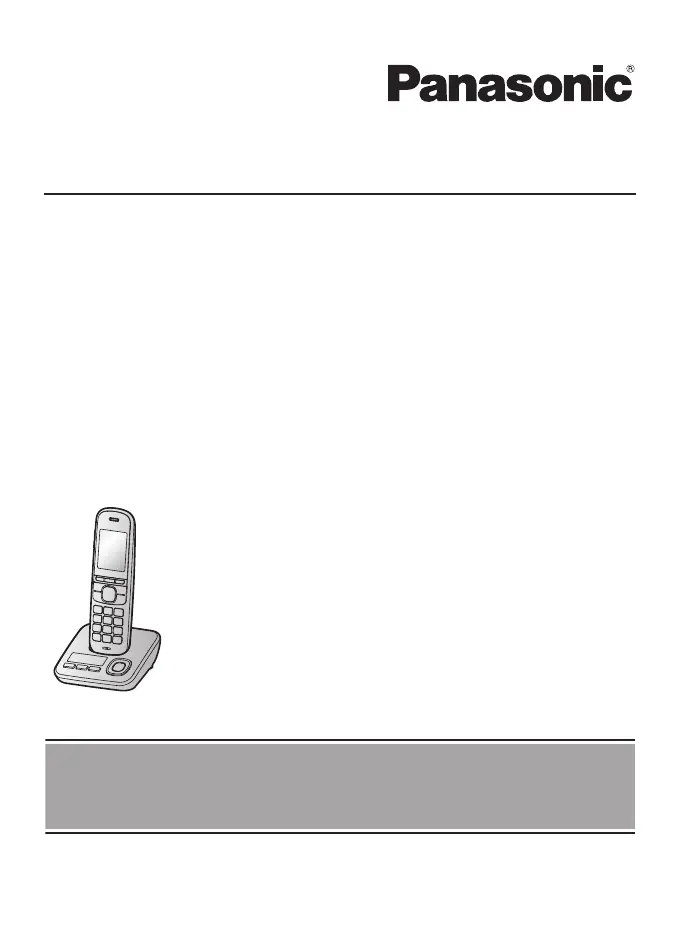
Model shown is KX-TGH720.
Before initial use, see “Getting Started”
on page 10.
Thank you for purchasing a Panasonic product.
Please read these operating instructions before using the unit and save them for
future reference.

Questions and Answers

Summary

Introduction

Model Composition

Details the different model numbers and their corresponding base unit and handset part numbers.

Important Information

For Your Safety

Provides crucial safety warnings regarding power connection, installation, and product usage.

Installation and Location

Gives guidance on safe installation practices and suitable locations for the telephone unit.

Battery Information

Details recommended battery types, handling precautions, and charging instructions.

Important Safety Instructions

Lists basic safety precautions to reduce risks of fire, electric shock, and injury.

Getting Started

Setting Up Connections

Step-by-step guide for connecting the base unit, charger, and telephone line.

Battery Installation and Charging

Instructions for installing batteries and charging the handset, including notes on charging.

Basic Operations

Covers turning power on/off, language settings, and date/time configuration.

Making;Answering Calls

Making Calls

Guides on how to dial numbers, correct digits, and end calls.

Answering Calls

Explains how to answer incoming calls using the receiver or speakerphone.

Features During a Call

Covers hold, mute, recall/flash, and handset equalizer functions.

Nuisance Call Block

Blocking Unwanted Callers

Describes how to block calls and store unwanted numbers.

Storing Call Block Numbers

Guides on manually adding single numbers or ranges to the block list.

Automated Call Block

Automated Call Blocking Function

Explains the automated call block feature and the allowed number database.

Configuring Automated Call Block

Guides on setting the block mode and changing the access code.

Phonebook

Phonebook Entries and Categories

Explains phonebook capacity, adding entries, and using categories for organization.

Speed Dial and Memory Dial

Guides on assigning numbers to speed dial keys and memory dial keys.

Programming

Call Management Features

Details automated call block, nuisance call block, eco mode, and security settings.

Baby Monitor Setup

Guides on setting up the baby monitor feature for internal or external monitoring.

Caller ID Service

Using Caller ID Features

Explains how Caller ID works, displays missed calls, and phonebook name integration.

Answering System

Answering System Basics

Covers system functions, memory capacity, and turning the system on/off.

Message Playback and Management

Instructions for playing, rewinding, fast-forwarding, and erasing messages.

Remote Operation and Commands

Details on operating the system remotely using a touch-tone phone and specific commands.

Useful Information

Error Messages

Lists common display messages and their corresponding causes and solutions.

General Use Problems

Troubleshooting tips for common issues like handset not turning on or not working.

Answering System Issues

Provides solutions for problems like the unit not recording messages or remote operation failure.

Summary

Introduction

Model Composition

Details the different model numbers and their corresponding base unit and handset part numbers.

Important Information

For Your Safety

Provides crucial safety warnings regarding power connection, installation, and product usage.

Installation and Location

Gives guidance on safe installation practices and suitable locations for the telephone unit.

Battery Information

Details recommended battery types, handling precautions, and charging instructions.

Important Safety Instructions

Lists basic safety precautions to reduce risks of fire, electric shock, and injury.

Getting Started

Setting Up Connections

Step-by-step guide for connecting the base unit, charger, and telephone line.

Battery Installation and Charging

Instructions for installing batteries and charging the handset, including notes on charging.

Basic Operations

Covers turning power on/off, language settings, and date/time configuration.

Making;Answering Calls

Making Calls

Guides on how to dial numbers, correct digits, and end calls.

Answering Calls

Explains how to answer incoming calls using the receiver or speakerphone.

Features During a Call

Covers hold, mute, recall/flash, and handset equalizer functions.

Nuisance Call Block

Blocking Unwanted Callers

Describes how to block calls and store unwanted numbers.

Storing Call Block Numbers

Guides on manually adding single numbers or ranges to the block list.

Automated Call Block

Automated Call Blocking Function

Explains the automated call block feature and the allowed number database.

Configuring Automated Call Block

Guides on setting the block mode and changing the access code.

Phonebook

Phonebook Entries and Categories

Explains phonebook capacity, adding entries, and using categories for organization.

Speed Dial and Memory Dial

Guides on assigning numbers to speed dial keys and memory dial keys.

Programming

Call Management Features

Details automated call block, nuisance call block, eco mode, and security settings.

Baby Monitor Setup

Guides on setting up the baby monitor feature for internal or external monitoring.

Caller ID Service

Using Caller ID Features

Explains how Caller ID works, displays missed calls, and phonebook name integration.

Answering System

Answering System Basics

Covers system functions, memory capacity, and turning the system on/off.

Message Playback and Management

Instructions for playing, rewinding, fast-forwarding, and erasing messages.

Remote Operation and Commands

Details on operating the system remotely using a touch-tone phone and specific commands.

Useful Information

Error Messages

Lists common display messages and their corresponding causes and solutions.

General Use Problems

Troubleshooting tips for common issues like handset not turning on or not working.

Answering System Issues

Provides solutions for problems like the unit not recording messages or remote operation failure.

Panasonic KX-TGH723E Specifications

General IconGeneral
BrandPanasonic
ModelKX-TGH723E
CategoryCordless Telephone
LanguageEnglish

Related product manuals