- 24 -
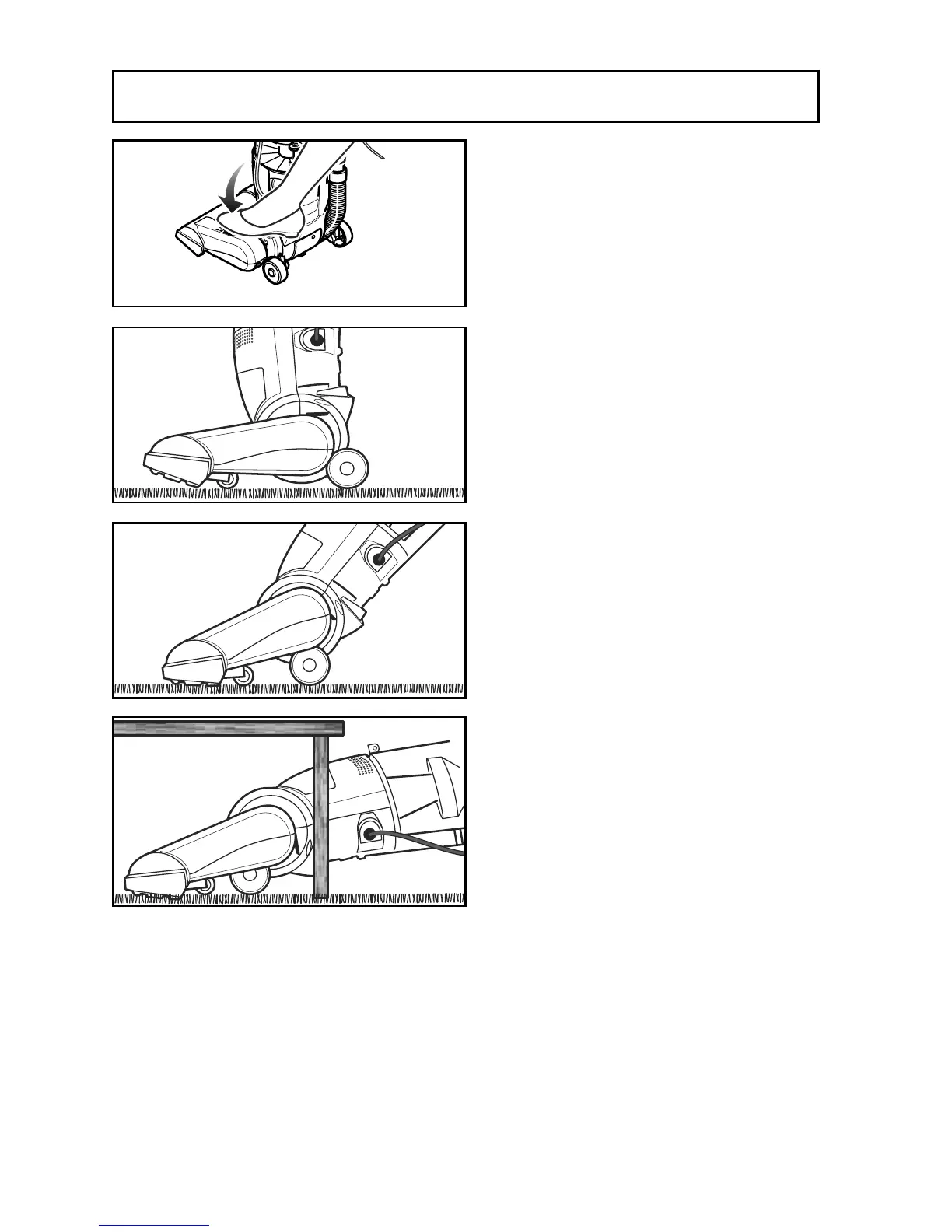
Adjusting the Handle
➢ Step on nozzle top and pull back to
change handle position.
➢ Use low position for cleaning under
furniture.
➢ Step on nozzle top and pull back to
change from normal use position to
low position.
➢ Move vacuum cleaner to middle
position for normal use.
➢ Move vacuum cleaner to upright
position for storage and tool use.



 To Next Page