EN38
5
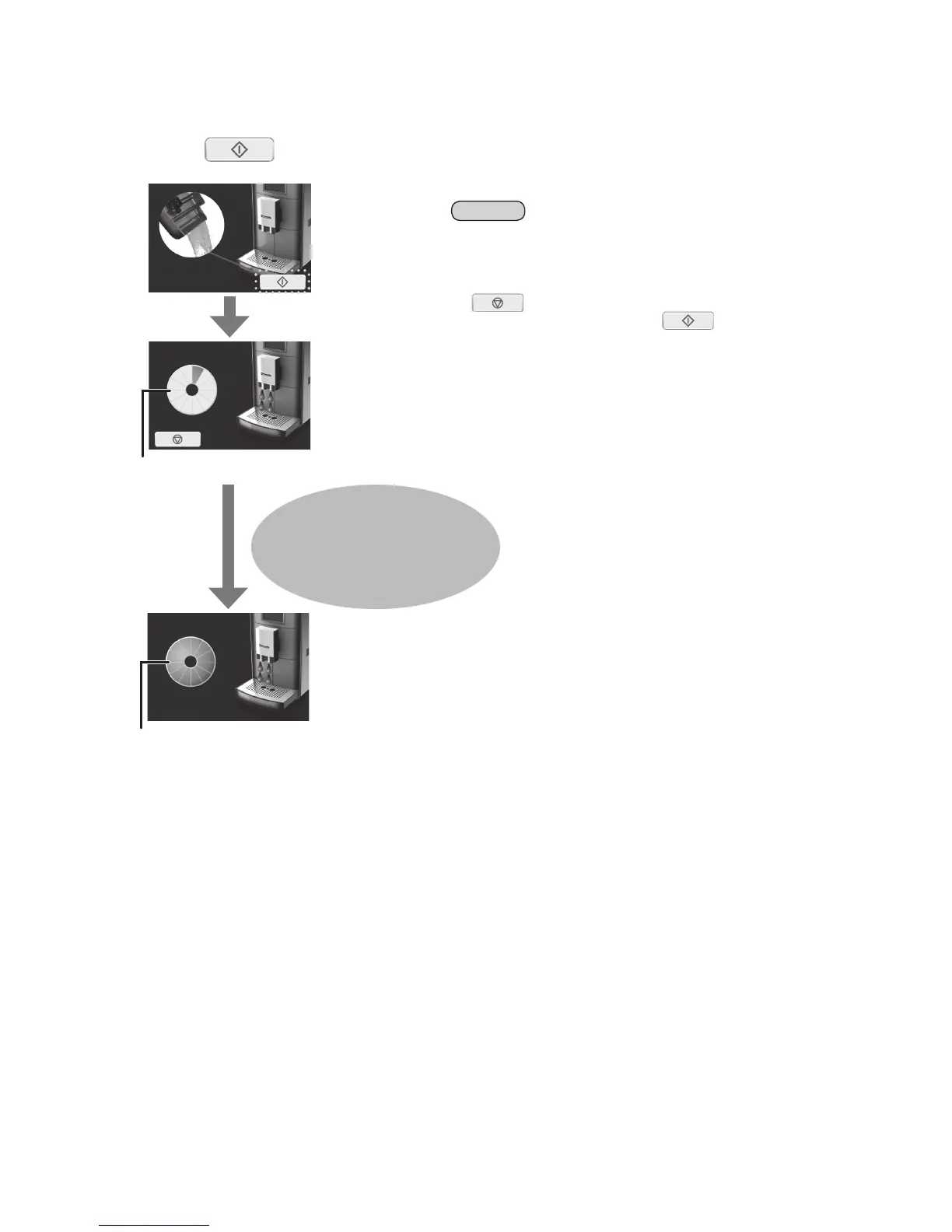
Press tostartcleaningcycle.
• Empty the drip tray before starting cleaning cycle.
• Information clock is turning during cleaning.
Empty the drip tray or container
when the display indicates that
the drip tray must be emptied.
• When cleaning is completed, information clock will
be full bars, then return to the main menu.
Note
• The cleaning water is collected in the drip tray. Alternatively, you can
place a container (> 250 mL) under the spout.
• In the event of power failure during the cleaning programme, the
programme has to be restarted.
• If
is pressed during cleaning, the process will be paused. To
continue the cleaning cycle, press
.
HowtoClean(Continued)


 To Next Page