EasyManua.ls Logo

Panasonic NE-9970 - Page 4

Panasonic NE-9970
47 pages
Print Icon
To Next Page IconTo Next Page
To Previous Page IconTo Previous Page
Loading...
oo
Rie)
ES
PS
Zz
mn
oo
Ow
JN
oO
OO
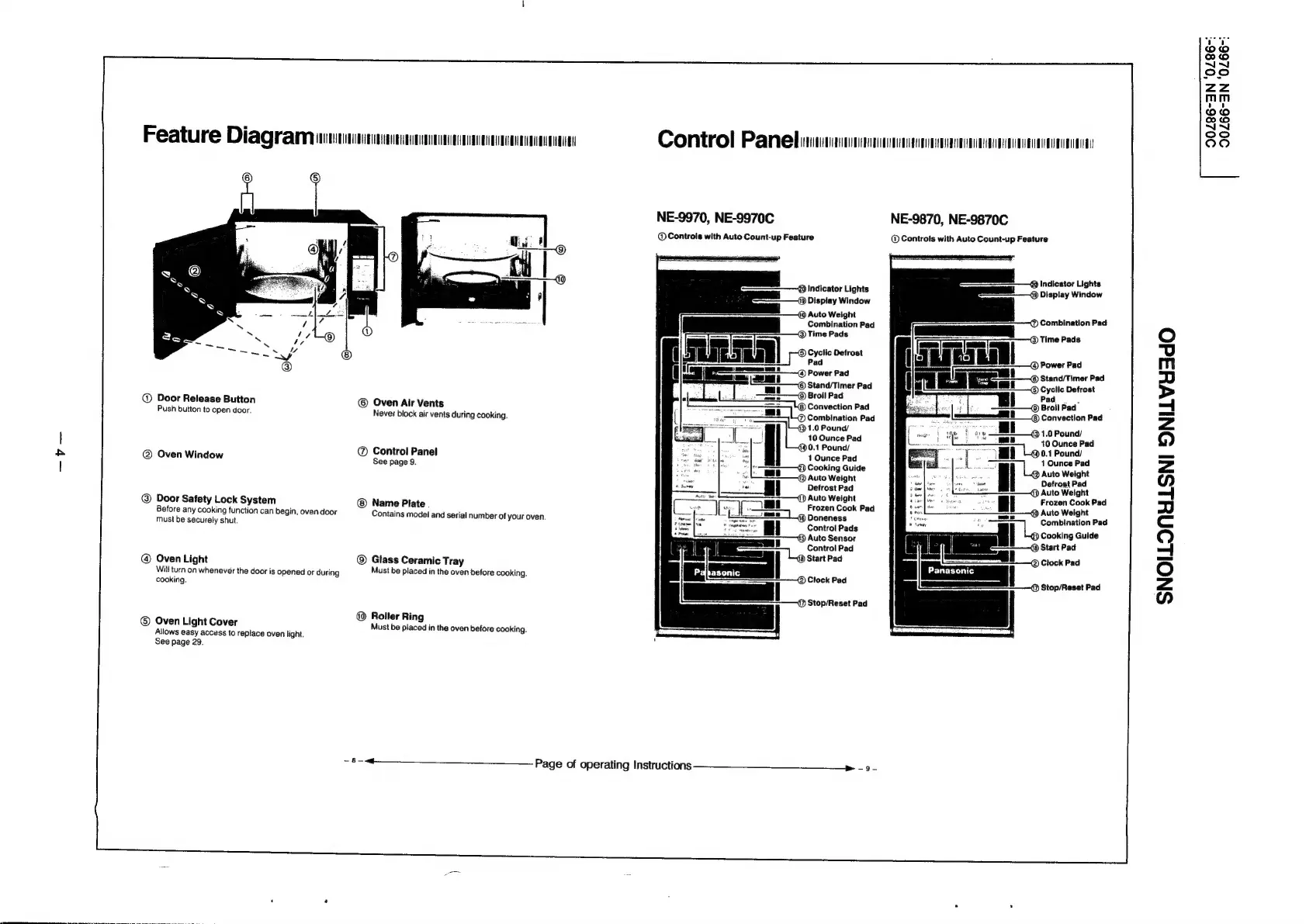
Control
Panel
iiniuiiieiniieniiiinieoneenot
Feature
Diagram
wei
ENE
NE-9970,
NE-9970C
@
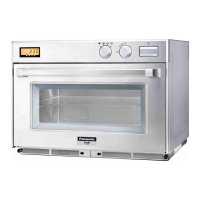
Controls
with
Auto
Count-up
Feature
NE-9870,
NE-9870C
@
Controls
with
Auto
Count-up
Feature
@
Door
Release
Button
Push
button
to
open
door.
®
Oven
Window
Door
Safety
Lock
System
Before
any
cooking
function
can
begin,
oven
door
must
be
securely
shut
@
Oven
Light
Will
turn
on
whenever
the
door
is
opened
or
during
cooking.
©
Oven
Light
Cover
Allows
easy
access
to
replace
oven
light.
See
page
29.
©
Oven
Air
Vents
Never
block
air
vents
during
cooking.
@
Control
Panel
See
page
9.
Name
Plate
Contains
model
and
serial
number
of
your
oven.
©
Glass
Ceramic
Tray
Must
be
placed
in
the
oven
before
cooking.
@
Roller
Ring
Must
be
placed
in
the
oven
before
cooking.
~¢-<+-——_-_____—_______.
Page
of
operating
Instructions
————__________»_>__y
og
Auto
Weight
Combination
Pad
Time
Pads
Cyclic
Defrost
Pad
Power
Pad
ma
Stand/Timer
Pad
Broil
Pad
Combination
Pad
1.0
Pound/
10
Ounce
Pad
0.1
Pound/
1
Ounce
Pad
|
——)
Cooking
Guide
a_i}
Auto
Weight
Defrost
Pad
Auto
Weight
Frozen
Cook
Pad
Doneness
Control
Pads
Auto
Sensor
Control
Pad
Start
Pad
€0
Indicator
Lights
———————...---()
Display
Window
Combination
Pad
a
|
Time Pads
Sutin
——,
°
Power
Pad
|
+
|
2s
Stand/Timer
Pad
Wd
cyctic
Defrost
Pad
ews
|
—=—©
Broll
Pad"
Convection
Pad
‘yge
faye
EE
_61.0
Pounds
UP
ms
10
Ounce
Pad
ae
BP
Le@o.t
Pound
9
1
Ounce
Pad
Auto
Weight
Detrost
Pad
Auto
Weight
Frozen
Cook
Pad
Auto
Weight
Combination
Pad
Cooking
Guide
SNOLLONYLSNI
DNILVY3dO