21
With this feature you can defrost/reheat/cook food according to the weight.
Select the category and set the weight of the food. The weight is programmed
in grams. The oven determines MICROWAVE power level and cooking time
automatically. For quick selection, the weight starts from the most commonly
used weight for each category. Do not include the weight of any added water
or the container weight.
Notes
1. The AUTO PROGRAMMES must ONLY be used for foods described.
2. Only defrost/cook foods within the weight ranges described.
3. Always weigh the food rather than relying on the package information.
4. Most foods benet from a STANDING TIME. After cooking with an AUTO
PROGRAMME, allow heat to continue conducting to the centre.
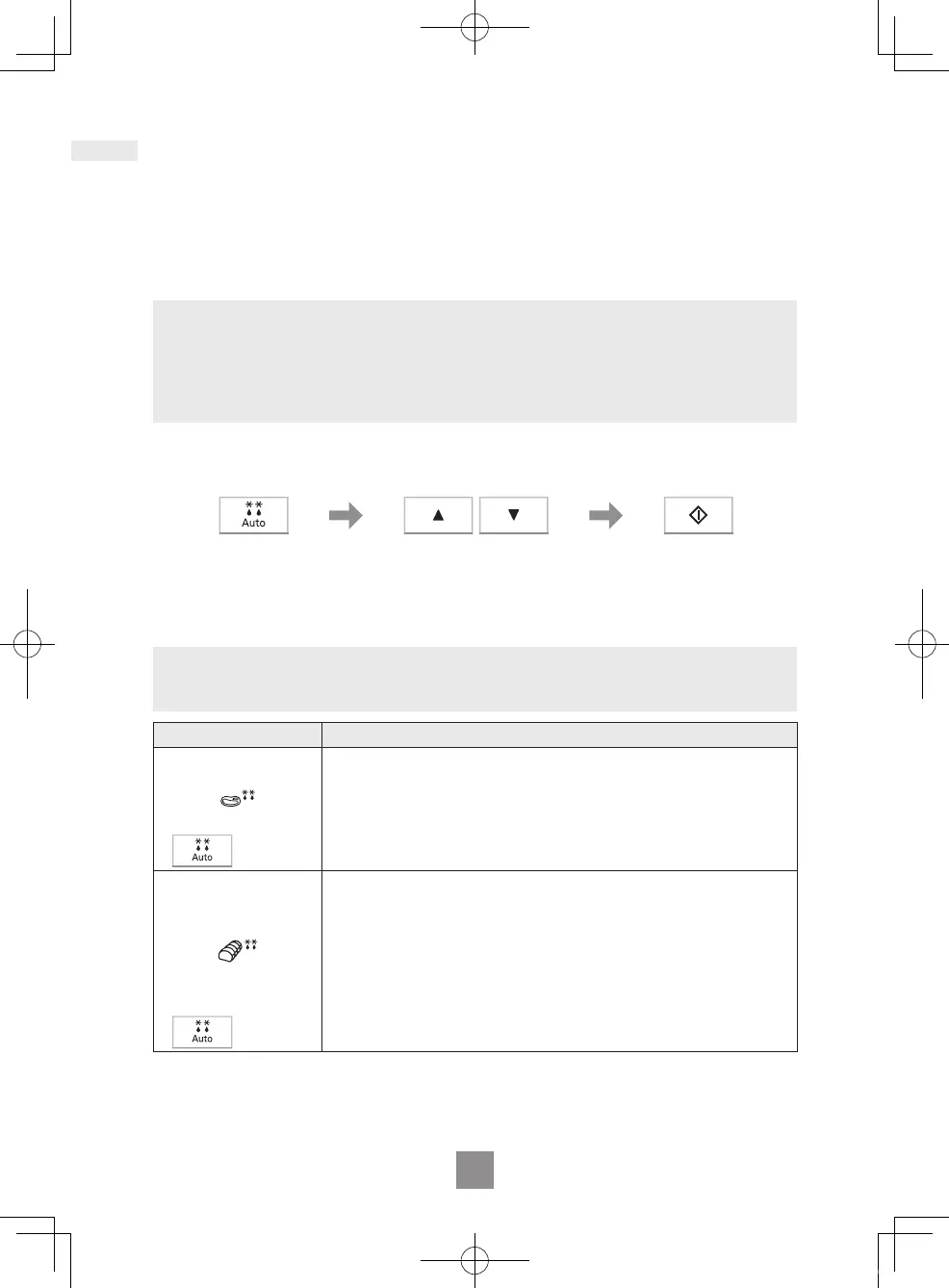
Auto defrost
Press Start.
Remember to stir
or turn the food
during defrosting.
Set the weight of the
frozen food.
The weight counts up/
down in 10 g increments.
Select the desired Auto
Defrost programme.
The AUTO PROGRAMME
number appears in the
display.
Note
The shape and size of the food will determine the maximum weight the oven can
accommodate.
Programme Instructions
1. SMALL PIECES
Weight: 200 g - 1000 g
For defrosting small pieces of meat, escallop, sausages,
minced meat, steak, chops, sh llets (each 100 g to 400 g).
Press Auto Defrost once. Set the weight of the food and
press Start. Turn and shield at beeps. Allow to stand for 15
to 30 minutes.
1 press
2. BIG PIECE
Weight: 600 g - 1600 g
For defrosting big pieces of meat, whole chickens, meat
joints. Press Auto Defrost twice. Set the weight of the food
and press Start. Whole chickens and meat joints will require
shielding during defrosting. Protect wings, breast and fat
with smooth pieces of aluminium foil secured with cocktail
sticks. Do not allow the foil to touch the walls of the oven.
Standing time of 1 to 2 hours should be allowed before
cooking. Turn and shield at beeps.
2 presses
Auto programmes
NN-E47HWM_BPQ.indd 21 2018/07/25 13:51:09



 To Next Page