14 15
EN
English
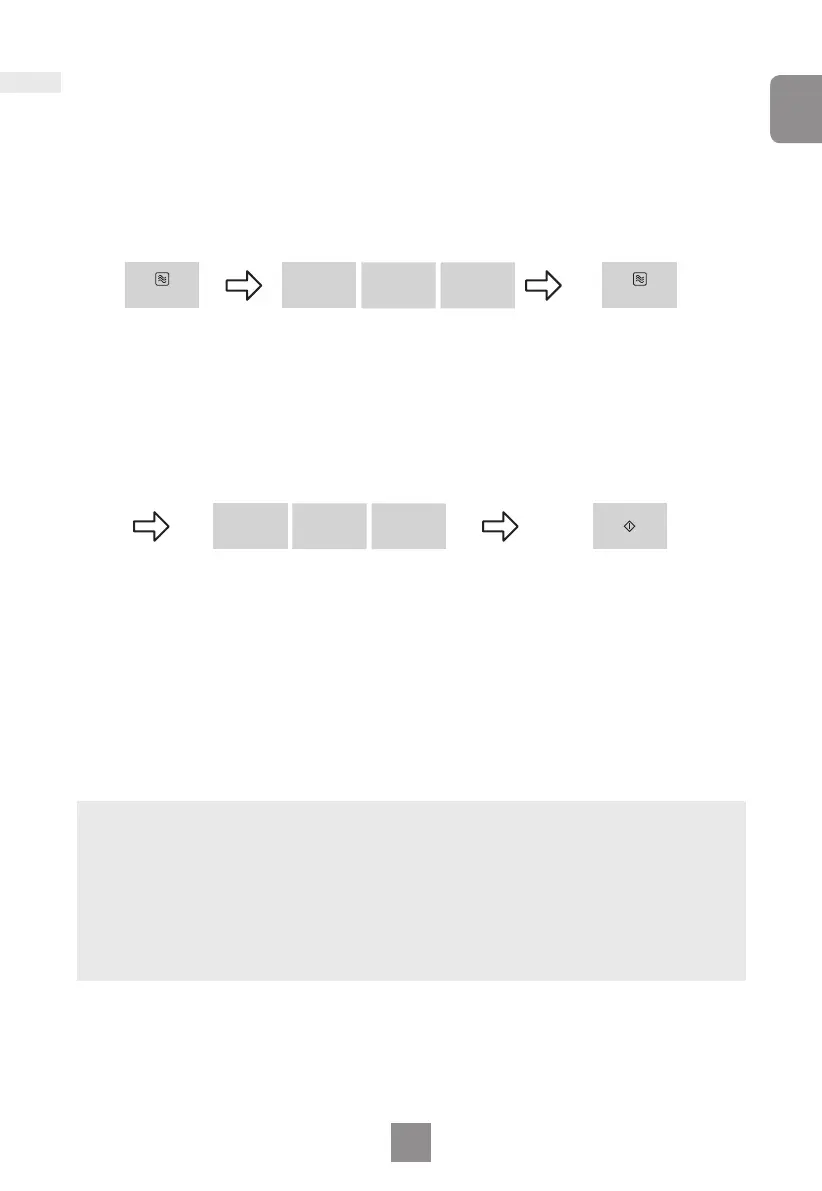
Multi-stage cooking
Set Microwave
power. Press
once to select
High power.
Press Start. The time
will count down at the
first stage in the display
window.
Set Microwave Power.
Press 5 times to select
Set cooking time. Set as
5 minutes by using Time buttons.
Set cooking time. Set as
10 minutes by using Time
buttons.
This feature allows you to program up to 3 stages of cooking continuously.
Example: To set High power for 5 minutes and Low power for 10 minutes.
Micro Power Micro Power
min
10
min
10
min
1
min
1
sec
10
sec
10
Notes
1. For 3 stage cooking, enter another cooking program before pressing start.
2. During operation, pressing Stop/Cancel once will stop the operation. Pressing Start
will re-start the programmed operation. Pressing Stop/Cancel twice will stop and
clear the programmed operation.
3. Whilst not operating, pressing Stop/Cancel will clear the selected program.
4. Auto programs cannot be used with multi-stage cooking.
5. When operating, three beeps will sound between each stage.
Low power.
Downloaded from www.vandenborre.be



 To Next Page