27
27
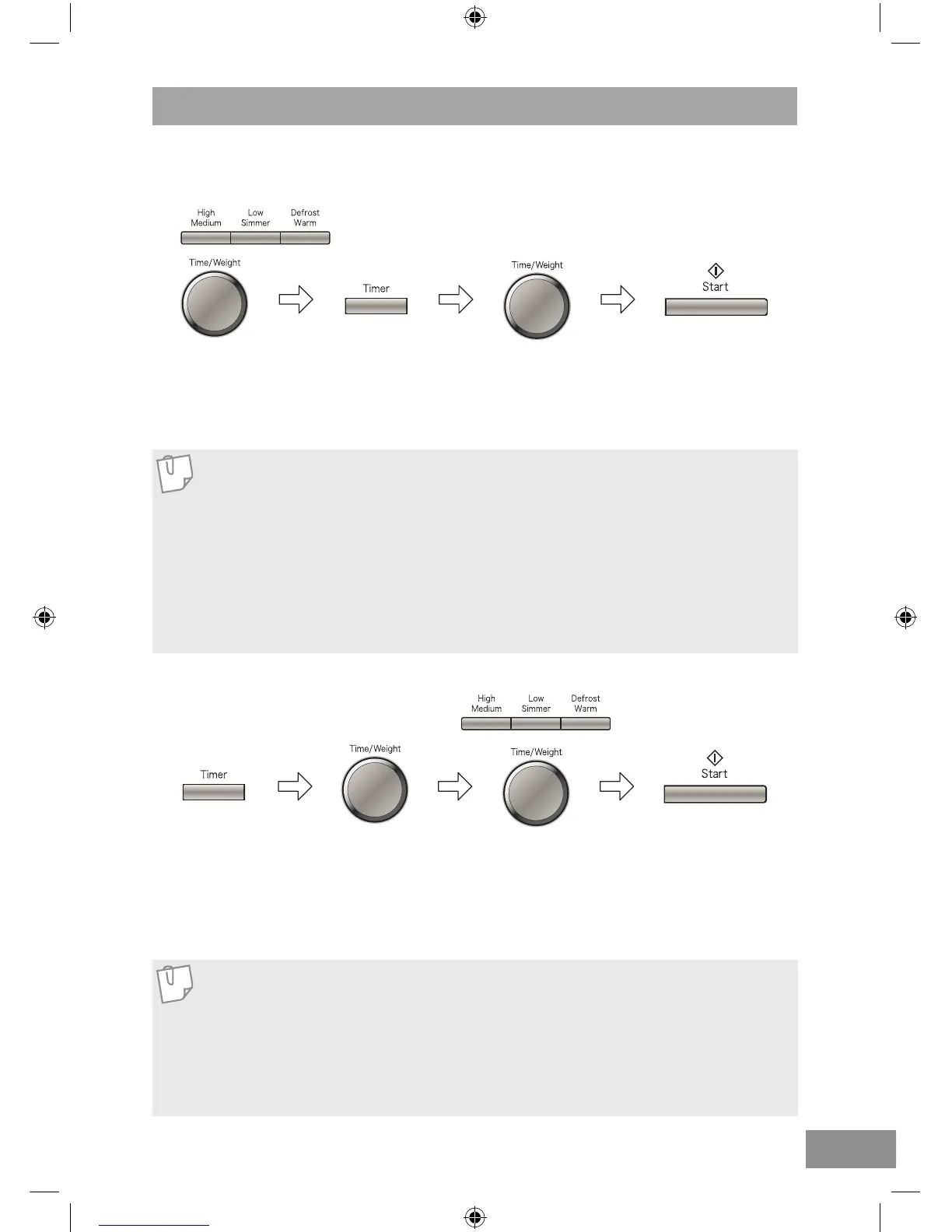
The Timer can be used either before, during or after a cooking program. This feature can be used to
set a standing time after cooking or to delay the start of your cooking.
Set the desired
Cooking Program,
by selecting power
level and time
required.
Press Timer.
Press Timer.
Set delay time using
the Time/Weight dial
(max 9 hrs).
Set desired
standing time
using the
Time/Weight dial
(max 9 hrs).
Set the complete
cooking program,
by entering power
level and time
required.
Press Start. Cooking
program will commence
after which the standing
time will count down.
Press Start. Delayed
time will count down then
the cooking program will
start.
1. To Set a Standing Time:
2. To Set a Delay Start:
Using the Timer
1. Three stage cooking can be programmed including standing time.
2. If the oven door is opened during the standing time or minute timer, the time in the
display window will continue to count down.
3. This feature may also be used as a minute timer. In this case press the Timer, set
time and press Start.
4. Standing time cannot be programmed after an auto program.
5. If the programmed stand time exceeds one hour, the time will count down in units
of minutes. If less than one hour, the time will count down in units of seconds.
1. Three stage cooking can be programmed including delay start cooking.
2. If the programmed delay time exceeds one hour, the time will count down in units
of minutes. If less than one hour, the time will count down in units of seconds.
3. Delay start cannot be programmed before an auto program.
4. If the oven door is opened during the delay time, the time in the display window
will continue to count down.
Note
Note



 To Next Page