18
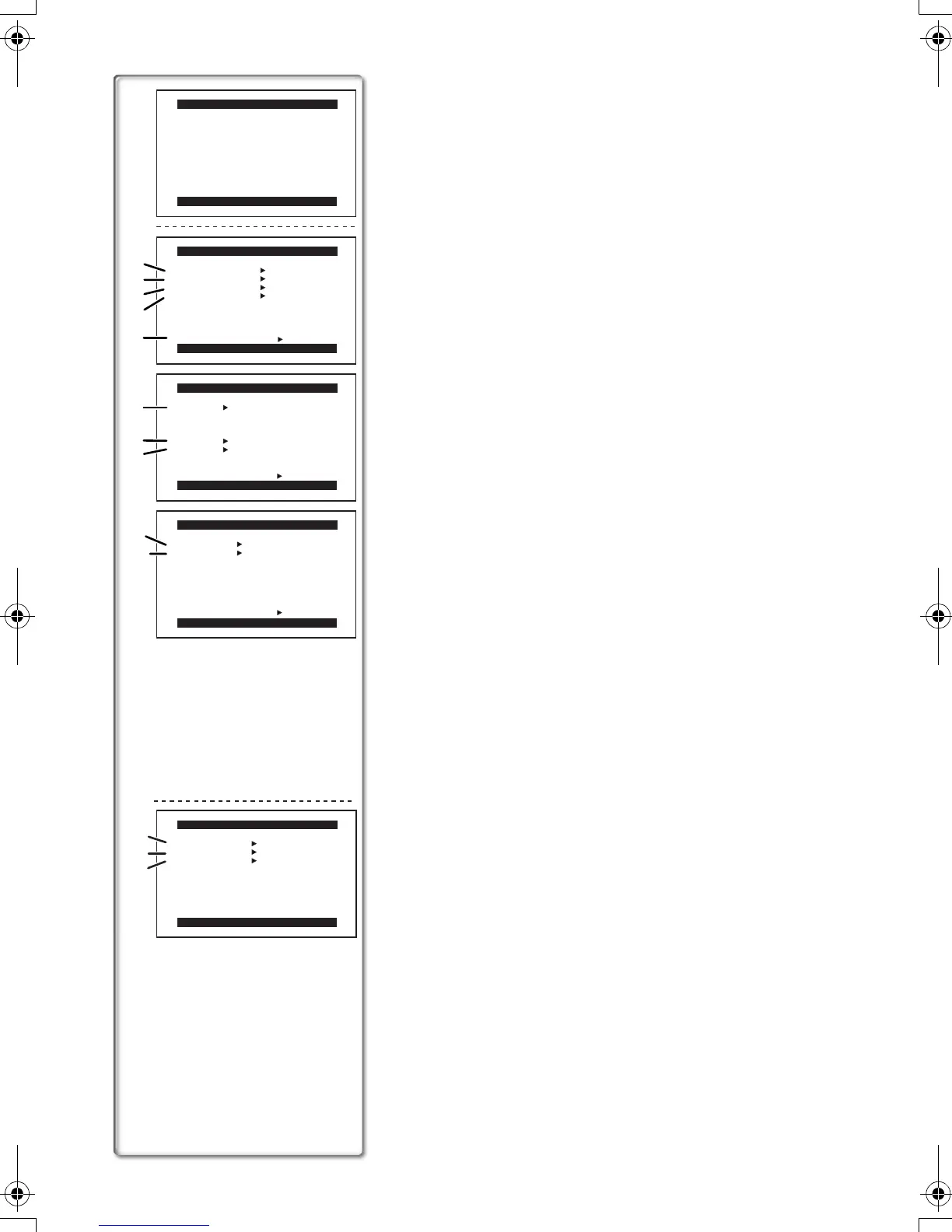
VCR Mode Main-Menu [VCR FUNCTIONS]
[PLAYBACK FUNCTIONS] Sub-Menu
1) Blank Search [BLANK SEARCH] (l 34)
2) Index Search Mode [SEARCH] (l 35)
3) Audio Selector [12bit AUDIO] (l 37)
4) Multi-Picture Mode [MULTI SPEED] (l 32)
5) Returning to the Main-Menu [RETURN]
[DIGITAL EFFECT] Sub-Menu
6) Digital Effects 1 [EFFECT1] (l 36)
7) Digital Effects 2 [EFFECT2] (l 36)
8) Digital Zoom [D.ZOOM] (l 36)
[RECORDING SETUP] Sub-Menu
9) Recording Speed Mode [REC SPEED] (l 21)
10) Audio Dubbing [AUDIO DUB] (l 37)
[DISPLAY SETUP] Sub-Menu
All of the items on the [DISPLAY SETUP] Sub-Menu are the
same as those on the [DISPLAY SETUP] Sub-Menu of the
[CAMERA FUNCTIONS] Main-Menu.
[LCD/EVF SETUP] Sub-Menu
All of the items on the [LCD/EVF SETUP] Sub-Menu are the
same as those on the [LCD/EVF SETUP] Sub-Menu of the
[CAMERA FUNCTIONS] Main-Menu.
[OTHER FUNCTIONS] Sub-Menu
All of the items on the [OTHER FUNCTIONS] Sub-Menu are the
same as those on the [OTHER FUNCTIONS] Sub-Menu of the
[CAMERA FUNCTIONS] Main-Menu.
Card Playback Mode Menu [CARD SETUP] (NV-DS65 only)
1) Indication Display [DISPLAY] (l 42)
2) DCF Number [DCF NO.] (l 42)
3) Setting DPOF [DPOF] (l 45)
PRESS MENU TO EXIT
VCR FUNCTIONS
1.PLAYBACK FUNCTIONS
2.DIGITAL EFFECT
3.RECORDING SETUP
4.DISPLAY SETUP
5.LCD/EVF SETUP
6.OTHER FUNCTIONS
PRESS MENU TO EXIT
PLAYBACK FUNCTIONS
BLANK SEARCH OFF ON
SEARCH PHOTO SCENE
12bit AUDIO ST1 ST2 MIX
MULTI SPEED FAST NORMAL
SLOW
RETURN ---- YES
PRESS MENU TO EXIT
DIGITAL EFFECT
EFFECT1 OFF MIRROR
STROBE MOSAIC
SLIM TRAIL
STRETCH
EFFECT2 OFF SEPIA B/W
D.ZOOM OFF ON
RETURN ---- YES
PRESS MENU TO EXIT
RECORDING SETUP
REC SPEED SP LP
AUDIO DUB OFF ON
RETURN ---- YES
1)
2)
3)
4)
6)
7)
8)
9)
10)
5)
PRESS MENU TO EXIT
CARD SETUP
DISPLAY OFF ON
DCF NO. OFF ON
DPOF OFF ON
1)
2)
3)
B-Eng.book 18 ページ 2003年2月14日 金曜日 午後2時43分




 To Next Page