Record mode
26
LSQT1134
Image stabilizer function
Reduces the image shaking due to hand
movement when recording.
≥Set to Tape Recording Mode.
1 Set [ADVANCED] >> [SIS] >> [ON].
ª
To cancel the image stabilizer function
Set [ADVANCED] >> [SIS] >> [OFF].
≥When a tripod is used, we recommend that you
turn the image stabilizer off.
≥Under fluorescent lighting, image brightness
may change or colours may not look natural.
≥When the colour night view function is used, the
image stabilizer function does not work. If so,
the [[] indication flashes.
≥In the following cases, the image stabilizer
function may not work effectively.
≥When the digital zoom is used
≥When a conversion lens is used
≥When recording is done in an extremely dark
place
≥When the camera is shaken greatly
≥When you record a moving subject while
tracking it
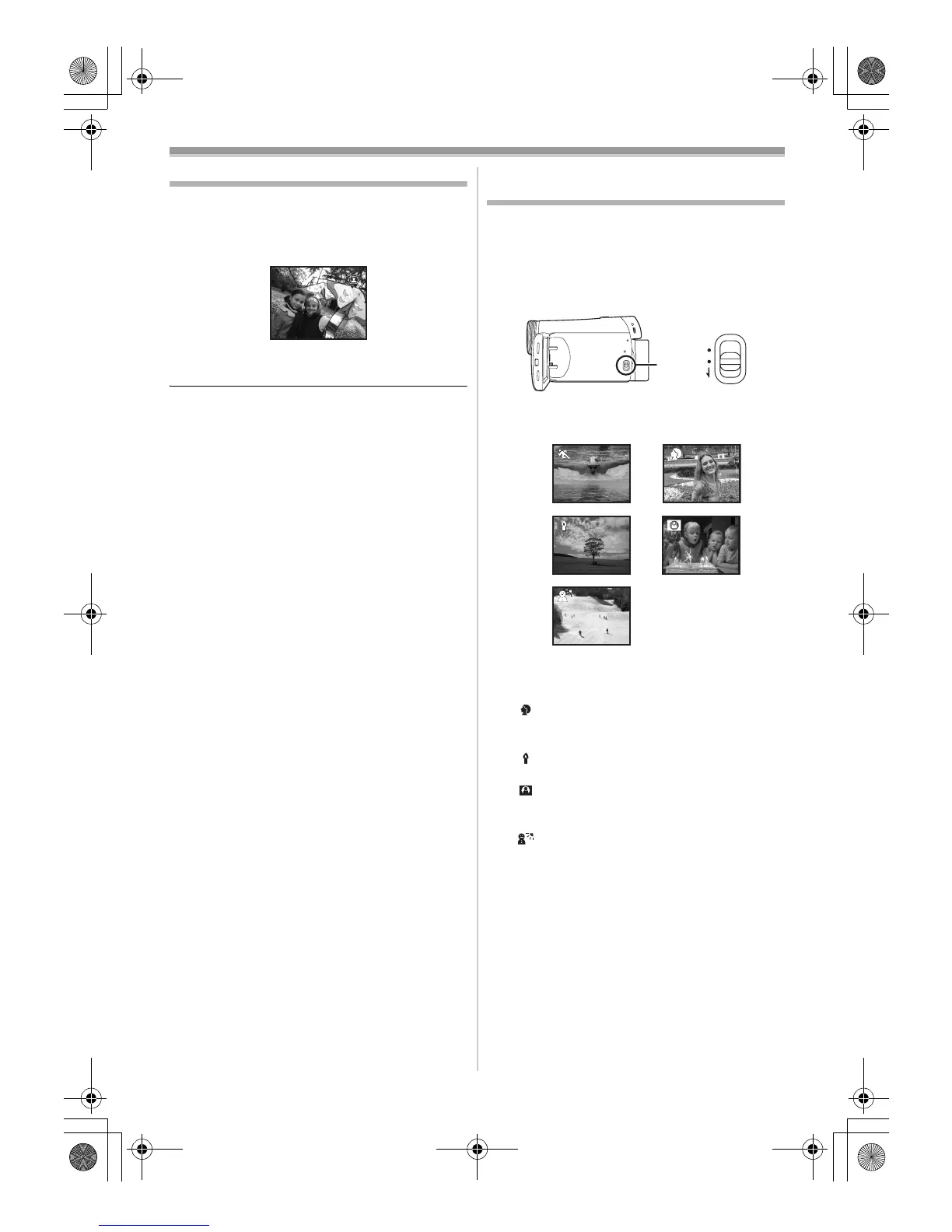
Recording in various situations
(Scene mode)
When you record images in different situations,
this mode automatically sets optimum shutter
speeds and apertures.
≥Set to Tape Recording Mode.
1 Set the [AUTO/MANUAL/FOCUS] switch to
[MANUAL].
2 Set [BASIC] >> [SCENE MODE] >> select the
desired mode.
1) [5] Sports mode
≥To record sports scenes or scenes where
there are quick motions
2) [ ] Portrait mode
≥To make persons stand out against the
background
3) [ ] Low light mode
≥To record dark scenes so they are brighter
4) [ ] Spotlight mode
≥To record subjects spotlit in a party or
theatre
5) [ ] Surf & snow mode
≥To record images at dazzling places such
as ski slopes and beaches
AUTO
MANUAL
FOCUS
1) 2)
4)
3)
5)
LSQT1134ENG.book 26 ページ 2007年1月17日 水曜日 午前11時49分





 To Next Page