Playback mode
30
LSQT1134
Playback mode
Playing back tape
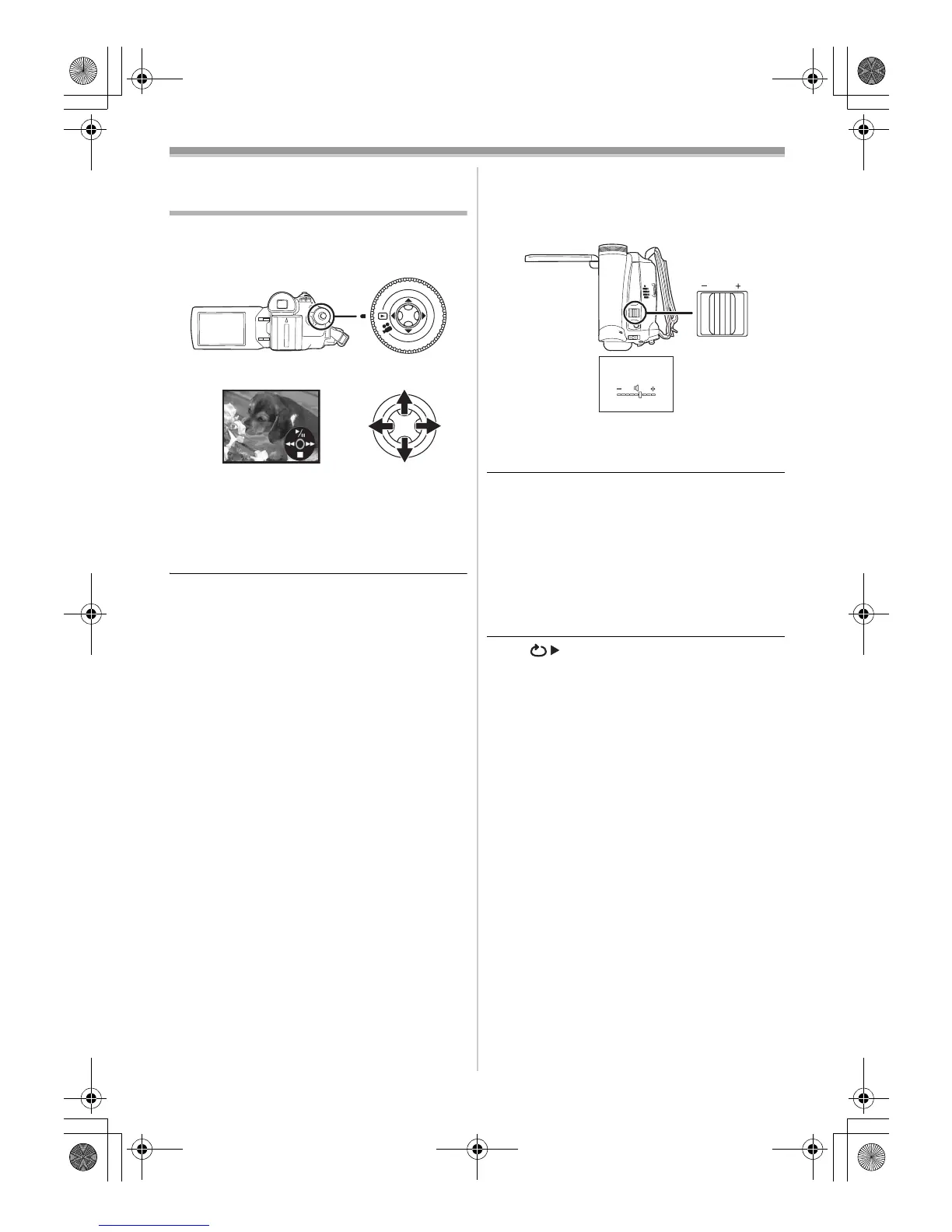
≥Set to Tape Playback Mode.
(An operation icon automatically appears on
the LCD monitor.)
1 Operate with joystick.
1/;: Playback/Pause
6: Rewind/Review playback (Reverts to
playback with the 1/; icon.)
5: Fast forward/Cue playback (Reverts to
playback with the 1/; icon.)
∫:Stop
≥The power will not turn off when the LCD
monitor and the viewfinder are closed and
retracted during Tape Playback Mode.
≥During cue/review playback, fast-moving
images may show noise as a mosaic.
≥Before and after cue/review playback, the
screen may become black for a moment or
images may be disturbed.
ª
To adjust volume
Adjust the speaker volume for playback.
1 Move the [sVOLUMEr] lever to adjust the
volume.
Towards [r]: increases the volume
Towards [s]: decreases the volume
(Nearer the bar to [r], larger the volume.)
≥When the adjustment is completed, the volume
indication will disappear.
≥If you do not hear the sound, check the settings
of [SETUP] >> [12bit AUDIO].
ª
Repeat playback
When the tape end is reached, the tape will be
rewound and played back again.
1 Set [ADVANCED] >> [REPEAT PLAY] >>
[ON].
≥The [ ] indication appears. (In order to
cancel the repeat playback mode, set
[REPEAT PLAY] >> [OFF] or turn off the
power.)
ª
Settings on the audio
≥If you cannot listen to the desired audio when
playing back a tape, check the settings in
[SETUP] >> [12bit AUDIO].
≥When you record or dub the audio in [12bit] and
set [SETUP] >> [12bit AUDIO] >> [MIX], the
audio will be played back in stereo sound
regardless of the settings in [AUDIO OUT].
VOLUME
W
T
LSQT1134ENG.book 30 ページ 2007年1月17日 水曜日 午前11時49分







 To Next Page