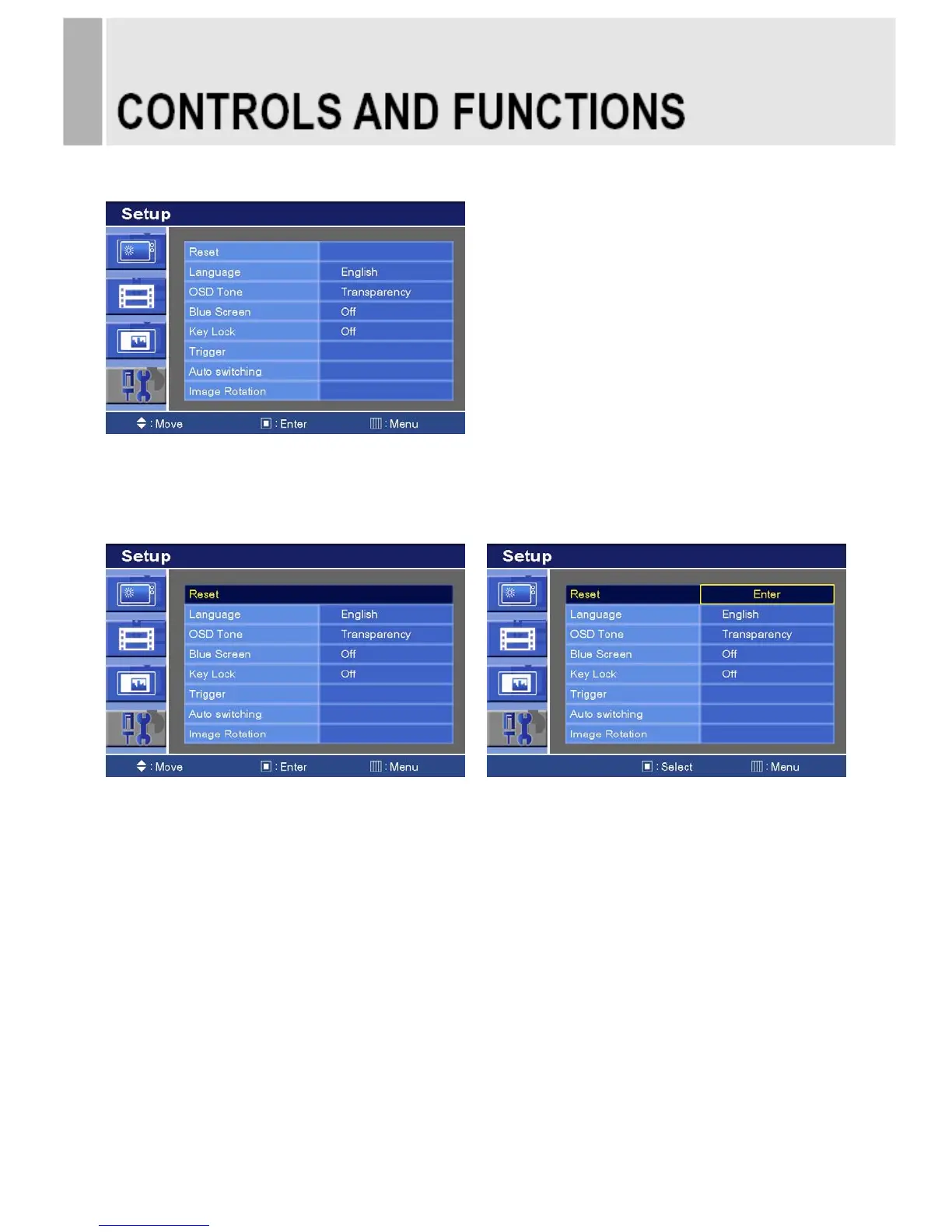
D. SETUP MENU
1) Press the MENU button and then press the up(▲) or down(▼) button to select the Setup.
1. Reset
1) Press the right(▶) or SOURCE/SELECT button
2) Press the right(▶) or SOURCE/SELECT button again.
3) Press SOURCE/SELECT button to execute the reset.
Reset: All settings go to the factory initialization.
INSTRUCTION MANUAL ……………………………………………………………………. 21








 To Next Page