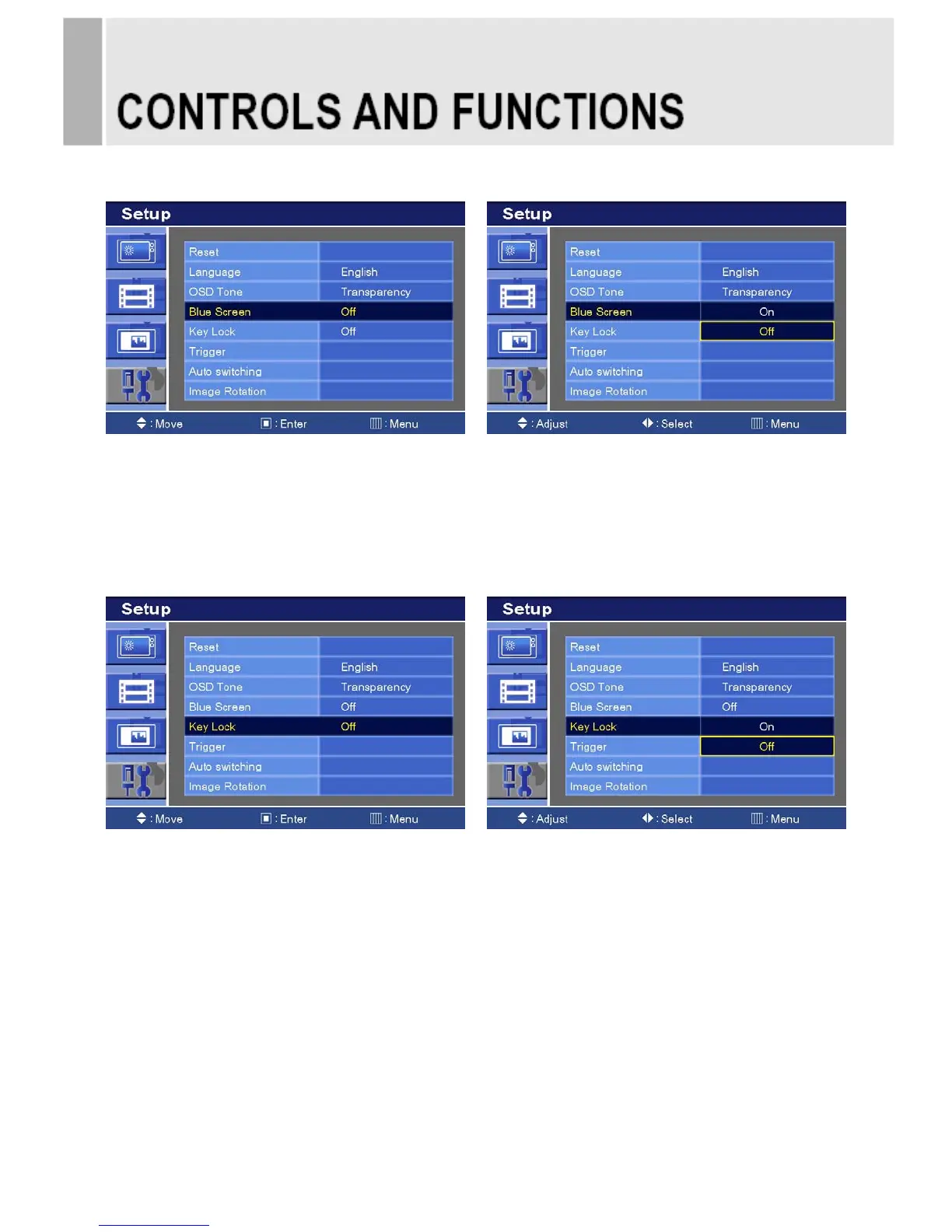
4. Blue Screen
1) Press the up(▲) or down(▼) button to select the Blue Screen.
2) Press the right() or SOURCE/SELECT button.
3) Press the up(▲) or down(▼) button to select the On or Off.
4) Press the MENU button to save.
5. Key Lock
1) Press the up(▲) or down(▼) button to select the Key Lock.
2) Press the right() or SOURCE/SELECT button
3) Press the up(▲) or down(▼) button to select the On or Off.
4) Press the MENU button to save.
※ How to unlock
1) On the front key: Press the SOURCE/SELECT and MENU button at the same time over
3 seconds.
2) On the Remote Controller: The Remote Controller operates well because the Key Lock
function is only allowed for the front key of this product.
INSTRUCTION MANUAL ……………………………………………………………………. 23







 To Next Page