47
a
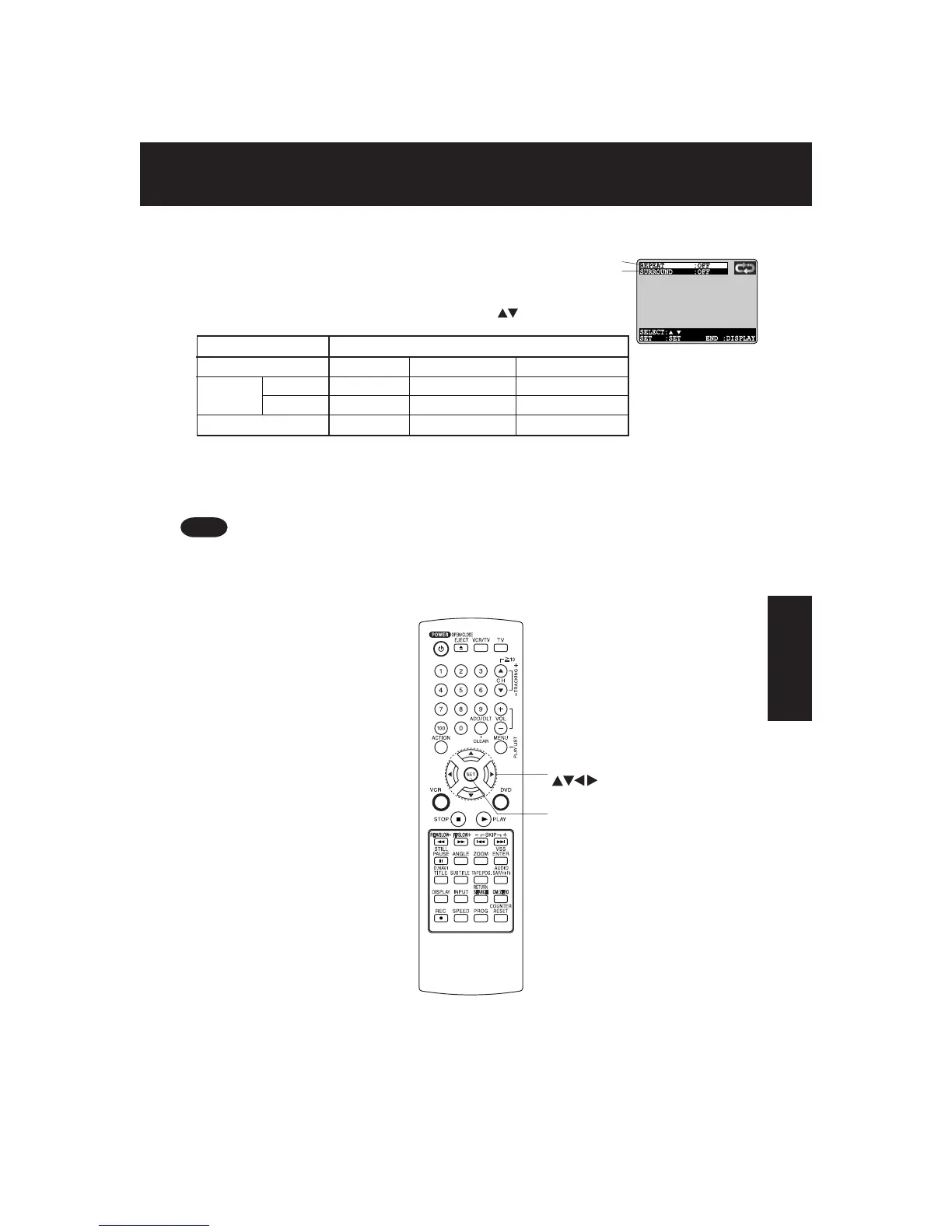
. Repeat Play mode (see p. 48)
Repeat play mode can be selected.
• Select “REPEAT”, and press
SET
.
• Change the desired mode during play by pressing
, and press
SET
.
b
. SURROUND (see p. 23)
■■
■■
■ DECK information screen (for DECK)
• For repeat play in VCR mode, see p. 31.
Note
*
Important: if a remote control button does not work when pressed,
press the DVD button on the remote and try the button again.
DVD Operation
SET
SELECT
a
b
Repeat Play mode
DVD-Video CHAPTER TITLE OFF (NORMAL)
DVD-RAM (PROGRAM) PROGRAM DISC OFF (NORMAL)
(PLAY LIST) PLAY LIST ALL PLAY LISTS OFF (NORMAL)
Video CD/CD TRACK DISC OFF (NORMAL)




 To Next Page