EasyManua.ls Logo

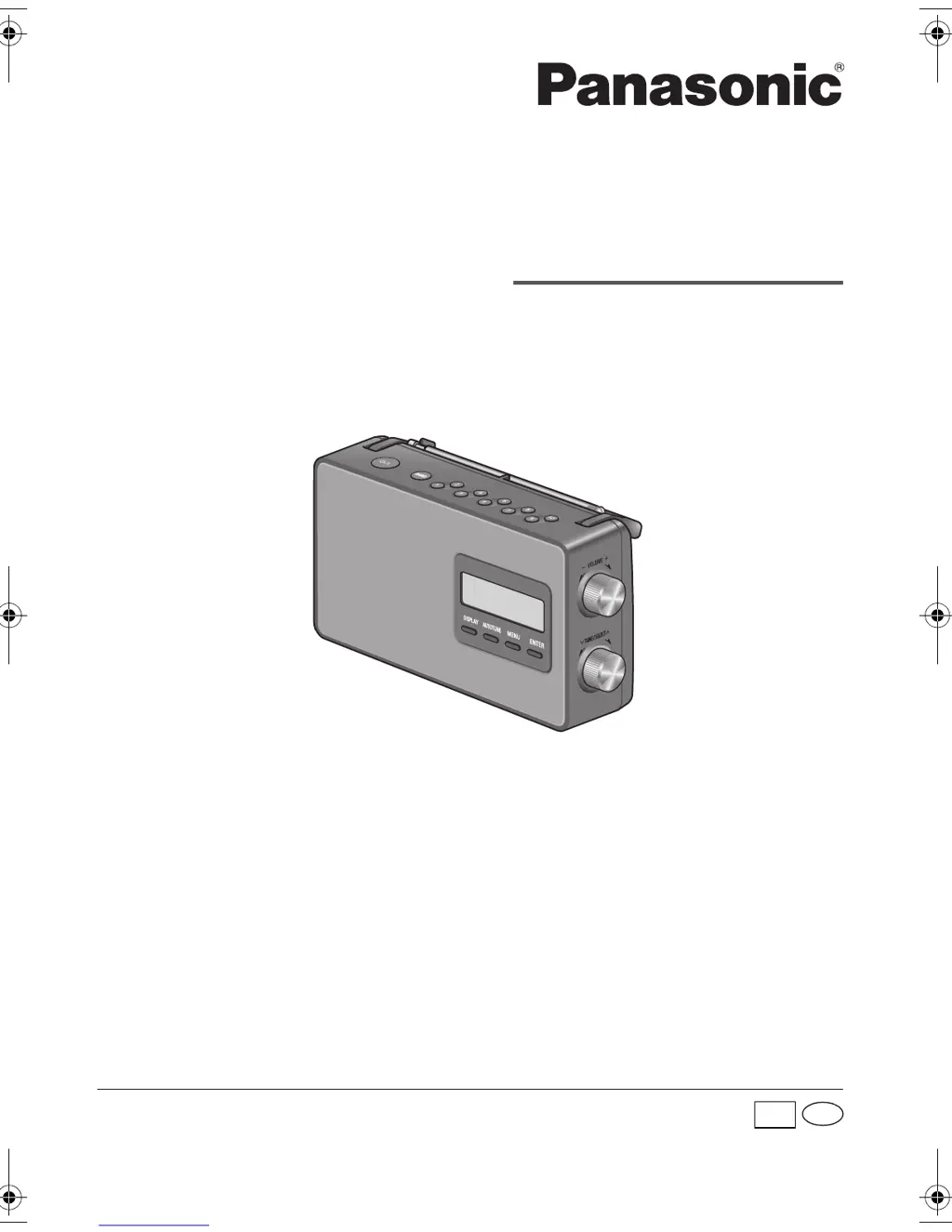
Panasonic RF-D10 - User Manual

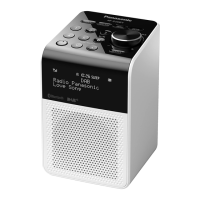
Panasonic RF-D10
8 pages
Print Icon
To Next Page IconTo Next Page
Loading...
Panasonic Corporation
Web Site: http://panasonic.net
© Panasonic Corporation 2014
Operating Instructions
DAB-FM Radio
Model No. RF-D10
GN
Thank you for purchasing this product.
For optimum performance and safety, please read these instructions carefully.
Please keep this manual for future reference.
RQTN0174
L0114CH0
En
rf-d10gn.book Page 1 Friday, January 3, 2014 5:01 PM
printing

Questions and Answers

  • C
    charles78Aug 15, 2025
    What to do if my Panasonic RF-D10 Radio says “No DAB station”?
    • H
      Heather RamirezAug 15, 2025
      If your Panasonic Radio displays “No DAB station”, try the following: * Check the antenna. * Move the unit to another location and perform a full scan again.
  • C
    Craig CarpenterAug 18, 2025
    Why does my Panasonic RF-D10 say “Service not available”?
    • A
      amber69Aug 18, 2025
      If your Panasonic Radio displays “Service not available”, it indicates there is no DAB reception.
  • D
    Danny MilesAug 21, 2025
    How to set the alarm using the Alarm Wizard on my Panasonic RF-D10?
    • B
      Benjamin ParrishAug 21, 2025
      When the Alarm Wizard is displayed on your Panasonic Radio, follow these steps: * Select “On” to switch on the alarm. * Set the hours and minutes for the start time. * Set the audio source. * Set the volume.
  • M
    Melissa ContrerasAug 25, 2025
    What to do if the reception is poor on my Panasonic RF-D10 Radio?
    • M
      Mitchell GarciaAug 26, 2025
      If you are experiencing poor reception or a beat sound on your Panasonic Radio, try these steps: * Keep the antenna away from computers, TVs, and other cables and cords. * If interference is apparent, move mobile telephones away from the unit.
  • M
    Mary McintoshAug 28, 2025
    Why doesn't the alarm work on my Panasonic RF-D10 when using batteries?
    • A
      Ashley MccoyAug 28, 2025
      If the alarm on your Panasonic Radio does not work when it is powered by batteries, ensure that the date and time are set correctly. Otherwise, the alarm may not function as expected.
  • K
    Kathryn AtkinsonAug 31, 2025
    How to fix distorted sound on Panasonic Portable Radio?
    • K
      Kayla YuAug 31, 2025
      If the sound from your Panasonic Portable Radio is distorted or there is no sound, first, adjust the volume. Then, check and adjust the antenna. If the issue persists, move the unit to another location and perform a full scan again. Also, ensure that AC mains leads or fluorescent lights are not near the cables, as these can cause interference. Keep other appliances and cords away from the unit's cables.
  • B
    Barbara HowellSep 3, 2025
    Why is the reception poor on my Panasonic Portable Radio?
    • T
      Tiffany GonzalesSep 3, 2025
      If you are experiencing poor reception or hearing a beat sound on your Panasonic Portable Radio, try to keep the antenna away from computers, TVs, other cables, and cords. If the interference continues, move mobile telephones away from the unit.
  • P
    perkinsadamSep 7, 2025
    What does “Alarm Not saved” mean on my Panasonic RF-D10?
    • J
      Jennifer HubbardSep 7, 2025
      If your Panasonic Radio displays “Alarm Not saved”, it means the changes you made to the alarm were not saved and will be lost.
  • S
    Samuel GomezSep 10, 2025
    What to do if my Panasonic Portable Radio says “No DAB station”?
    • R
      Rodney StewartSep 10, 2025
      If your Panasonic Portable Radio displays 'No DAB station', check the antenna. If the issue persists, try moving the unit to another location and perform a full scan again.

Summary

Safety Precautions

General Unit and AC Lead Safety

Covers hazards related to unit, AC mains lead, and general usage precautions.

Battery Handling and Disposal

Details risks and procedures for battery installation, usage, and disposal.

Small Object Hazard

Warns about small parts like knobs that could be swallowed by children.

Troubleshooting and Specifications

General Sound Issues

Addresses distorted or no sound, suggesting volume, antenna, location, and interference checks.

Poor Reception Issues

Explains causes for poor reception or beat sound, advising antenna placement and interference reduction.

Overview of Controls

Front View Controls Identification

Identifies and describes controls on the front of the radio, including power, band, presets, volume, tuning.

Rear View Controls Identification

Identifies and describes controls on the rear of the radio, including antenna, handle, jacks, and terminals.

Speaker Magnetic Shielding Warning

Warns that the speaker is not magnetically shielded and advises placement near electronic devices.

Power Sources and Getting Started

Using the Household Mains Socket

Instructions for connecting the unit to the mains power and notes on standby power consumption.

Using Batteries as Power Source

Guide for installing batteries and understanding the battery indicator levels and low battery warnings.

Initial Unit Power-On

Describes the initial power-on sequence, including automatic DAB scan and time setting.

DAB Radio Operation

Explains how to select DAB mode and perform a full scan for available stations.

System Settings

Alarm Configuration

Settings for alarm on/off, start time, audio source (Buzzer, DAB, FM), and volume.

Panasonic RF-D10 Specifications

General IconGeneral
Radio typePersonal
Tuner typeDigital
FM band range87.5 - 108 MHz
PLL synthesizer-
Supported radio bandsDAB, DAB+, FM
Radio Data System (RDS)Yes
Equalizer modesFlat
RMS rated power2 W
Driver unit100 mm
Speaker type1-way
Number of built-in speakers1
Display typeLCD
Product colorBlack
Input voltage230 V
Apple docking compatibilityNot supported
Battery typeC
Power sourceAC/Battery
AC input frequency50 Hz
Power consumption (standby)0.6 W
Power consumption (typical)7 W
Harmonized System (HS) code85271900
Weight and Dimensions IconWeight and Dimensions
Depth91 mm
Width251 mm
Height138 mm
Weight1300 g

Related product manuals