
 Need help?
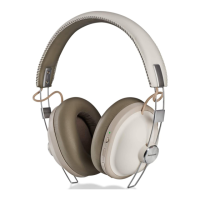
Do you have a question about the Panasonic RP-HF410B and is the answer not in the manual?
Covers warnings related to fire, shock, liquid exposure, and general unit care.
Advises discontinuing use if discomfort or allergic reactions occur from ear pads or skin contact.
Warns against excessive volume, using while operating vehicles, and in hazardous situations.
Specifies the 2.4 GHz frequency band used by the unit for wireless transmission.
Details conformity to frequency restrictions and legal requirements for wireless operation.
Outlines limitations on wireless transmission, device compatibility, and security.
Defines the maximum operating distance and factors affecting it, like environment and obstacles.
Explains potential issues from other Bluetooth devices or strong radio waves.
Specifies the unit is for general use and not in environments sensitive to radio frequency interference.
Lists the accessories supplied with the product for verification.
Provides instructions for cleaning the unit and maintaining battery performance during storage.
Illustrates the correct method for folding the headphones to prevent malfunction.
Details the procedure for powering the unit on and off using the dedicated button.
Explains the steps to pair the unit with a Bluetooth device for the first time or subsequent connections.
Describes how to control music playback, volume, and track selection using the unit's buttons.
How to activate voice assistants like Siri via the unit's button.
Procedure to reset the unit to factory settings, clearing operations but retaining pairing data.
Explains the automatic shutdown feature when the unit is not connected or in use.
How the unit indicates low battery status through LEDs, beeps, and voice messages.
Information on audio notifications for various operations and settings.
Lists trademark information for Bluetooth, Siri, and other system names.
Solutions for no sound, low volume, or poor sound quality.
Steps to resolve issues where the device cannot connect or maintain connection.
Troubleshooting for not hearing the other person or being unable to make calls.
Solutions for the unit not responding, not charging, or not turning on.
Information on how to switch the language of audio guidance messages.
Instructions for proper disposal of used electrical products and batteries in the EU.
Contact details for customer support and inquiries within the UK and Ireland.
Details on ordering accessories and products online or via phone.
 General
| Brand | Panasonic |
|---|---|
| Model | RP-HF410B |
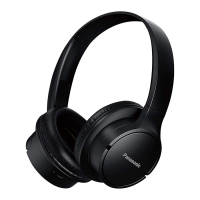
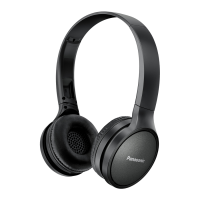
| Category | Wireless Headphones |
| Language | English |


 To Next Page