Operating Instructions/Bedienungsanleitung
Mode d’emploi/Istruzioni per l’uso
Instrucciones de funcionamiento
Gebruiksaanwijzing/Betjeningsvejledning
Bruksanvisning/Návod k obsluze
Instrukcja obsługi/Kezelési útmutató
Инструкция по эксплуатации/
Kullanım Talimatları
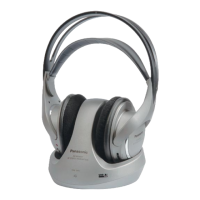
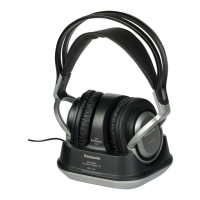
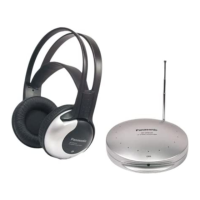
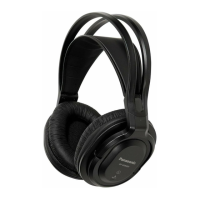
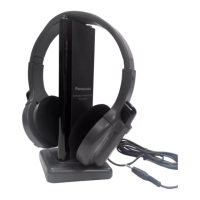
RF Wireless Stereo Headphones System
Drahtloses HF-Stereo-Kopfhörersystem
Système de casque stéréo sans fil à RF
Sistema di Cuffia stereo RF senza cavo
Sistema de auriculares estéreo
inalámbrico por RF
RF Draadloos Stereo-hoofdtelefoon
Systeem
RF trådløst stereohovedtelefonsystem
Trådlöst stereohörlurssystem
Bezdrátový systém stereofonních
sluchátek RF
Bezprzewodowe stereofoniczne
słuchawki nagłowne częstotliwo
ści radiowej
RF vezetéknélküli sztereó fejhallgató
rendszer
Радиочастотные беспроводные
стереонаушники
RF Kablosuz Stereo Kulaklık Sistemi
RP-WF940
Model No.
Note:
“EB” on the packaging indicates the United Kingdom.
Before connecting, operating or adjusting this product,
please read the instructions completely. Please keep this
manual for future reference.
Bitte lesen Sie diese Bedienungsanleitung vor dem
Anschließen, Inbetriebnehmen oder Einstellen dieses
Gerätes vollständig durch.
Diese Anleitung bitte aufbewahren.
Avant de raccorder, faire fonctionner ou régler l’appareil,
lire attentivement tout ce mode d’emploi.
Conserver ce manuel.
Prima di collegare, far funzionare o regolare l’apparecchio,
leggere completamente queste istruzioni. Conservare
questo manuale.
Antes de conectar, operar o ajustar este producto, sírvase
leer estas instrucciones completamente.
Guarde este manual.
Gelieve deze gebruiksaanwijzing volledig door te lezen
alvorens dit product aan te sluiten, te bedienen of af te
stellen. Bewaar deze gebruiksaanwijzing.
Læs venligst hele denne betjeningsvejledning, før du
tilslutter, betjener eller indstiller dette apparat.
Gem vejledningen til senere brug.
Läs denna bruksanvisning helt innan du ansluter,
använder eller justerar denna produkt. Spara denna
bruksanvisning.
Dříve než začnete jakékoli zapojování, operace nebo
nastavování tohoto výrobku, prostudujte si prosím celý
tento návod. Uschovejte si prosím tento návod k obsluze.
Przed uruchomieniem sprzętu prosimy o dokładne
zapoznanie się z treścią niniejszej instrukcji. Prosimy o
zachowanie niniejszej instrukcji obsługi.
Niniejsza instrukcja została opracowana na podstawie
oryginalnej publikacji fi rmy MATSUSHITA ELECTRIC
INDUSTRIAL CO.,LTD.
E termék csatlakoztatása, használatba vétele vagy
beállítása elött kérjük, olvassa végig ezeket az
utasításokat. Kérjük, örizze meg ezt az útmutatót a
jövöbeni tájékozódáshoz.
Перед подключением, работой или регулировкой
данного аппарата прочтите, пожалуйста, эту
инструкцию полностью.
Coxpaните, пожалуйста, эту инструкцию.
Bu ürünü bağlamadan, ayar yapmadan ya da
çalıştırmadan önce talimatların tümünü okuyun. Bu
kılavuzu ileride kaynak olarak başvurmak üzere lütfen
saklayın.
E
RQT8988-1E
ENGLISH ......... See pages 2-12 and 14, 17-19
DEUTSCH ........ Siehe Seiten 2-13 und 15, 17
FRANÇAIS ...............Voir pages 3-13 et 16-17
ITALIANO .....
Vedere alle pagine 20
-
30 e 32, 35
ESPAÑOL ...
Consulte las páginas 20
-
31 y 33, 35
NEDERLANDS ............Zie blz. 21-31 en 34-35
DANSK ...................... Se side 36-46 og 48, 51
SVENSKA ..........Se sidorna 36-47 och 49, 51
ČESKY .............................Viz str. 37-47, 50-51
POLSKI ...
Patrz strony 52-62, 64, 67 i okładka tylna.
MAGYAR .......... Lásd a 52-63., 65., 67. oldalt.
РУССКИЙ ЯЗЫК .......См. стр. 53-63, 66-67 и
обратную сторону обложки.
TÜRKÇE ................................Bkz. sayfa 68-75
EB


 To Next Page
 General