Need help?
Do you have a question about the Panasonic RQ-SW45V and is the answer not in the manual?
Guidance on how to attach the belt clip and easy grip handle to the player.
Instructions for installing a battery and connecting headphones.
Steps for inserting a cassette, pressing play, and adjusting volume.
Instructions for releasing hold, selecting radio bands, and tuning stations.
Details on battery condition indicator and changing the bass sound effect.
How to stop, fast forward, rewind, and change tape direction.
How to stop, select bands (AM/FM/OFF), and tune stations.
Common problems and their solutions, including battery and headphone checks.
Explanation of the LAP function for tracking time during jogging.
Guidance on shipping the product for service and referring to the servicer directory.
Information on warranty coverage, exclusions, and how to obtain service.
Details on radio frequency, tape speed, power requirements, dimensions, and weight.
Specifics on LAP display, pausing, restarting, changing modes, and resetting time.
Guidance on battery polarity, removal, condition indicator, and replacement.
Precautions for splashproof design, avoiding water damage, and safe listening levels.
Instructions for cleaning the head and how the auto reverse function operates.
Explanation of how the hold function prevents accidental operation.
Tips for good FM/AM reception and preset station tuning.
Procedure for adjusting FM/AM frequency allocation settings for different regions.
Details on VMSS (RQ-SW45V) and XBS (RQ-SW35V) bass boost functions.
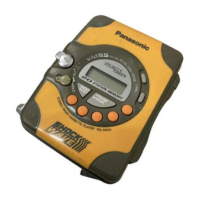
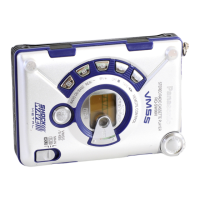
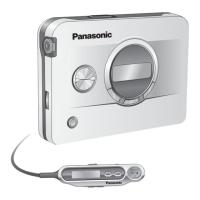
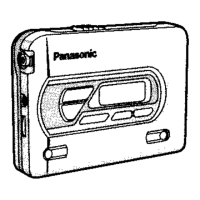
This document describes the Panasonic Stereo Radio Cassette Player models RQ-SW45V and RQ-SW35V, providing instructions for operation, maintenance, and troubleshooting.
The Panasonic Stereo Radio Cassette Player is a portable device designed for playing cassette tapes and receiving radio broadcasts. It features a splashproof design, making it suitable for outdoor use. The device includes a "HOLD" function to prevent accidental operation and a "LAP" function to track time during activities like jogging.
The player supports normal position type tapes for playback. For radio reception, it can tune into both FM and AM bands. The RQ-SW45V model includes a "VMSS" (Virtual Motion Sound System) feature, while the RQ-SW35V model features "XBS" (Extra Bass System), both designed to enhance low-frequency sound.
Battery Installation and Condition: To begin, install one R6/LR6, AA, UM-3 battery (included) by following the polarity markings. The device includes a battery condition indicator that scrolls twice before lighting up when starting a tape or radio reception. In stop mode, pressing "BATT CHECK" will make the indicator scroll twice and light for about 5 seconds. When the battery is weak, the indicator will flash. Replacing batteries within 30 seconds will retain any stored information. Rechargeable batteries manufactured by Panasonic are recommended if used.
Headphone Connection: Connect the headphones firmly to the 3.5 mm stereo jack. The headphones cord also acts as an antenna for FM radio reception, so extending it helps improve reception.
Cassette Playback:
Radio Reception:
Volume Adjustment: Use the volume controls to adjust the sound level.
Bass Enhancement (VMSS/XBS):
LAP Function: The LAP function tracks time during activities.
Hold Function: This function prevents accidental operation by disabling front panel buttons. The display will show "HOLD" when active.
Listening Caution: Avoid playing headphones at high volume for extended periods. Reduce volume or discontinue use if ringing in ears occurs. Do not use while operating a motorized vehicle. Use caution in hazardous situations. Even with open-air headphones, do not turn up the volume so high that you cannot hear surrounding sounds. Set a safe listening level by starting at a low setting, slowly increasing until comfortable and clear, then leaving the dial there.
General Care:
Cleaning: To ensure good sound quality, clean the head after approximately every 10 hours of use with a cotton swab dampened with a little alcohol.
 General
| Brand | Panasonic |
|---|---|
| Model | RQ-SW45V |
| Power Supply | 2 x AA batteries |
| Auto Stop | Yes |
| Auto Reverse | Yes |
| Frequency Response | 40Hz - 14kHz |
| Playback Speed | 4.76 cm/s |
| Water Resistant | Yes |
| Anti-Rolling Mechanism | Yes |
| Built-in Speaker | No |
| Type | Cassette Player |
| Noise Reduction | Dolby B |
| Headphones | Included |
| Battery Life | Approx. 20 hours (alkaline batteries) |


 To Next Page