Need help?
Do you have a question about the Panasonic RQ-V185 and is the answer not in the manual?
Avoid heat, direct sunlight in cars, and disconnect AC adaptor when not in use.
Advise against high volume, reduce volume if ringing, avoid use while driving.
Lists stereo headphones and belt clip as included items.
Illustrates how to connect headphones and attach the belt clip.
Details on battery installation, removal, and indicators of battery life.
Instructions for connecting and using the AC adaptor for power.
Explains how the hold switch prevents unintended operation.
Identifies and labels the physical buttons and switches on the player.
Identifies and labels the indicators and display elements.
Steps to insert, play, and stop a cassette tape.
Explains auto reverse and manual reverse tape playback.
Instructions for rapidly advancing or rewinding the tape.
Guidance on selecting the correct tape type (CrO2/Metal vs. NOR).
Advice on storing tapes and handling loose tape.
Cautionary notes for using tapes longer than 90 minutes.
Steps for selecting radio bands and tuning to stations.
How the unit automatically finds and stops at broadcast stations.
Advice on obtaining good reception for FM and AM broadcasts.
How to use the FM mode selector for stereo or mono reception.
Process for storing up to 12 radio stations (6 FM, 6 AM).
How to recall and listen to preset radio stations.
Function to preview preset stations for a few seconds.
Feature that returns to the last tuned frequency when turned on.
Steps to remove stored radio stations from memory.
Instructions for cleaning the head, capstans, and rollers.
Details on radio frequency, power, dimensions, and weight.
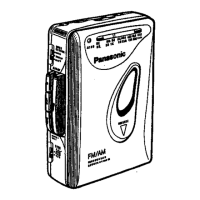
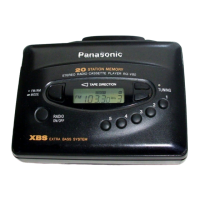
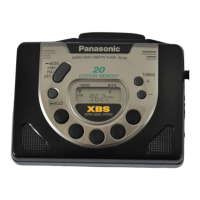
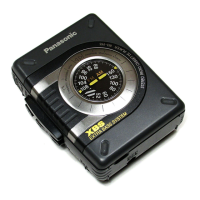
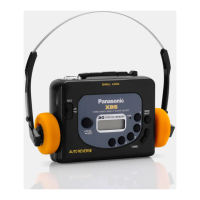
The Panasonic RQ-V185 is a stereo radio cassette player designed for portable audio enjoyment. It combines the functionality of a cassette player with a digital synthesizer tuner for radio reception, offering a versatile listening experience on the go.
The primary function of the RQ-V185 is to play audio cassettes and receive radio broadcasts. As a cassette player, it supports standard audio cassettes and features an auto-reverse mechanism, allowing continuous playback of both sides of a tape without manual intervention. The auto-reverse function automatically changes the tape direction when it reaches the end, ensuring uninterrupted listening. Users can also manually select the playback direction (forward or reverse) using the direction selector. Fast forward and rewind functions are available for quick navigation through the tape. The device also includes a tape selector to optimize playback for different tape types: CrO2/MTL for metal or high bias chromium tapes, and NOR for low bias ferric oxide tapes.
For radio reception, the RQ-V185 features a digital synthesizer tuner capable of receiving both FM and AM bands. The frequency display shows the current station, and tuning can be done manually using "+" and "-" buttons or automatically by holding down a tuning button for more than 0.5 seconds. The auto-tuning feature will stop when a broadcasting station is automatically received. The device also supports FM stereo broadcasts, indicated by a stereo indicator on the display. For optimal FM reception, the headphones' cord acts as the antenna, so it should be extended, not coiled. For AM reception, the built-in ferrite core antenna is directional, and the unit may need to be positioned horizontally for optimum reception.
A key feature of the radio function is the ability to memorize broadcasting stations. The RQ-V185 can store up to 12 stations (6 FM and 6 AM) in its memory channels. This allows users to quickly recall their favorite stations without having to manually tune them each time. The memory scan function further enhances this by allowing users to briefly listen to each memorized station in sequence, which is useful for checking current broadcasts. The device also has a "last station recall" feature, which tunes into the last received frequency when the radio is turned on again.
The RQ-V185 is designed for ease of use and portability. It is powered by two UM-3 (R6/LR6) batteries, making it suitable for outdoor and travel use. An optional Panasonic AC adaptor (RP-AC33) can also be used for operation when an AC power source is available. The OPR/BATT indicator provides a visual cue for battery status; it dims or turns off when batteries are weak, and the unit will power down to protect memorized content.
A "Hold" switch is incorporated to prevent accidental operation of the front panel buttons. When set to "HOLD," the device's current state is maintained, and button presses are ignored, which is particularly useful when carrying the unit in a bag or pocket. A "Hold" indicator appears on the display when this feature is active.
The device's controls are clearly laid out, including playback, fast forward/rewind, and stop buttons for cassette operation, along with a direction selector. For radio, there are tuning buttons, a band select button (FM/AM), and memory-related buttons (MEMORY, M. SELECT/-M. SCAN). A function selector allows users to switch between "TAPE/OFF" and "RADIO" modes. Volume control is managed by a rotary knob. The headphones jack is conveniently located for connecting stereo headphones, which are included as a supplied accessory. A belt clip is also provided, allowing users to attach the player to their belt for hands-free carrying.
Proper maintenance is crucial for ensuring the longevity and optimal performance of the RQ-V185, especially for the cassette player components. The manual emphasizes the importance of regularly cleaning the head assembly, capstans, and pressure rollers, as these parts are in constant contact with the tape and can accumulate dirt, leading to impaired sound quality.
To clean these components, users are instructed to open the cassette compartment cover, press the playback button to expose the playback head, capstans, and pressure rollers, and then clean them with a cotton swab. For extremely dirty components, a cotton swab dampened with a small amount of alcohol can be used. The manual specifically advises against the use of cleaning tapes, stating that they can be abrasive and cause premature wear of the heads.
For the external cabinet, users are warned not to use benzine or thinner, as these chemicals can damage the plastic. Instead, the cabinet should be cleaned with a cloth dampened in a mild solution of soap and water, taking care to avoid excessive moisture. Spray-type insecticides are also to be avoided, as some contain chemicals that can cause cabinet deformation.
Battery management is another aspect of maintenance. Users are advised to load new batteries with correct polarity, avoid heating batteries, and remove batteries if the unit will not be used for a long period or is powered by an AC source. Used batteries should be removed immediately, and mixing old and new batteries or alkaline with manganese batteries is discouraged. These precautions help prevent possible damage to the unit and ensure safe operation.
 General
| Type | Cassette Player |
|---|---|
| Brand | Panasonic |
| Model | RQ-V185 |
| Power Source | 2 x AA batteries |
| Headphones | Yes |
| Mega Bass | Yes |
| Auto Reverse | Yes |
| Auto Stop | Yes |
| Built-in Speaker | Yes |
| Playback Functions | Play, Rewind, Fast Forward |
| Headphones Jack | 3.5 mm |

 To Next Page